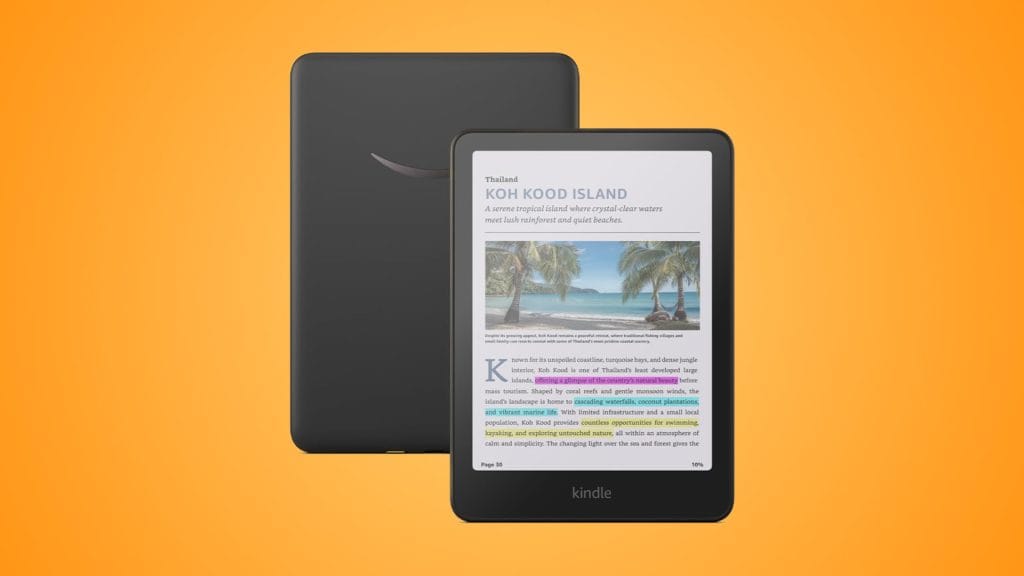
Amazon Kindle Colorsoft Newest Gen (2025)
design
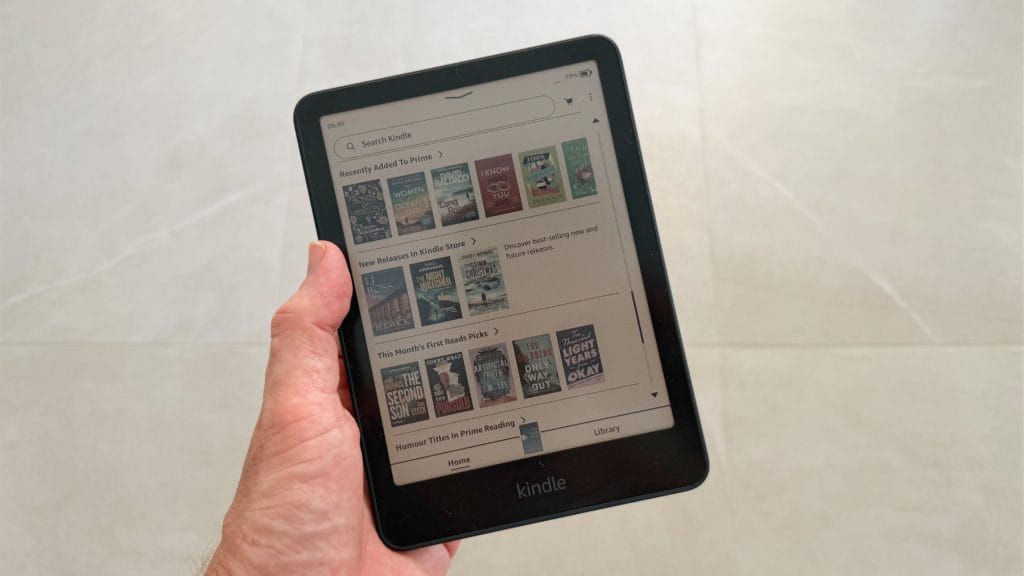
If you’ve held a Kindle Paperwhite in the last couple of years, the Colorsoft will feel pretty familiar. Amazon has kept things simple here and not strayed from the playbook that was doing the job just fine. In fact, the 2025 Kindle Colorsoft might even share body parts with the 12th generation Paperwhite, because the dimensions are identical. The same flush front screen remains too, along with that power button on the bottom edge that’s just a little too easy to accidentally press.
At 215g it’s a touch lighter than the Signature Edition model and again, virtually identical to the Paperwhite. After spending time with the PocketBook InkPad Colour 3 which weighs noticeably more, the Kindle Colorsoft (2025) feels refreshingly manageable for extended reading sessions. You won’t notice any difference switching between this and a Paperwhite, which is exactly how it should be.
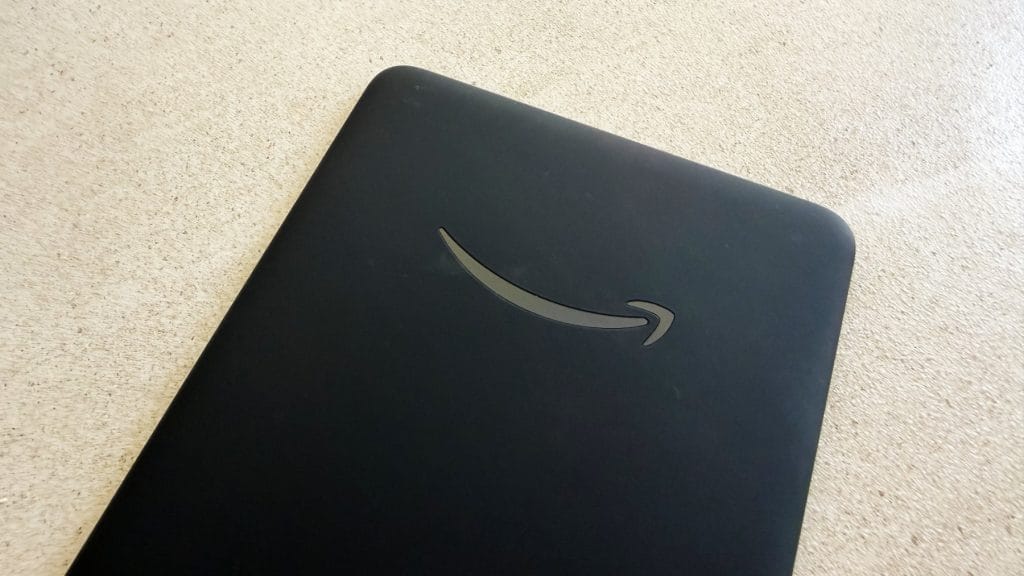
The whole device feels less laminated than previous Kindles and it’s something that I’m not entirely sold on. There’s a touch of flex and a slightly hollow sensation to the rear housing when you pick it up one-handed. It’s nothing that feels concerning and it doesn’t feel cheap, it’s just not quite as solid and therefore quite as premium as you might expect. Thanks to the dark, matte finish it’s also a fingerprint magnet of the highest order. I found myself wiping smudges off the back regularly, and if that sort of thing bothers you, a case is pretty much essential. The same covers that fit the Paperwhite will work here, which is always nice when accessories carry over, or helps when shopping for third-party options outside of Amazon’s own pricey cases.
The 7-inch display sits comfortably in the hand and offers enough reading real estate for most content without becoming unwieldy. For comics, you’ll likely still find yourself using panel view to zoom into individual frames on busier pages, but for graphic novels and illustrated books there’s plenty of space to enjoy the artwork. Unlike the PocketBook’s recessed screen which I found to be a bit of a dust magnet, Amazon’s flush front design feels more premium and is easier to keep clean. It’s a small detail but one I appreciate when you’re handling something every day.
performance
At its core the latest generation Kindle Colorsoft does the same as every other, it’s an ereader with the usual feature bells and whistles like audiobook playback. I will say from the start however that my immediate experience with the Kindle Colorsoft was it felt a little snappier through menus and general interactions than devices I’d used before. Text inputs in particular felt more responsive with less delay, and jumping between menu pages seemed to refresh with less hang too. That isn’t really the main selling point here though, nobody is moving to a Kindle Colorsoft for a slightly faster OS, what sets this one apart is what that screen is capable of and whether colour enhances the reading experience.
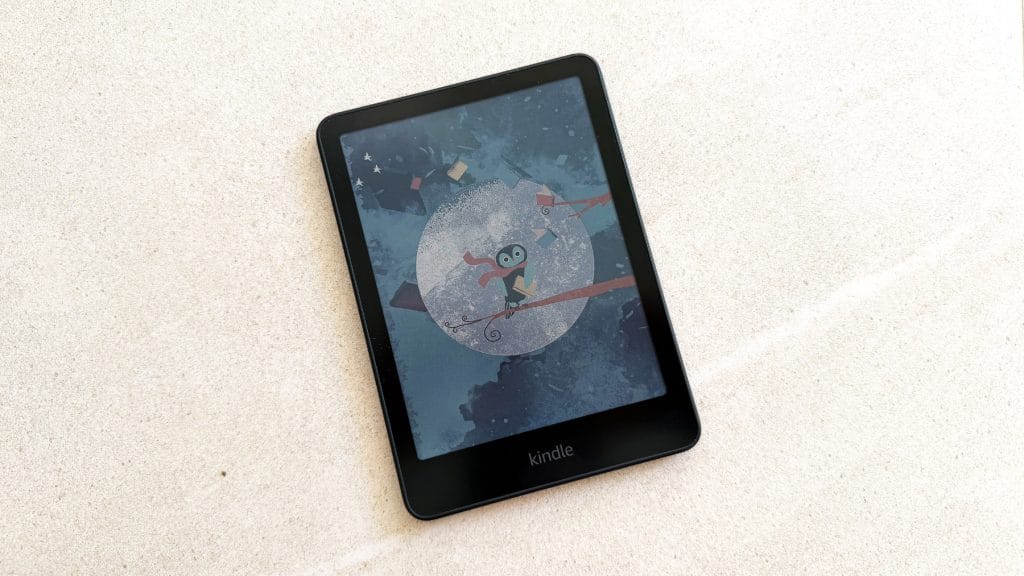
The Colorsoft uses E Ink’s Kaleido 3 technology, delivering 300 PPI for black and white content and 150 PPI for colour. It’s effective, though like other ereaders the colours are noticeably muted, each is distinct but there’s a definite pastel vibe across the board. Side by side with a black and white Kindle book covers do pop far more however and that vibrancy makes browsing your library feel more like scanning a bookshelf. Graphic novels and comics in particular come to life in a way that black and white screens simply can’t match.
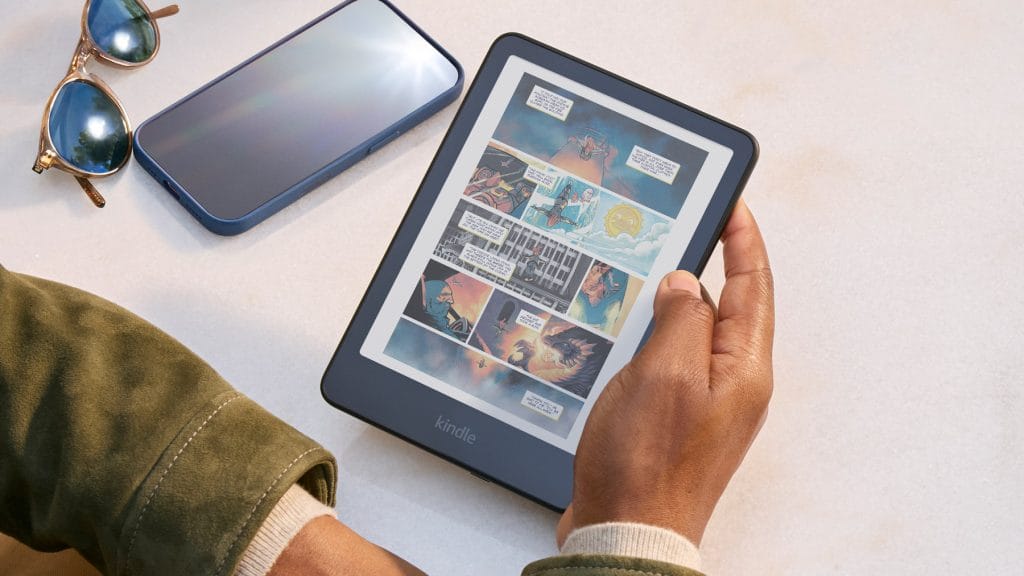
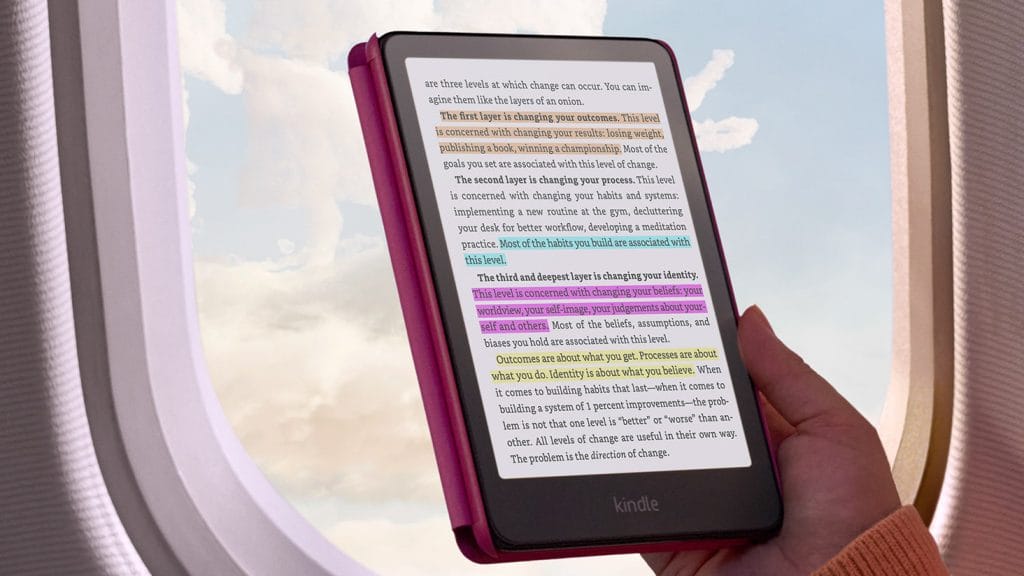
But here’s the thing, much like my experience with the PocketBook InkPad Colour 3, I found myself forgetting the Kindle Colorsoft even had a colour screen most of the time. That’s not its fault necessarily, the majority of my reading is novels and those are still black text on a plain background regardless of what screen technology is underneath. The colour capability sits there waiting for its moment, which for many readers might only come when admiring a book cover or highlighting a passage. Those coloured highlights are actually quite useful by the way. You can mark text in yellow, orange, blue, or pink and filter by colour later. It’ll be a really handy feature for non-fiction readers who like to categorise their annotations.
This is where Paperwhite owners need to pay attention though. The colour filter layer that enables all that vibrancy comes at a cost – text isn’t quite as razor sharp as it is on a standard Kindle. When placed side by side, a Kindle Paperwhite‘s black text appears darker and crisper, with higher contrast against that distinctive white background. The Colorsoft’s text is still perfectly readable in comparison and I wouldn’t call it fuzzy, but there’s a subtle softness that’s noticeable if you’re looking for it. It’s a similar story to what I found with the PocketBook, though I’d say the Colorsoft handles it better. Whether this matters to you depends on how sensitive you are to text rendering. For casual reading it’s absolutely fine and over time I started to adapt to this being the norm, only when going back to my Paperwhite did I notice what I was giving up.
The Kindle Colorsoft (2025) also lacks proper Dark Mode, which is a notable omission in this day and age and a peculiar one too. There is a “Page Color” feature that inverts text and background within books, and that does do the job perfectly well when page turning, but it’s not system-wide and doesn’t work the same way as menu items remain in light mode permanently. I’m sure there’s a perfectly valid reason for Amazon to neglect this feature, particularly when it’s quietly announced it’s coming to the Kindle Scribe Colorsoft in 2026.
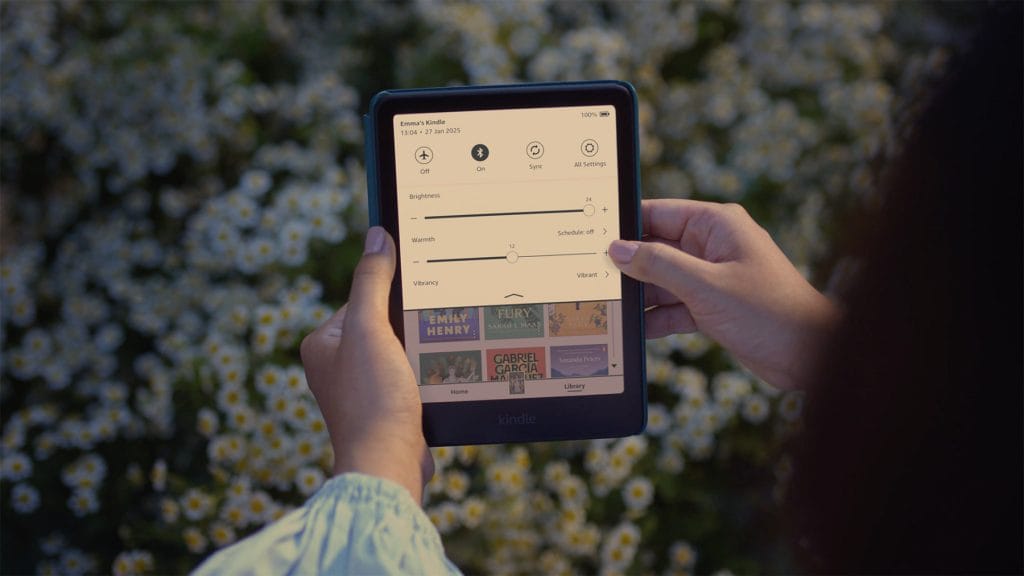
Without the auto-adjusting front light of the Signature Edition, you’ll need to manually tweak brightness as conditions change. It’s not a hardship with eink screens but it is a feature you’re giving up compared to the £270 model. The front light itself remains impressive with little light washing out on my face in dark rooms. It has a slightly cooler, bluer tone than the Paperwhite’s warmer glow but you can add warmth manually in the settings, and I found myself doing exactly that for evening reading.
Battery life is rated at up to 8 weeks compared to the Paperwhite‘s 12 weeks but in practice, it’s almost an irrelevant metric. As soon as you’re going beyond a week of battery life in a device like this, they might as well all be the same. It charges fast enough to not be an issue, though remember you’ll have given up wireless charging by opting for the base model over the Signature Edition. It’s not a result of the colours itself, but you’ll also likely see a drop in overall battery life if you’re consistently reading colour-heavy content like comics. Full-page refreshes need the most juice so if you’re looking to the Kindle Colorsoft as a digital graphic novel, expect to charge more often (but still rarely enough I doubt you’ll be frustrated).
Where the Colorsoft sits ahead of alternatives like the PocketBook is Amazon’s ecosystem, assuming you’re happy to live within it. The Kindle Store is comprehensive and includes a massive comic and graphic novel selection through the Comixology integration. Panel View works well for reading comics panel-by-panel, automatically zooming and panning through frames. It’s not as good as reading on a tablet, but it’s a perfectly acceptable way to get through your pull list on a device that won’t strain your eyes.
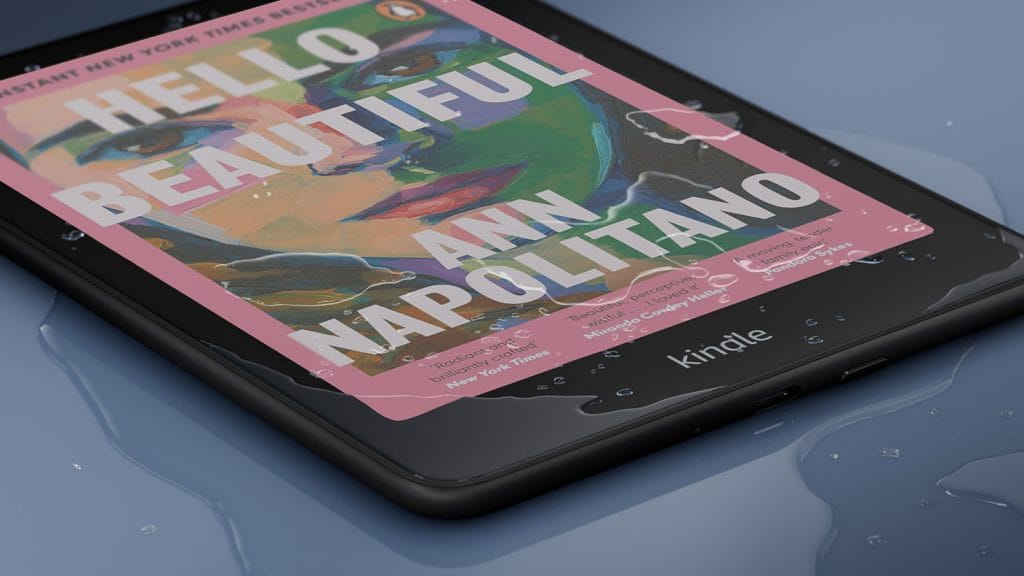
Kindle Unlimited subscribers get solid value here, with plenty of colour content included in the subscription. The whole experience of buying, downloading, and reading books remains as slick as it’s always been on Kindle – no messing about with Dropbox syncing or questionable storefronts with limited English content. It’s possible to sideload your own content too, within Amazon’s list of accepted formats, and I had no trouble syncing my small Calibre test library. Even for outside ebooks, cover art appeared in full, impressive colour on my digital bookshelf and internal coloured pages displayed well too.
summed up
The Kindle Colorsoft 16GB sits in an interesting spot. At £240, it’s £80 more than a standard Kindle Paperwhite but £30 less than the Colorsoft Signature Edition and £90 cheaper than the PocketBook InkPad Colour 3. For that money you get Amazon’s first colour e-reader with all the ecosystem benefits that brings, wrapped in a design that’s proven and comfortable.
The question isn’t really whether the Colorsoft is good – it is, it shouldn’t be a surprise that Amazon has worked out how to make Kindles good by now. The question is whether colour matters enough to you to accept the trade-offs you get as a result. Text is slightly less crisp than a Paperwhite, battery life is shorter, there’s no system-wide dark mode. If you primarily read novels, the honest answer is that the Paperwhite realistically remains the better choice for pure reading.
But if you read comics, graphic novels, illustrated non-fiction, or you just really want to see your book covers in colour because it’s fun, the Colorsoft delivers. It handles colour content better than the PocketBook I tested, slots seamlessly into Amazon’s ecosystem, and does so at a price that doesn’t feel excessive for what’s on offer. Plus, there’s (currently) no ads as part of the Colorsoft ecosystem and your device will instead show pretty coloured pictures instead of advertisements when sleeping.
The 16GB storage should be fine for most readers, though audiobook enthusiasts might feel the squeeze. The lack of wireless charging and auto-brightness are liveable omissions, but if those features matter to you, the £30 jump to the Signature Edition is only a small and probably worthwhile one. For everyone else, this is the colour Kindle to buy.