SteelSeries Nimbus Cloud Bluetooth Mobile Controller
design
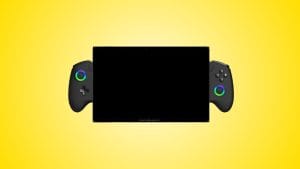
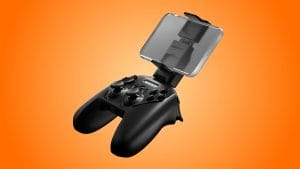
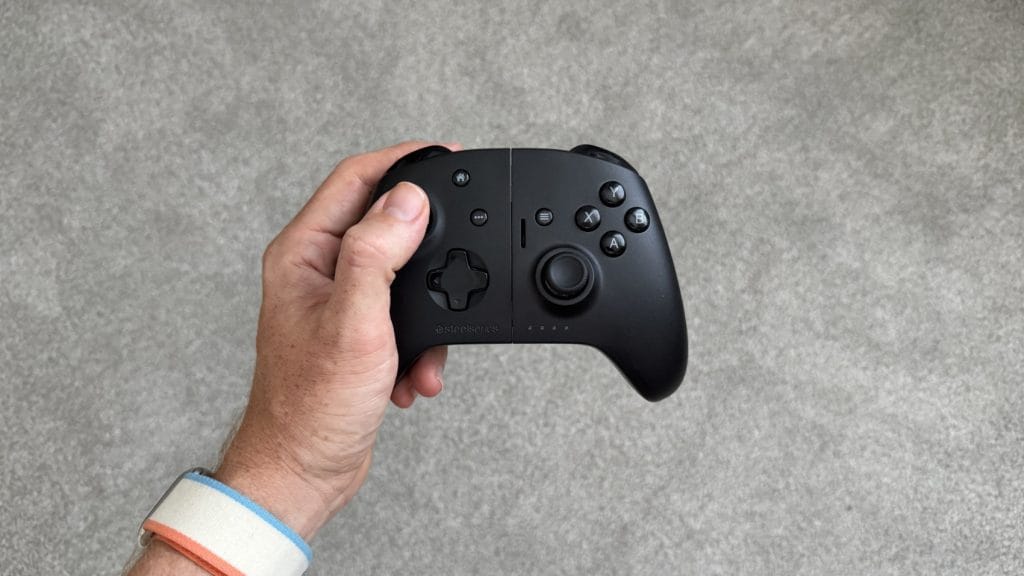
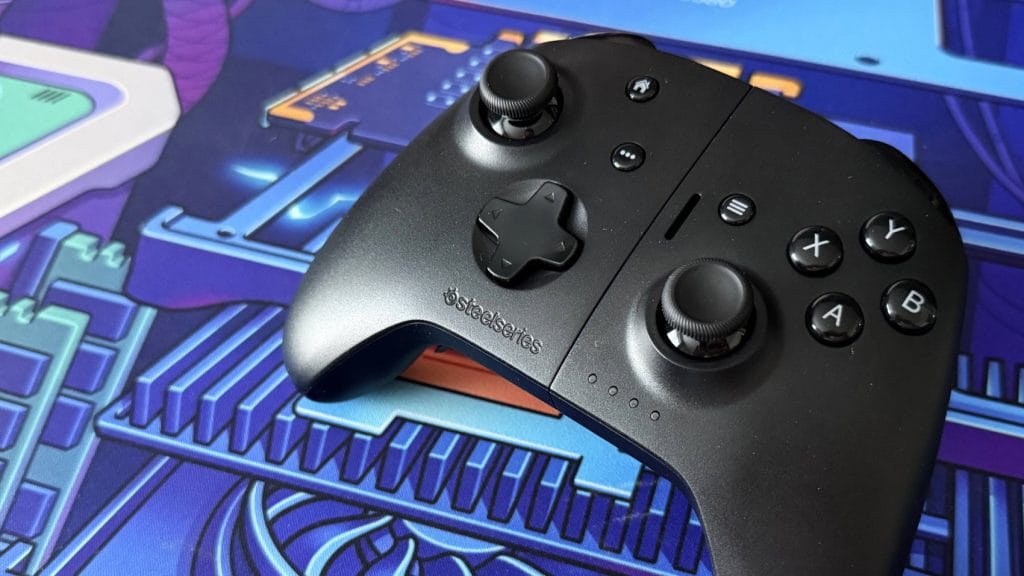
Pick up the SteelSeries Nimbus Cloud when it’s folded down and, apart from a curious split running down the middle, you could be forgiven for thinking it’s a fairly standard Bluetooth gamepad. It has the familiar Xbox-style asymmetric stick layout, ABXY face buttons, bumpers, triggers, a d-pad, and view/menu buttons. It comes in black and only black, it’s something I feel like I’ve seen a hundred times before.
Build quality sits in a strange middle ground. There’s nothing especially wrong with it, nothing rattles or creaks or feels like it might fall apart, but equally there’s nothing that makes you think you’ve just spent £130 on a controller. It’s surprisingly light at a shade over 250g, particularly for a grip with a battery in it, but that lightness brings with it a hollowness that undermines any sense of premium. It’s no better in the hand than a stock Xbox pad and lacks the little touches you’d expect at this price, rubberised grips, textured surfaces, that sort of thing. SteelSeries rates the battery at 20 hours over Bluetooth and that seems about right in my experience. There’s passthrough USB-C charging when it’s in mobile grip mode, which is a sensible inclusion, though there’s no 3.5mm audio output.
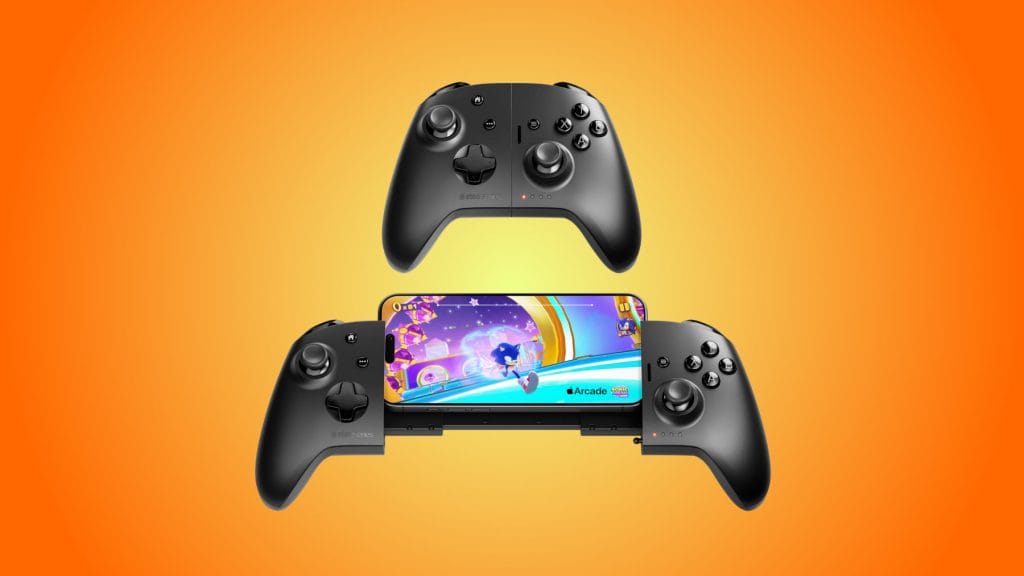
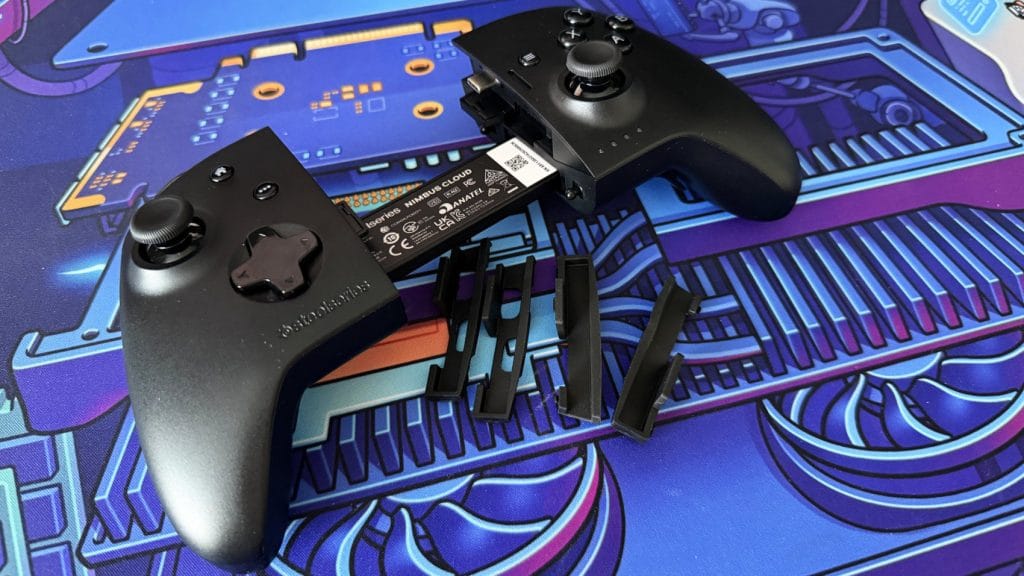
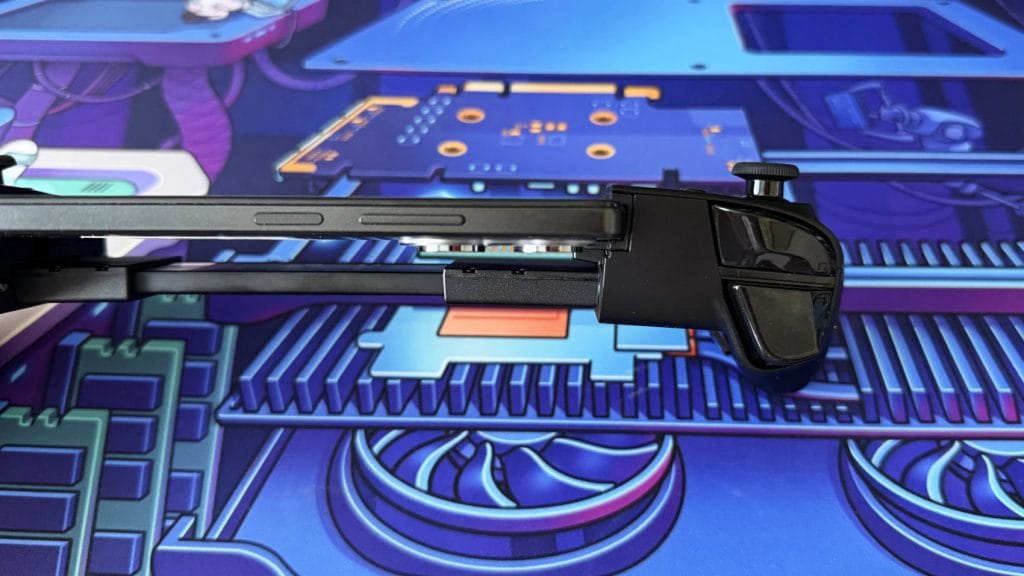
The party trick, and the reason the SteelSeries Nimbus Cloud exists at all, is what I’ve been calling Transformer mode. Pull the two halves apart and the controller unfurls into a full telescopic mobile grip, with a USB-C connector revealing itself on the upper right side ready to plug directly into your phone. The extending mechanism involves multiple overlapping sections and, credit where it’s due, it’s a rather clever bit of mechanical design. It just seems to keep going, more and more phone deck appearing from nowhere, and it’s satisfying in a fidget-toy sort of way. I caught myself idly expanding and collapsing it during cutscenes more than once. There are a lot of moving parts rubbing against each other, though, which does leave me with some concerns about long-term durability as I could see a little gentle rubbing on the back after just a week or two.
Phone compatibility is where the Nimbus Cloud starts to wobble, literally in some cases. I tested with an iPhone 17 Pro and a POCO X5 Pro. The POCO has a slim, nearly flat profile and fit physically with the stock rubber inserts, though your phone sits in the upper half of the grip rather than centrally, which leaves it feeling somewhat exposed. More concerning is the amount of stress going through the USB-C connector. There’s noticeable tilt and wobble with the phone inserted, it never quite feels square, and I found myself worrying that one wrong bump would snap the connector clean off inside the port.
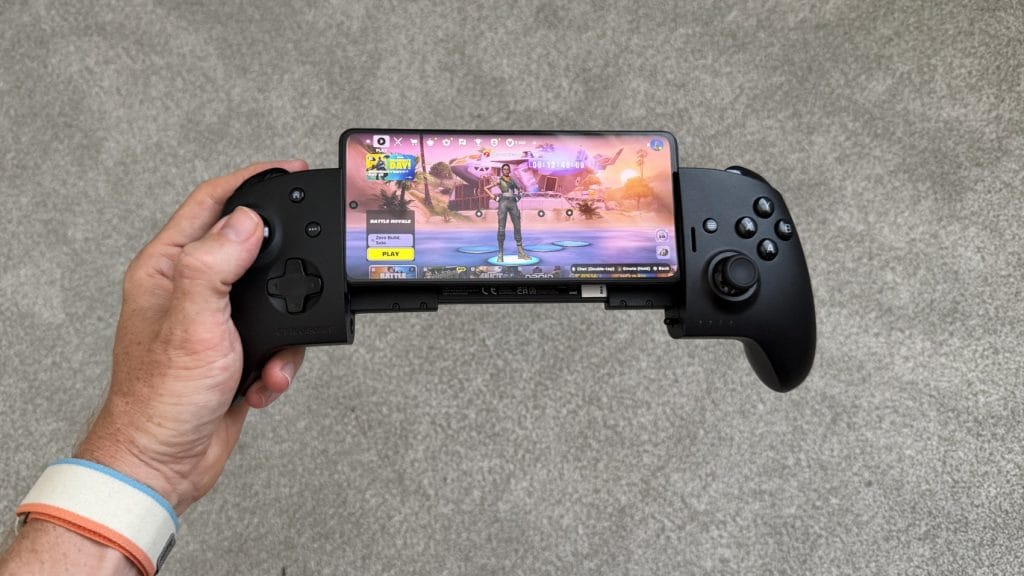
The iPhone 17 Pro was almost a non-starter. Don’t even think about keeping a case on. With either size of the included rubber inserts the camera bump was simply too thick. Even removing the inserts entirely, which leaves your phone now resting against bare hard plastic, it didn’t fit in a way I’d consider remotely usable long term. Now admittedly this controller predates any render of the 17 Pro so it’s not exactly SteelSeries’ fault, it can’t predict the size and shape of every new phone, but for a universal accessory it offers very fine margins of compatibility.
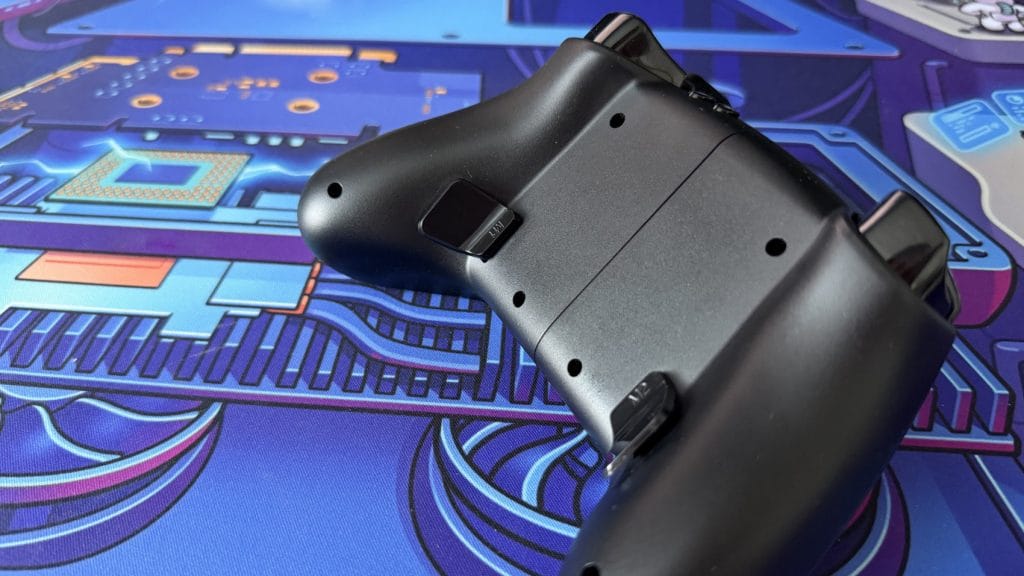
Round the back you’ll find two programmable buttons that sit nicely under your middle fingers, with a hybrid paddle-button design that works well ergonomically. The problem is that “programmable” comes with a rather large asterisk. There’s no SteelSeries companion app for the Nimbus Cloud, so on Apple devices you’re limited to rebinding through the system-level Game Controller settings, and on Android I couldn’t remap them at all. For a controller at this price from a brand with the resources of SteelSeries, the absence of a dedicated app for customisation is baffling. The GameSir G8+ I tested recently has a full companion app with dead zone adjustment and hair trigger modes, and it costs nearly half as much.
performance
Whether in controller or grip trim, the SteelSeries Nimbus Cloud’s Hall Effect thumbsticks are the standout feature. They’re quite firm with a relatively fast spring-back and slightly shorter travel than some competitors I’ve tested, like the GameSir G8 Galileo. That means they’re precise enough for shooters and responsive enough for general gaming, though the smaller range of movement might take some adjustment if you’re coming from another pad. Unlike some rivals there’s no option to swap the sticks or adjust their height, and SteelSeries has played it safe with a shortish stem and traditional caps.
The triggers are a different story. They’re Hall Effect as well, but they feel muddy and I didn’t feel like they consistently recreated their physical movement in game. It’s hard to explain, but where a good set of analogue triggers let you feel dialled in when playing racing games like Forza Horizon 6, on the Nimbus Cloud I felt disconnected from the throttle. There was no sense of fine control, no confidence that a small movement of my finger was translating into a proportional small movement on screen. This was consistent whether I was playing locally on my PC or via cloud gaming on mobile, so it wasn’t a Bluetooth latency thing.
The mechanical face buttons are clicky, tactile, and satisfying to press, as is the d-pad. However, I noticed the Nimbus Cloud would occasionally miss inputs in situations where I was pressing the same button repeatedly. This first cropped up when I was spam jumping while waiting for the Battle Bus in a Fortnite lobby and I confirmed it with dedicated testing after getting eliminated. Interestingly it didn’t seem to happen when pressing a combination of different buttons, which points to a debounce problem with the mechanical switches. The face buttons are pleasantly quiet, but the same can’t be said for the bumpers. It’s nice that SteelSeries has used mechanical switches here too, but unlike the face buttons they’re noticeably loud, almost sounding like a cheap old-fashioned mouse.
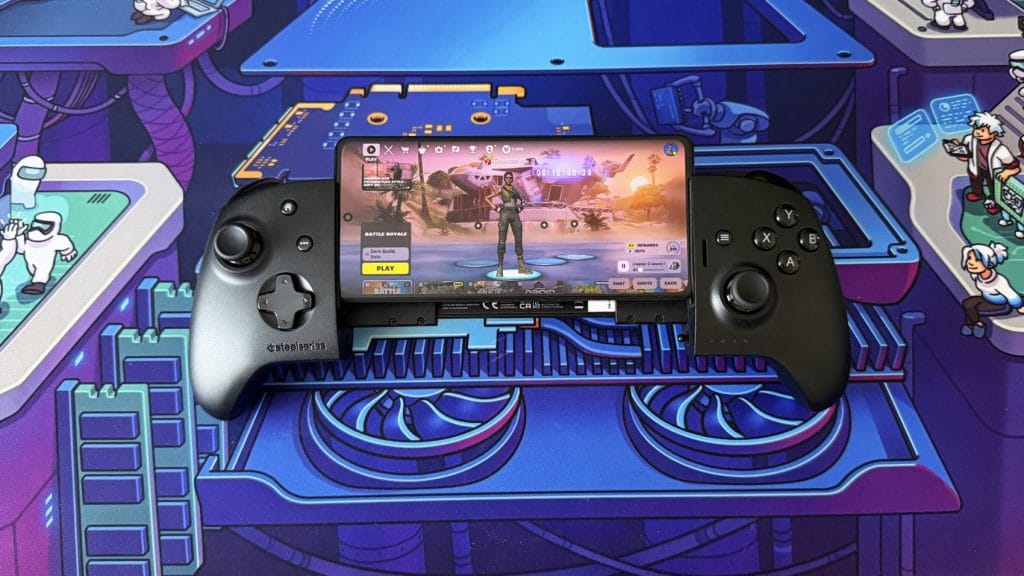
Stretched out in mobile grip mode the SteelSeries Nimbus Cloud performs well. On both iOS and Android it was immediately recognised, though the controller itself is a little shy about confirming the connection, the four battery LEDs briefly flash but there’s no persistent indicator like you find on rivals. Both Fortnite and Call of Duty Mobile recognised the Nimbus Cloud on launch with no extra configuration or mapping needed, as did Xbox Cloud Gaming. It worked nicely and naturally out of the box, which is just as well because without an app you’d be completely stuck if it didn’t.
Where things fell apart completely was macOS. SteelSeries lists Mac as a compatible platform, but in my testing it was borderline unusable. The Nimbus Cloud connected via Bluetooth without any fuss, but that’s where the good news ended. In Forza Horizon 6 via Xbox Cloud Gaming the left stick input was inverted and the triggers were mapped to start and select. The bumpers were acting as triggers instead, and while I attempted to remap through macOS system settings, it didn’t seem to be respected in game. This wasn’t isolated to Forza, either; Stardew Valley didn’t even recognise the controller at all. Steam was a different flavour of problem, detecting the Nimbus Cloud as two separate controllers simultaneously, neither of which worked. I can’t agree with SteelSeries that this is a Mac-compatible controller.
The good news is that Bluetooth performance was actually quite impressive everywhere else. My iPad Pro recognised the Nimbus Cloud without issue and playing Fortnite natively felt like a scaled-down console experience. Connected to my Windows gaming PC I happily spent a couple of hours in Roadcraft and the Nimbus Cloud kept up nicely. Steam recognised the controller immediately (and only once this time), though I did have to go through the full controller setup procedure, manually mapping every button, which isn’t something I’ve needed to do with any other controller I’ve tested. Cloud gaming worked fine on Windows too, up was up, down was down, and triggers were triggers.
There’s no haptic feedback or rumble of any kind, which is worth flagging. Given the generally poor haptic implementation in mobile games it’s not a dealbreaker for phone gaming specifically, but it does rule the Nimbus Cloud out as a serious standalone controller for PC or console streaming where rumble is an expected part of the experience. Bizarrely, you also can’t use the Nimbus Cloud as a wired controller, that USB-C port is for charging only.
summed up
The SteelSeries Nimbus Cloud is frustrating because you can see what it’s trying to be, and, in a parallel universe where the execution matched the concept, it would be brilliant. A single controller that does double duty as both a mobile grip and a standalone Bluetooth gamepad is a great idea. The extending mechanism is clever, the form factor is comfortable enough in both modes, the Hall Effect sticks are decent, and the rear buttons are well placed. But then you actually start using it properly and the cracks appear one after another.
The triggers feel mushy and disconnected. The face buttons occasionally miss inputs. The iPhone 17 Pro barely fits. macOS compatibility is completely broken. Steam treats it as a generic unrecognised device (or sometimes multiple unrecognised devices). And there’s no companion app to fix or customise any of it. Each of those things on its own aren’t a dealbreaker, but stacked up together they paint a picture of a product that needed more development time before going to market.
At £129.99 there are better options in both halves of what the Nimbus Cloud is trying to do. For mobile, the GameSir G8+ offers better triggers, a companion app, vibration motors, and full customisation for around half the price. For PC, you could pick up an 8BitDo Ultimate 2 and still have change left over, or opt for super comfortable, multi-platform experience like the Nacon Revolution X Unlimited. The dual-mode trick is neat, but it’s not neat enough to paper over the shortcomings, and at this price point from a brand like SteelSeries, neat isn’t enough.