what streamlabs ultra actually adds
I’ve been consistently streaming on Twitch and making content for the better part of a decade now, and for almost all of that I’ve been a DIY OBS kinda guy. I tried Streamlabs OBS years ago, as most of us did when it first released, but eventually came back to the open-source original for the flexibility, the plugin ecosystem, and the simple fact that I could make it do exactly what I wanted without having anything feel paywalled. My current setup runs on a fairly intricate combination of Streamerbot and OBS, and it does everything I need and want. So the pitch of Streamlabs Ultra, that I could have all of this bundled neatly under one subscription, needed to offer something my free stack couldn’t.
It’s hard to know quite what Streamlabs Ultra considers its headline feature. Not only because one isn’t necessarily more exciting or a bigger deal than another, but because each creator will see more value in different places. For a while I would have said the headline feature is multistreaming, pushing your broadcast to Twitch, YouTube, TikTok, Kick, Facebook, and other platforms simultaneously from a single app and from a single source. It works well, I’ll give it that. Setup is straightforward, I didn’t hit sync issues or quality drops across platforms, and the experience is polished. But, and it’s a but that is going to be consistent with a lot of features, OBS 30.2 introduced Multitrack Video for free, expanded it further in version 31.1, and the free Aitum Multistream plugin has been downloaded nearly 300,000 times. Multistreaming in Streamlabs Ultra is great, but it’s also a solved problem in the free ecosystem, too.
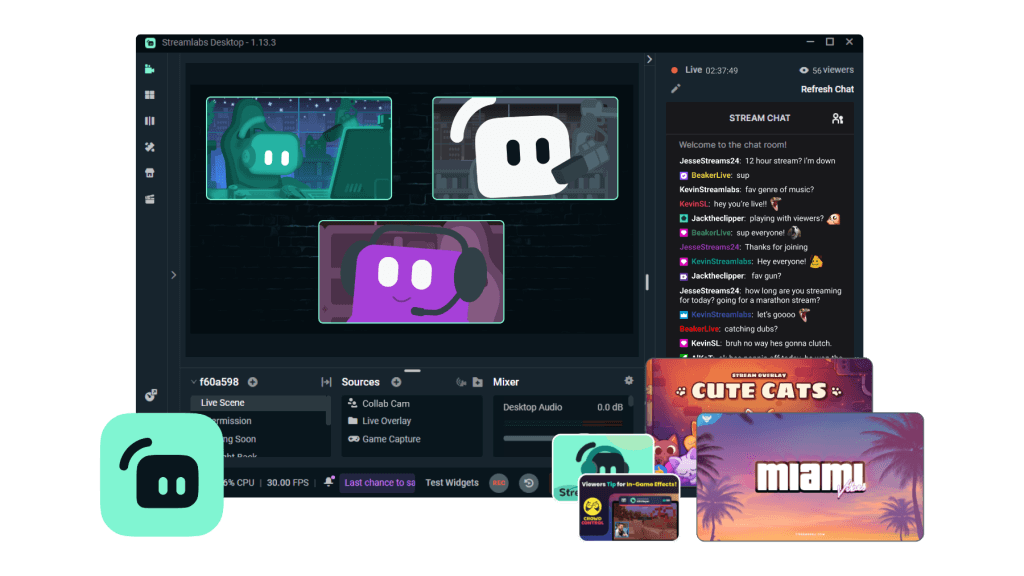
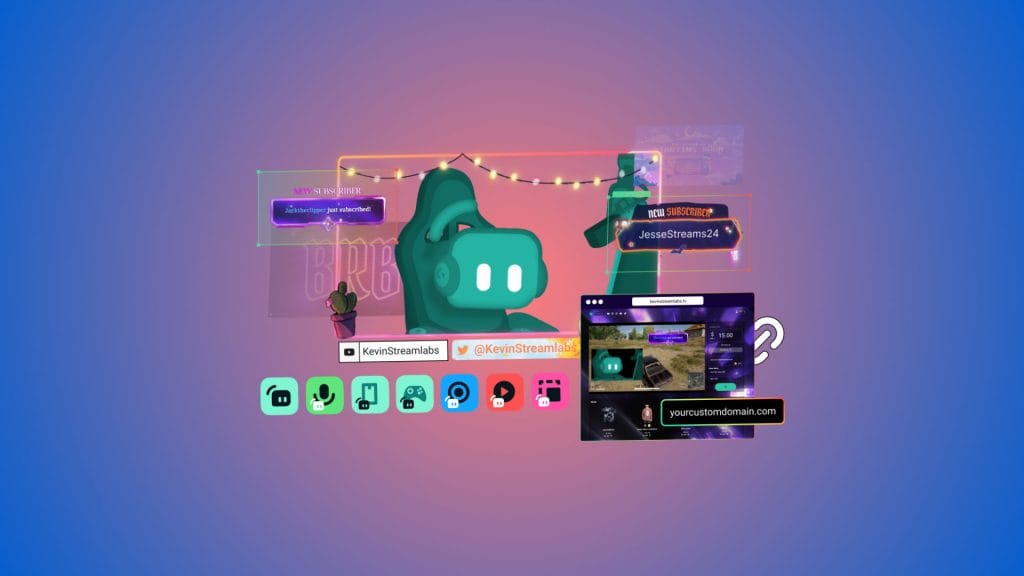
For a lot of new creators I’m sure the overlay and theme library will be the other big draw, with over a thousand designs from third-party creators covering everything from game-themed sets to classic streamer vibes. On paper, that sounds great. In practice, I found a lot of the same designs and layouts simply reskinned in different colours. Scroll through enough pages and each thumbnail start to blur together, nothing distinctive between them and certainly nothing unique enough to build a brand identity around. The one thing I did appreciate was how simple Streamlabs Ultra made it to import and jump between different themes. However, with each change I was often presented with a fresh canvas and needed to shuffle everything around. Again, and this will sound familiar, there wasn’t anything in the Ultra library that I couldn’t find or create comparable versions of from free sources. It’ll get you up and running, or an easy way to stick on a special festive layout, but for anyone who cares about standing out, you’ll outgrow it quickly.
Something that is Streamlabs Ultra specific that I did appreciate, though wouldn’t use, are the interactive overlay elements that interact with a small handful of titles. Eliminate someone in Fortnite and that’ll automatically trigger an overlay element to celebrate the moment. It’s a neat idea, but the Fornite in-game UI also celebrates that moment with on screen elements so I’m not sure what I’m really gaining. More useful is the native integration of alert elements which is something that’s previously been fiddly to implement in OBS. Here it’s simple to add different layers, though that’s also a base-level Streamlabs feature rather than an Ultra one.
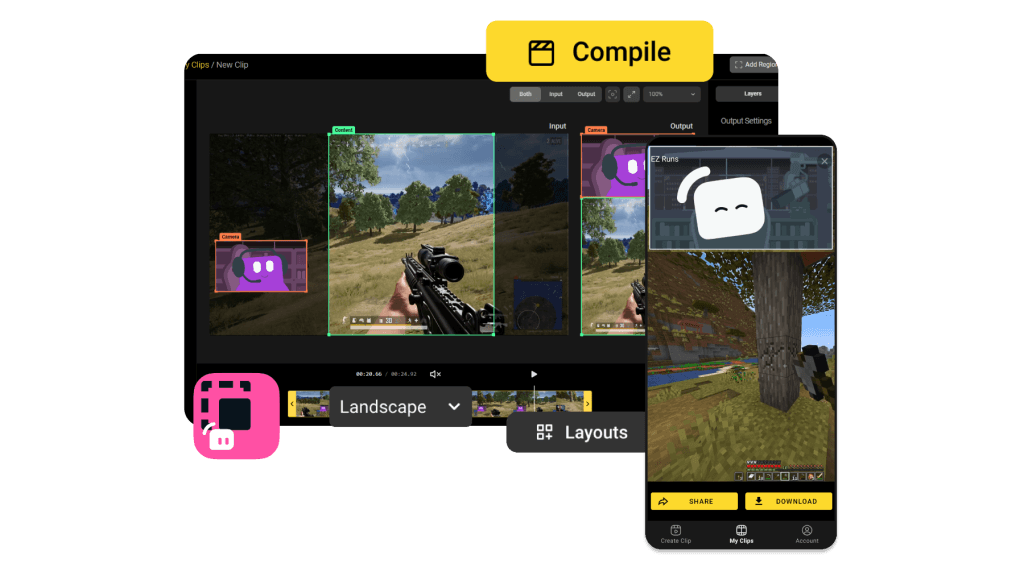
Away from going live, Streamlabs Ultra also bundles a handful of creative apps, and this is where the subscription tries hardest to justify itself as an ecosystem rather than just a streaming tool. Cross Clip Pro handles short-form vertical video editing, but it’s strikingly basic. I enjoyed its ability to directly import Twitch clips from URL alone, and it allows you to trim the start and end of a clip and rearrange a couple of canvas elements to create a portrait-friendly layout, but you can’t trim from the middle, combine multiple clips, or add music and images. That leaves you relying on moments all happening perfectly in sequence, fine for some, limiting for others. Meanwhile CapCut does all of this and more for free. Video Editor Pro is more capable, and has more of a CapCut feel to it with the expected basic editing features and a useful Twitch VOD import via URL, though it’s straggly only full VOD imports rather than Twitch clip imports like in Cross Clip Pro. These two apps feel like they should be one product, and splitting them into separate tools makes the workflow feel disjointed rather than streamlined.
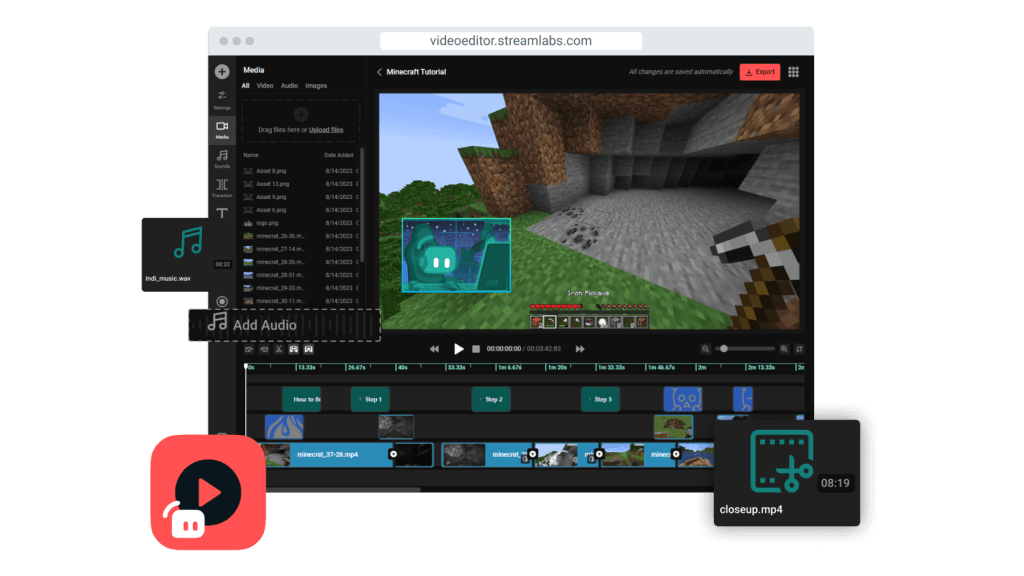
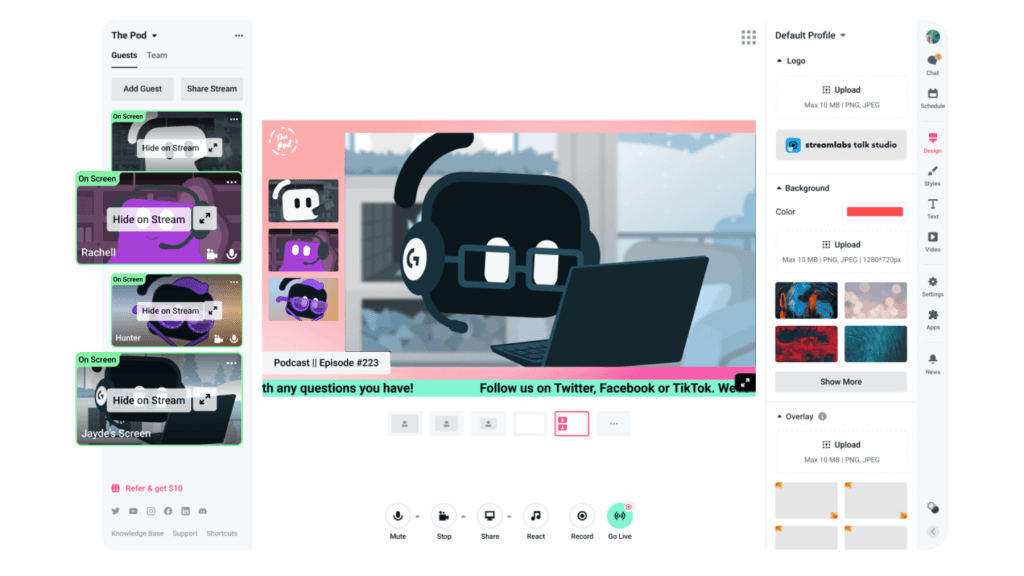
Podcast Editor Pro is fine and simpler for that kind of content than building it out in OBS, but it falls behind dedicated competition like Riverside. Transcription accuracy wasn’t as reliable in my testing, and the editing tools lack features that feel standard elsewhere, there’s no auto-clipping of interesting moments, no automatic layout switching between speakers, and when creating vertical clips you’re stuck selecting a single crop region from the landscape video rather than being able to show multiple speakers or shift framing during a clip. Talk Studio Pro, a direct Riverside recording competitor, lets you bring up to 11 browser-based guests into your stream. It’s one of Streamlabs Ultra’s stronger individual offerings and doesn’t have a quality, free equivalent, though it’s more prescriptive and limited in layout options than something like Riverside or StreamYard. Some of the included frames and overlays for guest panels are a nice touch, but it definitely looks templated rather than bespoke.
the AI wildcard
Streamlabs Ultra’s most ambitious feature and, arguably, its most baffling is Intelligent Streaming Agent. Developed in partnership with NVIDIA and Inworld AI, it promises an AI co-host that can react to gameplay, switch scenes, clip highlights, respond to chat, and even appear as a 3D avatar on screen. It’s an interesting concept, if not a little dystopian. You can choose an impressively wide range of different voices and also assign it a basic personality trait. I spent some time trying to engage with it as a co-host, using push-to-talk to directly ask it questions and adding context clues from my community. Some of what it came back with wasn’t bad, some of it was unintentionally hilarious. It did do a decent job of understanding what I was saying, but with at least a couple of second’s processing delay on each response the actual exchange felt awkward and I’m not sure who would actually want this on their stream.
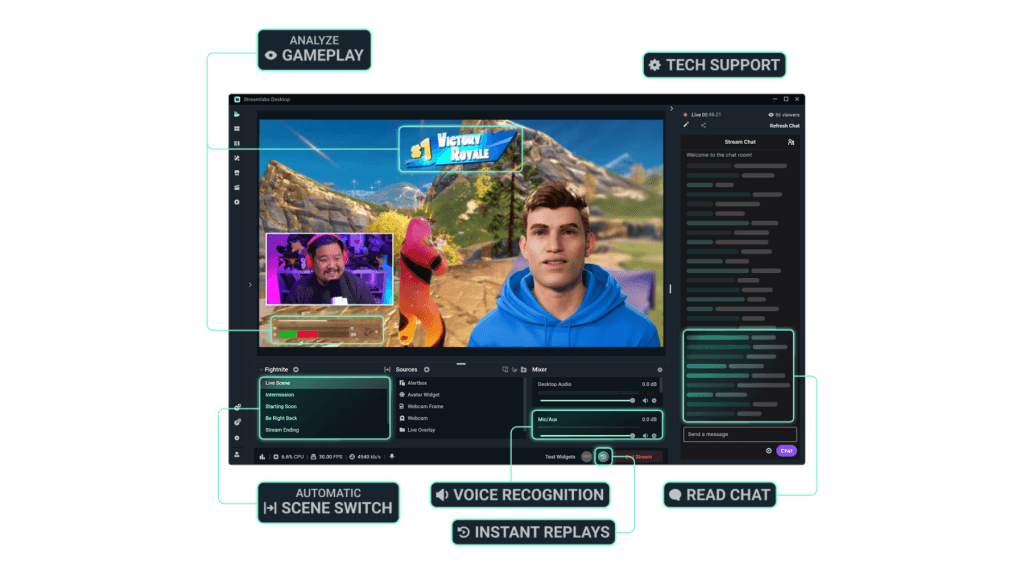
The accompanying 3D avatar, which requires an RTX 3060 or better, was a complete non-starter in my testing, slowly downloading gigabytes of data but never actually working. Though looking at the screenshots and examples, I think that might have been for my benefit.
the extras
Beyond the core features, Streamlabs Ultra pads out its offering with a handful of peripheral perks that look nice on the feature list but are hard to get excited about. The Streamlabs Merch store gives Ultra subscribers access to premium product categories like backpacks, hats, and phone cases, along with higher profit margins thanks to lower base costs. The margins aren’t published anywhere, though, and anytime you’re using a middleman for this kind of thing, they’re going to be thin. Platforms like Fourthwall offer better margins and a significantly larger product catalogue without requiring a subscription, so unless you’re already deep in the Streamlabs ecosystem and want to keep everything in one place, it’s not a compelling draw.
Streamlabs Sponsorships is pitched as a marketplace connecting creators of all sizes with brand deals, and the official line is that there are no follower minimums. In practice, each campaign has its own requirements and an application review process where Streamlabs decides if you’re “the right fit,” which amounts to a hidden follower minimum if we’re being honest about it. Ultra’s specific benefit here is seven days of early access to new campaigns before free users can apply, which is a thin advantage at best given the level of competition likely on offer. It’s also worth noting that the sponsorship programme is currently limited to US Twitch creators only, and there’s a chicken-and-egg problem at the heart of it. If you’ve grown your audience to the point where brands are interested or you have the traffic to make referrals worthwhile, you’ve almost certainly outgrown the need for Streamlabs Ultra to broker those introductions for you.
Then there’s the All-Stars loyalty programme, which grants Ultra subscribers instant Gold status, entry into hardware giveaways, and discounts on Logitech G products. It’s a nice-to-have, but calling it a reason to subscribe would be a stretch.
the value question
So ultimately, this is where Streamlabs Ultra struggles most. It’s not because the software or anything included in the offering is bad. It isn’t. Apart from that AI friend, nothing I tried had an actual problem. Everything worked and did what it promised me it would. Streamlabs Desktop is a polished, well-designed streaming app, the onboarding is smooth, and everything within it works as advertised. The issue is that almost nothing behind the Ultra paywall is unavailable elsewhere, and the alternatives are either free or do the job better.
If you’re a new streamer, $27 a month is a significant investment for what amounts to a modest convenience gain over free tools. OBS Studio plus something like Nerd or Die and Streamerbot gives you overlays, alerts, a chatbot, tipping, and multistreaming for nothing. Yes, you’ll spend an extra hour or two on initial setup, but that’s a one-time cost versus an ongoing subscription. If you’re an established streamer with a Twitch income, the generic overlays and basic editing tools aren’t going to serve you either, you’ll have long since outgrown them in favour of custom branding and dedicated editing software.
The sweet spot, if one exists, is the creator who values having everything in a single dashboard, streams to multiple platforms, occasionally needs to bring guests on via Talk Studio, and would rather pay than tinker. That’s a real person, but I don’t think there’s a huge community of them, and the price has crept up over the years, from $149 to $189 annually, without a corresponding leap in what you get for it.
summed up
Streamlabs Ultra’s biggest problem isn’t anything it’s doing wrong. The software is competent, the setup is painless, and Streamlabs Desktop remains one of the more approachable streaming apps on the market. The problem is that the free streaming ecosystem in 2026 is extraordinarily capable, and Ultra is essentially asking you to pay a premium for a marginal reduction in setup time and a bundle of creative tools that don’t match their standalone competitors. Talk Studio Pro and the all-in-one convenience have genuine appeal for a specific type of creator, but for most streamers, the answer to “is Streamlabs Ultra worth it?” is that you can get 90% of the way there without spending a penny.