Philips Evnia 32M2N8900 4K UHD gaming monitor
design
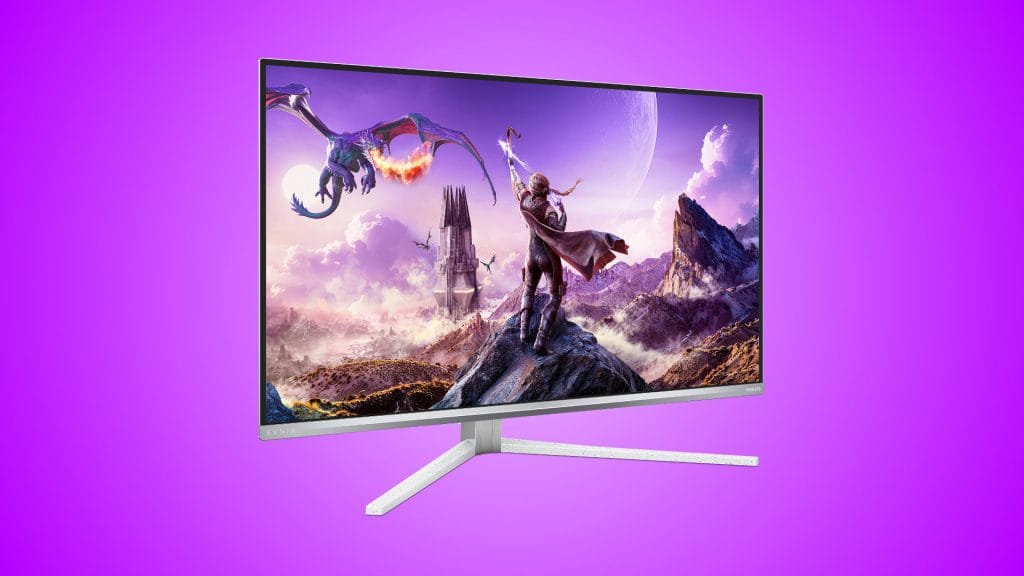
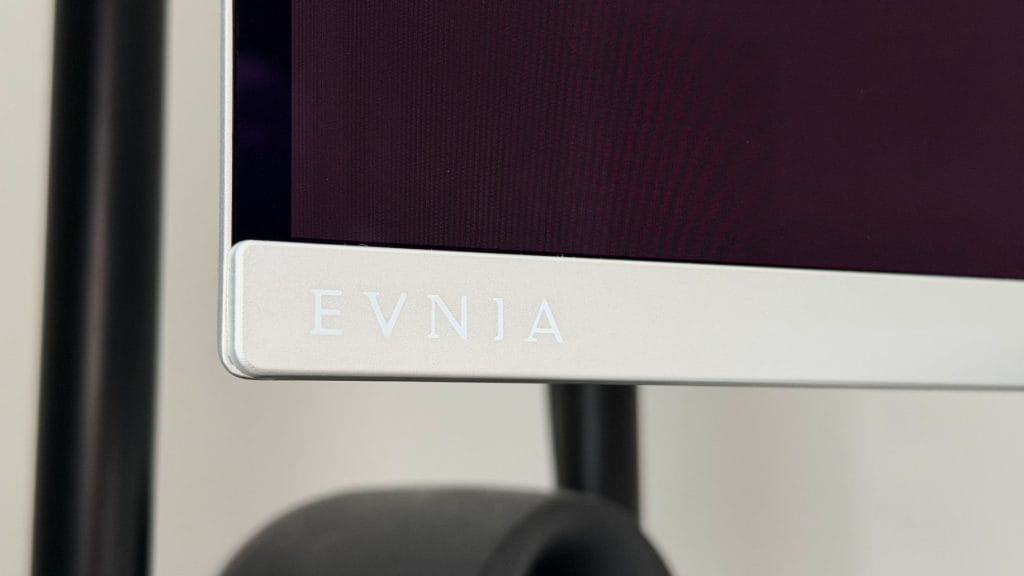
The Evnia 8000 series has always had a distinct look and the Philips Evnia 32M2N8900 carries that forward without fuss. The white and silver speckled finish runs across the stand base and arm, with a silver-framed front that keeps branding to a bare minimum, just small Evnia and Philips logos in the bottom corners. Three sides are effectively bezel-free, with only a slim hard plastic outer edge and a slightly thicker bottom chin. It looks clean, modern, and noticeably different from the sea of matte black gaming monitors that dominate most desks.
The stand base uses what I call a tree-root design, and sadly, it’s my least favourite solution across all monitors. Long, angled feet jut forward at 45-degree angles from the main column and extend quite a way onto your desk surface. The feet are slim enough that they won’t swallow your entire desk, but they do intrude into keyboard territory and are just plain awkward to work around. I must prefer a flat-topped central platform because at least I can sit a Stream Deck or something on top of it. If you’re tight on space you’ll likely want to reach for a VESA arm instead (there’s 100x100mm compatibility with an adapter included in the box), and that’s how I’ve spent almost all of my time with the 32M2N8900. A headset hanger is built into the stand arm, which is a nice touch, and there’s integrated cable routing around the back, though in practice it’s fairly basic and won’t hide everything as neatly as you might hope.
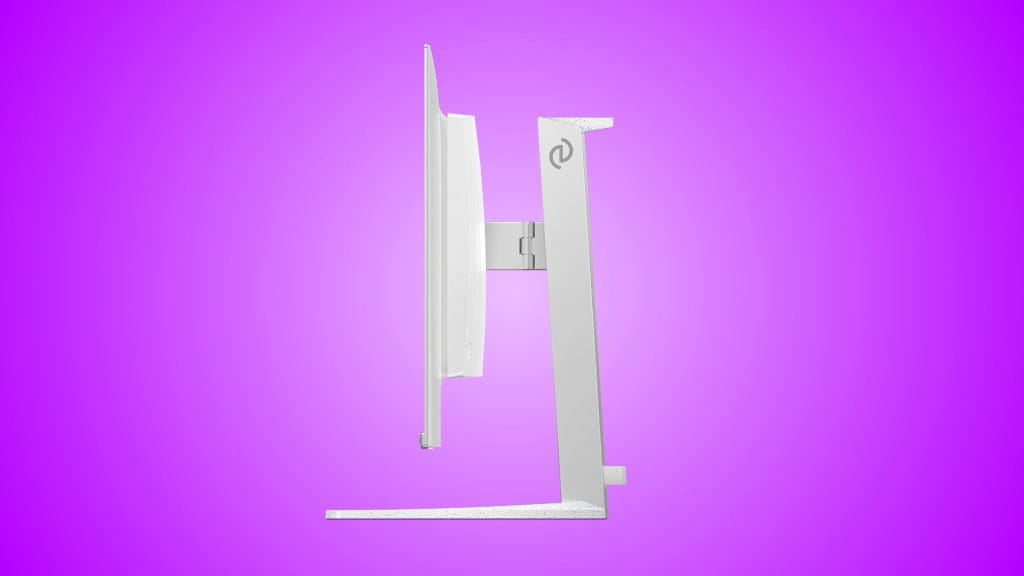
Assembly is tool-free and takes minutes. Screw the base together, slot the arm into the back of the panel, done. Philips includes every cable you could reasonably need in the box: HDMI, DisplayPort, USB-C, and USB-B, which is a generous inclusion that saves the usual post-purchase cable hunt. Stand adjustment offers tilt, swivel, and 130mm of height travel, though there’s no pivot to portrait orientation, perhaps unsurprising at this size.
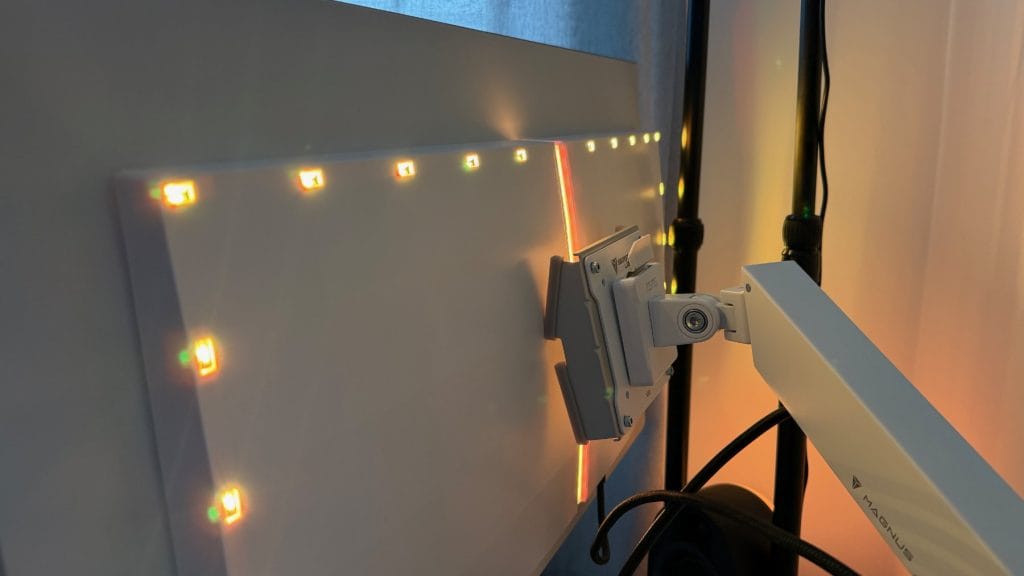
Around the back, the Philips Evnia 32M2N8900 features its Ambiglow LED array, with 18 LEDs across three sides and a vertical strip down the centre. As a static background glow, the rear-mounted LEDs are decently bright and saturated, adding a pleasant wash of colour to the wall behind the monitor. However, the dynamic modes that react to on-screen content or audio are too stepped and too slow to react to feel convincing. Ambiglow is a nice addition rather than a selling point, and it shouldn’t be a deciding factor between this and a competitor.
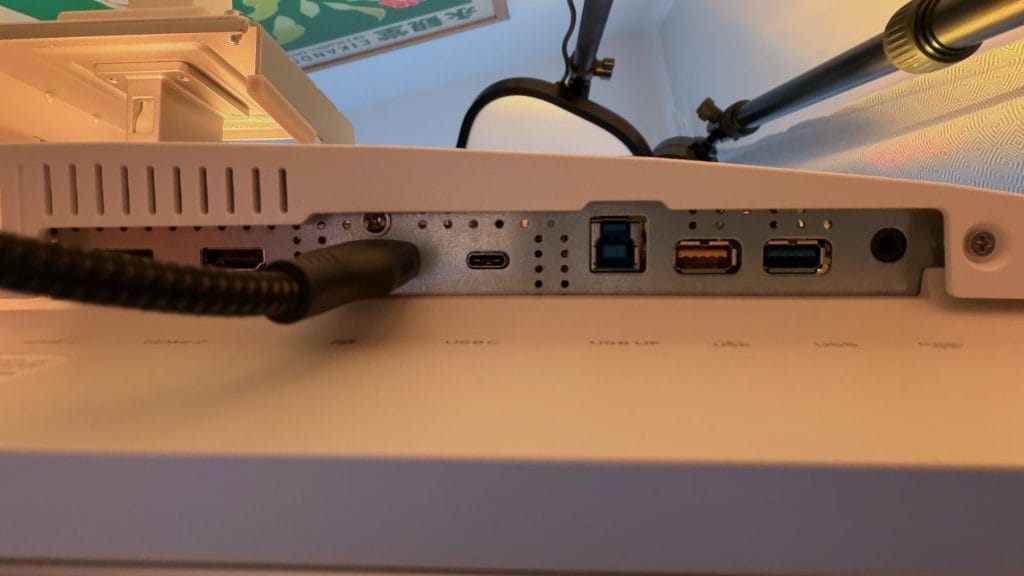
The port selection is strong, take a deep breath: two HDMI 2.1 inputs, one DisplayPort 1.4 (with DSC), one USB-C supporting DP Alt mode with 65W power delivery, two USB 3.2 Gen1 Type-A downstream ports (one with fast charging), a USB Type-B upstream, and a 3.5mm audio output. There’s a built-in KVM switch and MultiView functionality in the OSD too, letting you control and switch between two connected devices from a single keyboard and mouse, or display both sources on screen simultaneously.
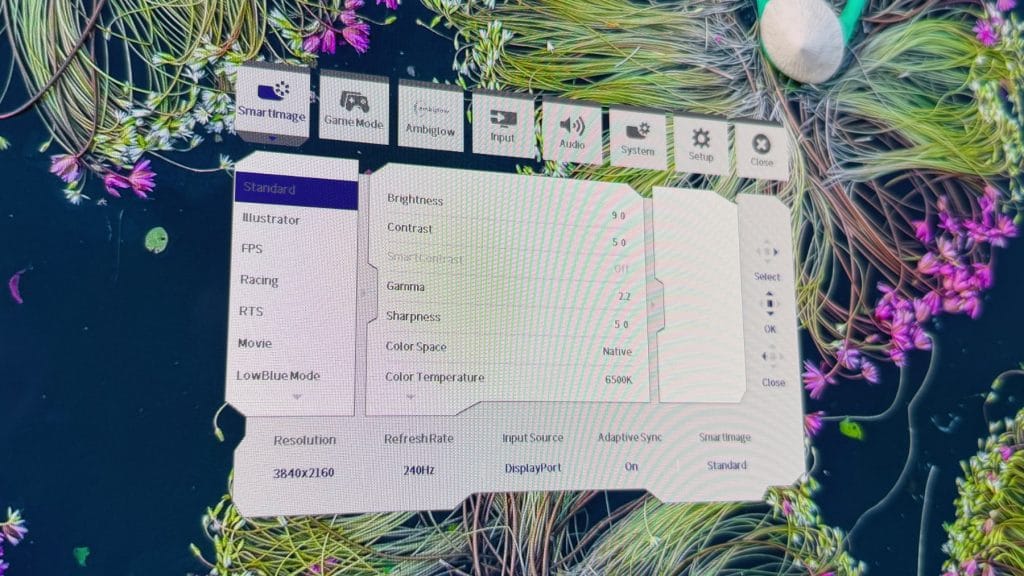
The OSD is controlled by a rear-mounted joystick on the right side of the panel, which doubles as a power button. The mini joystick is my preferred control method on monitors, much better than dealing with a row of buttons. I quite liked the placement, too, as tucking the joystick around the back keeps the front of the monitor clean and uncluttered. The OSD menu itself is well stacked with a huge number of options, from game-specific picture modes (FPS, racing, and so on) to Ambiglow controls, crosshair overlays, input selection, and granular colour adjustments.
performance
The Philips Evnia 32M2N8900 runs a 31.5-inch QD-OLED panel at 3840 x 2160 with a 240Hz refresh rate and a 0.03ms grey-to-grey response time. It supports Adaptive-Sync, is certified NVIDIA G-SYNC Compatible, and carries FreeSync Premium Pro certification. On paper, this is about as good as a flat 4K gaming panel gets in modern spec terms, and in practice it delivers on that promise.
Firing up Assassin’s Creed Shadows, the combination of 4K resolution and QD-OLED’s natural high contrast makes the game’s dense environments look stunning. Dark interiors transition to bright exteriors without that washed-out grey haze you get from lesser panels, and the inky blacks that QD-OLED is known for give nighttime scenes a depth that you simply don’t see on IPS or VA alternatives. Forza Horizon 6 takes that visual quality and stacks it with that 240Hz refresh rate for a stunning experience. Fast-paced racing around Japan feels silky smooth and responsive, while something slower and more methodical like Timberborn benefits more from the sheer clarity and colour saturation of the 4K OLED image.
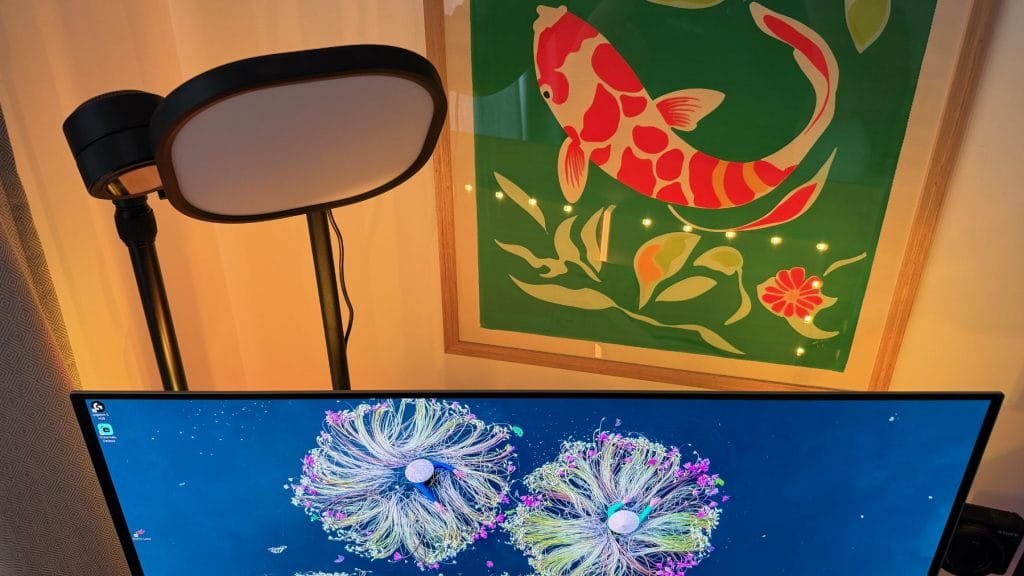
HDR performance is decent too. The Evnia 32M2N8900 carries DisplayHDR True Black 400 certification with a peak brightness of 1000 nits in small highlight areas. In practice, the real benefit comes from the OLED’s perfect per-pixel black levels working in tandem with those bright specular highlights, giving HDR content a sense of depth and punch that flat backlit panels can’t replicate. The 32M2N8900 is a joy to game on in HDR, and it’s where the panel really shows what it can do. SDR brightness sits at a rated 250 nits full panel, which is modest by modern standards but typical of QD-OLED technology. In a room with direct sunlight coming through a window, the anti-reflective coating handles it as well as you could reasonably expect, and I’ve had no complaints about the picture looking dim or washed out during daytime use.
Text clarity at this pixel density (roughly 140ppi across 31.5 inches) is very sharp and writing this review on the 32M2N8900 I’ve had no problems with strain. QD-OLED sub-pixel layouts have historically caused some concern around text rendering, but the 32M2N8900 handles everyday productivity, web browsing, and document work without any noticeable fringing or softness. It’s as a pleasant panel to work on for extended sessions as it is to game on, though it’s arguably wasted for the former.
The built-in speakers are a pair of 5W units with DTS Sound processing. They’re exactly what you’d expect from monitor speakers: fine in a pinch for a quick video or a system notification, but hollow, lacking any bass or depth, and not something you’d want to rely on for extended gaming or media sessions. Most buyers at this level will have dedicated audio anyway, so this isn’t a deal-breaker, just a predictable limitation.
One area I’ll really praise Philips is the panel refresh cycle, surprisingly boring, I know. QD-OLED monitors periodically run a maintenance routine to mitigate image retention and burn-in, most do this every four hours of use time. The Evnia 32M2N8900’s OSD reports it has completed 16 cycles during my testing, but I’m not sure how or when, it’s just happened. Not once did it interrupt what I was doing or even present a pop-up prompt from the OSD. I can only assume it handles the process seamlessly in the background, which is exactly how it should work. The AOC Q27G4ZD, for example, drove me absolutely mad with intrusive popups and a refresh program that seems more like the monitor has died rather than having a quick tidy up.

summed up
The Philips Evnia 32M2N8900 launched just beyond £1,000 in a market already populated by excellent competitors, and at that price it was a solid but unremarkable option in a crowded field. The story has changed considerably since then and it’s pushed this monitor to the forefront. UK street prices have dropped to around £550 at the time of writing, which repositions this from one of several similarly priced, great 4K QD-OLED options to one of the cheapest ways to get a great 4K 240Hz QD-OLED panel on your desk.
It’s also worth acknowledging that Philips has announced the 32M2N8900P, a Gen 4 QD-OLED successor with DisplayPort 2.1 and improved brightness, arriving in mid-2026 at £829.99. That’s a better-specced monitor at a higher price, and for some buyers it will be worth the wait and the extra spend. But for the vast majority of users, the image quality on the current 32M2N8900 is going to be more than good enough. This is a panel that delivers stunning 4K OLED visuals, smooth 240Hz gameplay, excellent colour accuracy, and a practical set of connectivity options including USB-C and KVM. The improvements in the successor are iterative rather than transformative, and at roughly £280 less, the outgoing model represents remarkable value.