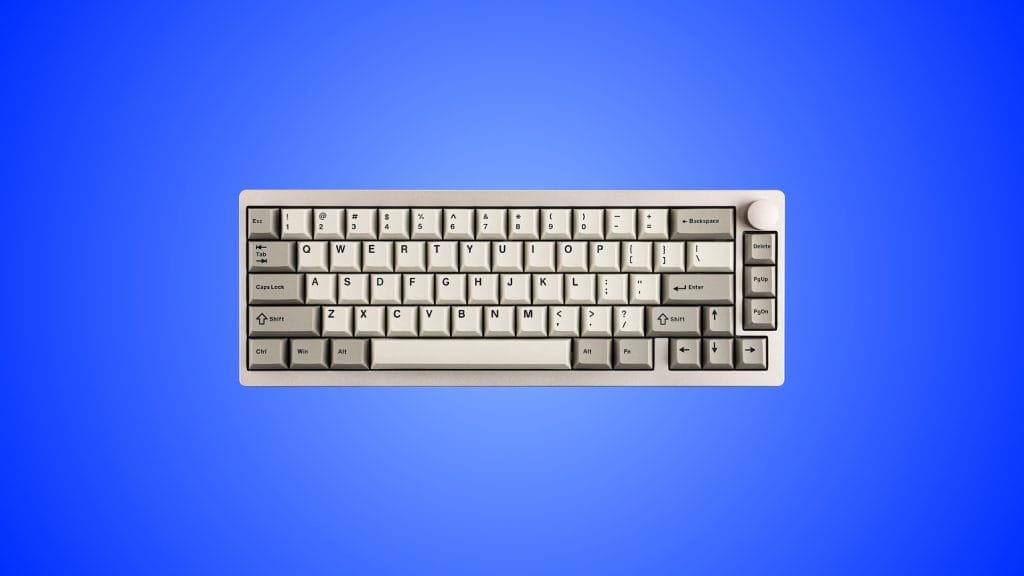
EPOMAKER P65 QMK/VIA Wireless Aluminum Gaming Keyboard

design
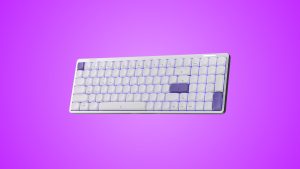
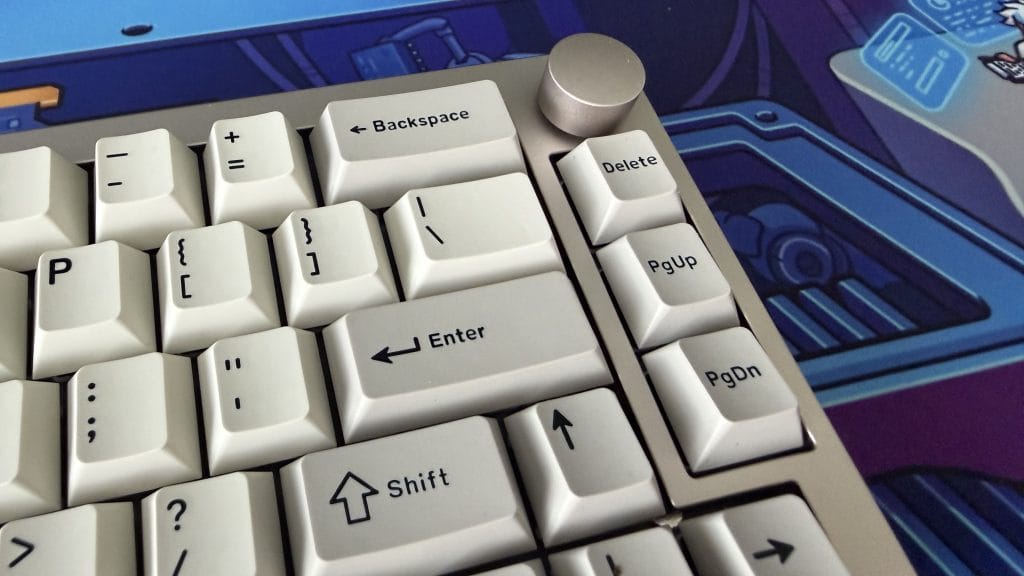
My review unit is the Khaki colourway, which has a sort of retro school computer lab energy about it, just dramatically more premium. It reminds me of every stock keyboard I grew up using, but now made by someone who actually cared. There’s a black option too if the old-school look doesn’t appeal, though personally I found the understated vibe a nice change of pace from the aggressive gamer aesthetic that seems to dominate everything else in this category.
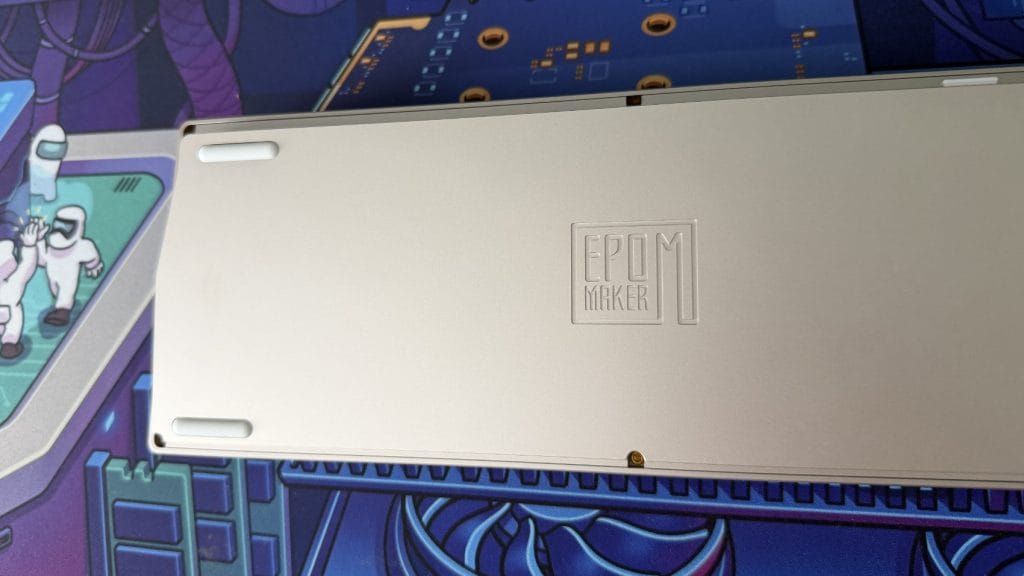
Out of the box it was weight that I first noticed about the Epomaker P65. A 65% board isn’t a big thing and 1.3kg feels like a lot as a result. Set it on your desk and it stays put, feeling wonderfully planted and not moving about, even more excitable gaming moments. Both halves of the case, top and bottom, are CNC-machined aluminium with a clean anodised finish that feels wonderful. That full-metal construction is unusual at this price, most sub-£100 mechanical keyboards cut costs by pairing an aluminium top plate with a plastic base. The P65 doesn’t, and you definitely notice it.
South-facing per-key RGB is included, though it’s noticeably muted when viewed from a normal typing position. I’m not too fussed about that because it feels slightly out of place against the Epomaker P65’s vintage character anyway. You can turn it off entirely if you agree, and I’d imagine it sits a little better on the black model. The double-shot PBT keycaps are Cherry profile with a subtle texture that feels good under the fingers. The labels are mostly clean and legible, I say mostly because I noticed some oddly inconsistent stroke weights on keys like Backspace and Enter. Certain letters look thinner than the rest, some look a little more bold. It’s not a dealbreaker by any stretch, it’s just a little odd.
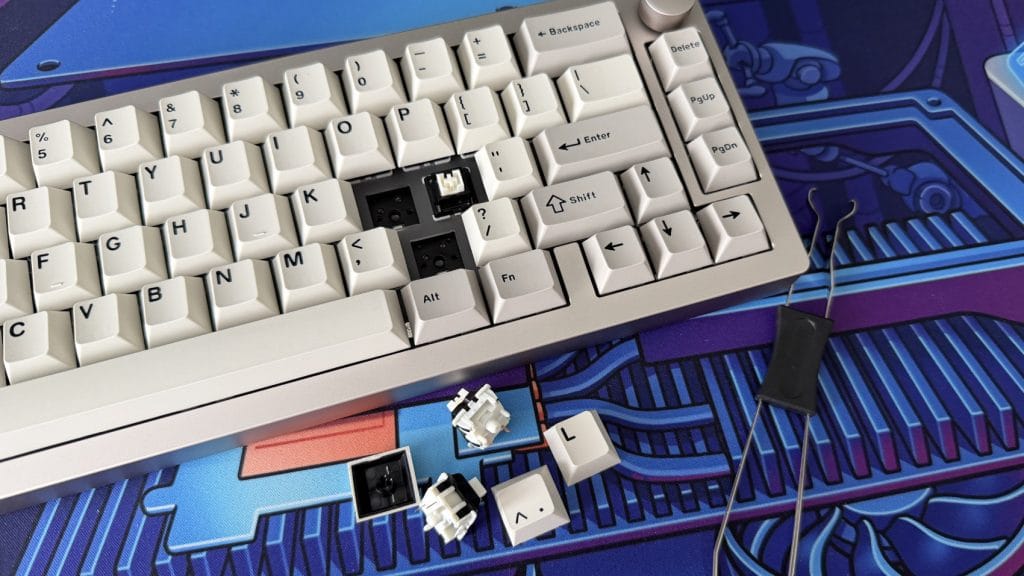
You get two stock switch options: Epomaker’s own Zebra (40g, lighter and snappy) and the Wisteria (45g, a touch heavier with more pre-travel). Both are linear, so anyone wanting tactile or clicky will need to source their own. The hot-swappable PCB supports 3-pin and 5-pin switches to that end, though the process of swapping is fiddlier than I’d like. The pins are tiny and need careful alignment, which feels a bit nerve-wracking compared to boards where you can just push a switch in and it sorts itself out. It’s not hard, it just demands more attention than you’d expect.
performance
Let’s talk about sound, because the Epomaker P65 sounds scrumptious. The Zebra switches I’ve been testing make the P65 one of the most satisfying keyboards I’ve used in recent memory. The aluminium case and five-layer dampening work together to produce something smooth, creamy, and deeply pleasing. Every keystroke lands with a clean, rounded clack, it’s lovely. Fair warning though: it’s pretty loud. If you work in a shared space, your colleagues will know about it. I can’t blame the P65 for wanting to show off when it sounds this good, but there’s no pretending it’s a quiet keyboard, even with those dampening layers.
The typing experience backs up the acoustics. I hit 129 words per minute at 97% accuracy during testing, comfortably above my usual average of around 116 at 96%. What caught me off guard is that it didn’t feel particularly fast or clean during use, yet the numbers say otherwise. I did settle into a natural rhythm with the Epomaker P65 quicker than I usually do with a new mechanical board, which I think speaks to how well the light Zebra switches and gasket-mount flex work together. There’s a softness to the bottom-out that takes the edge off without ever feeling mushy.
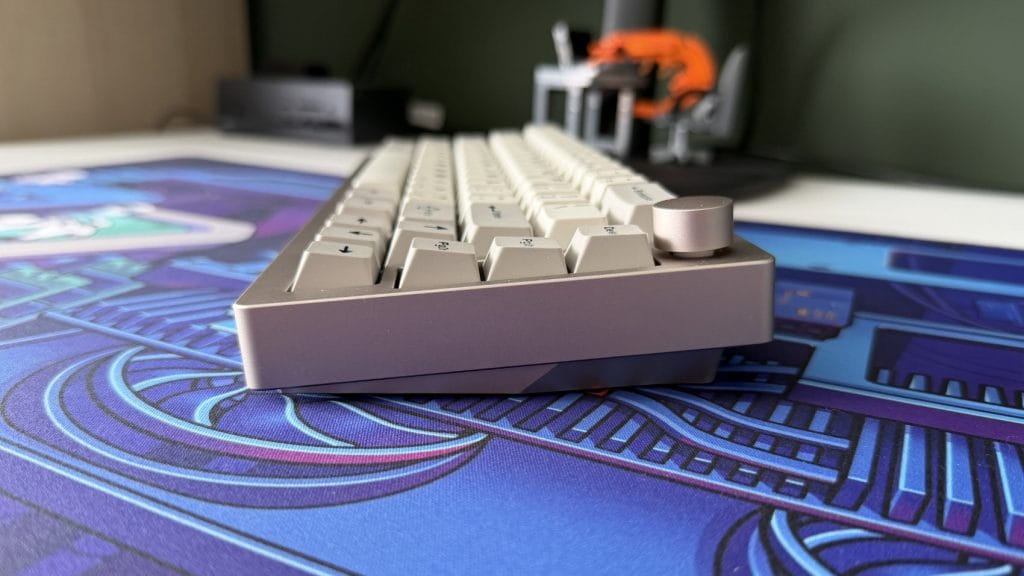
The typing angle is where things are less ideal. It’s fixed at 6 degrees with absolutely no adjustable feet, not even the most basic flip-out plastic legs. I don’t mind the angle itself, but I’d have liked the option to go flatter or steeper. The front edge is also quite tall and sheer, which isn’t great for longer typing sessions without a wrist rest. For gaming and general use it’s a non-issue, but anyone planning to write on this thing all day should budget for a rest alongside it.
Connectivity covers the usual spread: Bluetooth 5.0 with three device slots, 2.4GHz wireless via a USB-A dongle that tucks into a magnetic cubby on the underside (a nice touch), and wired USB-C. Bluetooth was reliable throughout testing, though the function shortcuts for pairing and switching slots aren’t printed on any of the keycaps. I had to dig into the manual to find them, which is a small annoyance during initial setup that could easily be solved with a reference card or some subtle keycap markings.
The Epomaker P65 works with both Windows and macOS without issue, but there’s no physical toggle to switch between platforms and no macOS alternate keycaps included in the box. Given how simple and clean the keycap legends are, there’s really no reason both platform symbols couldn’t be printed on the relevant keys. It feels like an oversight, and you can’t buy the extra caps separately either.
Battery life from the 4000mAh cell is fine without being anything to write home about. Roughly 16 hours with RGB on, up to 260 hours with it off. The 1,000Hz polling rate over 2.4GHz and wired is perfectly adequate for gaming, and I never felt any perceptible lag or as if it wasn’t keeping up. The P65 isn’t trying to compete with dedicated gaming boards on actuation speed or rapid trigger, but as a do-everything keyboard it holds up well.
The software is the weakest part of my time with the P65. It uses VIA for customisation rather than Epomaker’s own app, and while VIA is a powerful tool once it’s running, the onboarding is rough. Both the web and desktop versions required me to manually download and upload a JSON file from Epomaker’s product page before the board was even recognised, and that process took a couple of attempts before it stuck. Once you’re past that hurdle, everything you’d expect is there: remapping, macros, lighting control, and a fun keyboard testing mode where each keypress makes a sound. But the whole thing feels like accessing a developer tool rather than a consumer-facing application, and other brands at this price point are handling this much more elegantly.
summed up
The Epomaker P65 is a keyboard that doesn’t try to impress you with spec sheets or flashy features, and it’s all the better for it. The aluminium build is outstanding at this price, the sound profile with Zebra switches is something I keep coming back to, and it handles typing, browsing, and casual gaming with quiet (well, loud) confidence.
It’s held back by a few things. The VIA software needs a smoother setup process, the complete lack of tilt adjustment is hard to excuse, you’re limited to two linear switches at purchase, and the absence of macOS keycaps or a platform toggle feels like an oversight on an otherwise considered product. It’s also worth noting that the P65 has seemingly been quietly pulled from Epomaker’s own website despite remaining available through other retailers, which is a bit odd.
None of those niggles are enough to seriously dent what is otherwise a really impressive board though. If you want a premium-feeling mechanical keyboard that prioritises build quality and acoustics over chasing the latest spec trends, the Epomaker P65 makes a very compelling case for itself. Sometimes the boring option is the smart one.