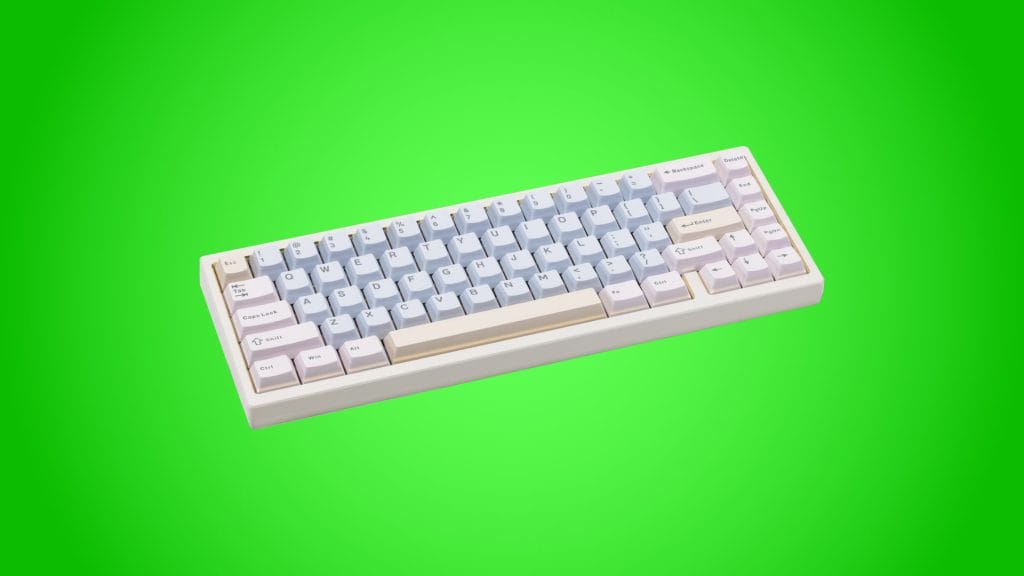
Wobkey Zen 65 Quick Release Tri-mode Mechanical Keyboard

design
Build quality on the Wobkey Zen 65 Ultra is superb, and it’s helped further by a properly premium unboxing experience. It arrives nestled in its own hard shell carrying case with a soft flannel storage bag inside. It’s a little thing, but it’s a nice touch and would do a solid job of protecting the keyboard in a backpack if you move between setups. You rarely get extras like this at higher price points, let alone at this level.
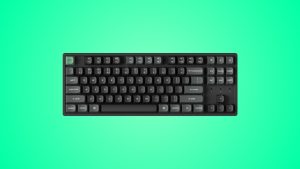
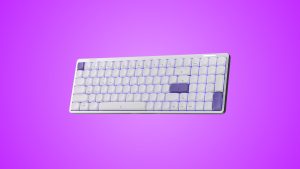
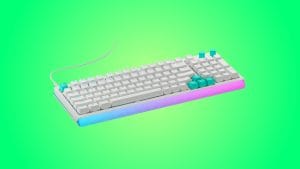
The CNC aluminium case on the White Gold colourway I’ve been testing is understated and elegant, though I’d say it’s closer to cream than white so don’t expect a high key, dazzling white finish. Wobkey also offers the Zen65 in Space Grey and Dark Green across both the Lite and Ultra variants, with a limited edition Copper version that showed up during the Kickstarter campaign for collectors who fancied something a bit more flashy. The double-shot PBT keycaps in Cherry profile feature subtle pastel blue and pink colouring on the White Gold model and the whole thing would look right at home in an all-white desk setup. The legends on each key are bold and legible, though the lack of shine-through means you’ll need to crank up the RGB brightness to have any real visual impact unless the room is dark.
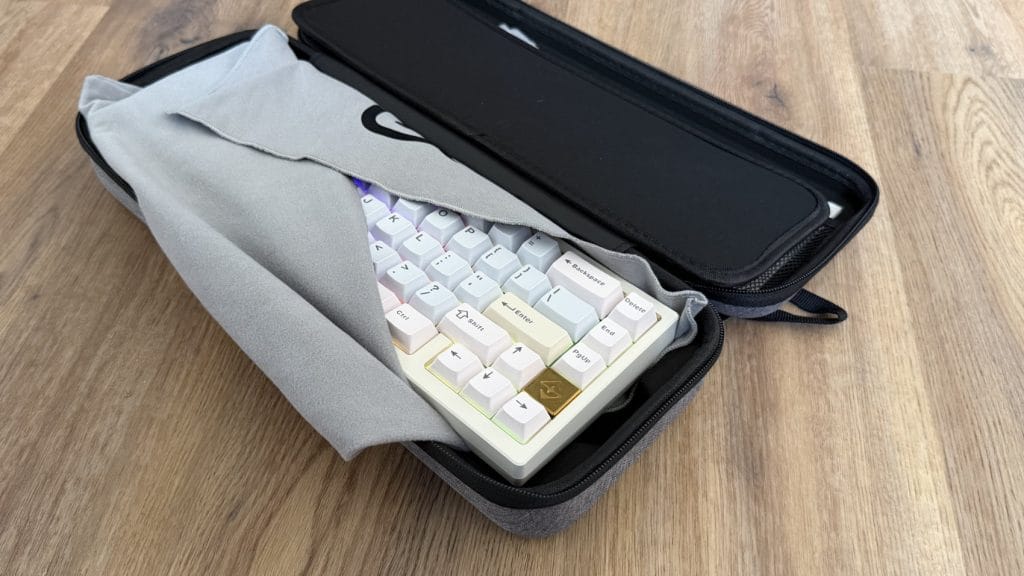
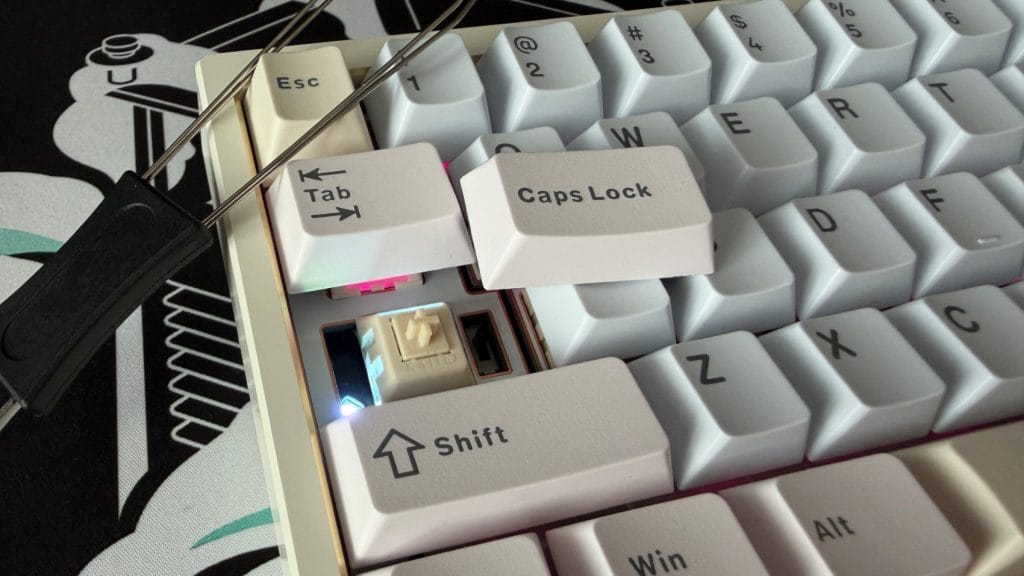
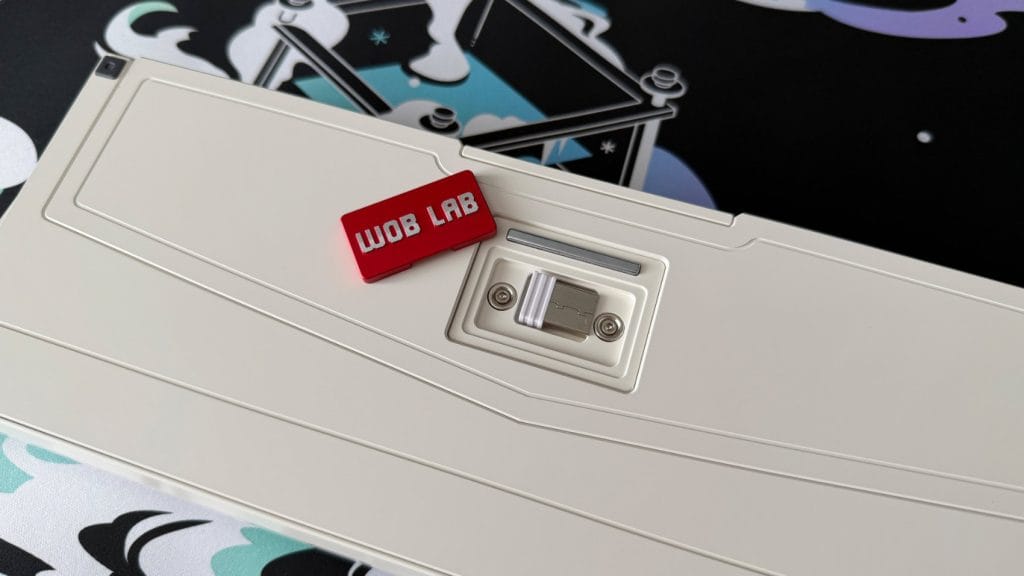
Wobkey has fully committed to a minimalist aesthetic on the Zen 65 and bar the USB-C port on the back, there are almost no visible interruptions to its flowing lines. That leaves it looking fantastic, but it comes at the expense of practicality because the power switch ends up tucked away under the Caps Lock key. I don’t just mean slightly obscured either, I mean you’ll need to completely remove the keycap in order to switch the board on or off. It’s a bizarre choice in both theory and practice, though admittedly I can’t remember the last time I actually turned a wireless keyboard off. Much more clever is the hidden cubbyhole for the 2.4GHz dongle under the magnetic logo plate on the bottom. Could we not have tucked the power button in there too, Wobkey?
Weighing in at more than 3 pounds (around 1.55kg), this is a seriously dense keyboard for a 65% layout and I almost couldn’t believe how heavy it was for such a compact board. That heft keeps the Wobkey Zen 65 planted firmly on your desk during extended typing or gaming sessions, while also making it feel like a seriously premium bit of kit. The 240g internal brass weight is partly responsible, though it’s not just there for ballast. It sits between the PCB and battery compartment to absorb keystroke vibrations and shifts the sound profile lower and deeper than the aluminium case alone would produce. I’ll get into the sound more in the performance section, but it’s worth mentioning here that the brass weight is a feature usually reserved for custom keyboards costing significantly more, and its inclusion at this price is one of the things that sets the Zen65 apart.
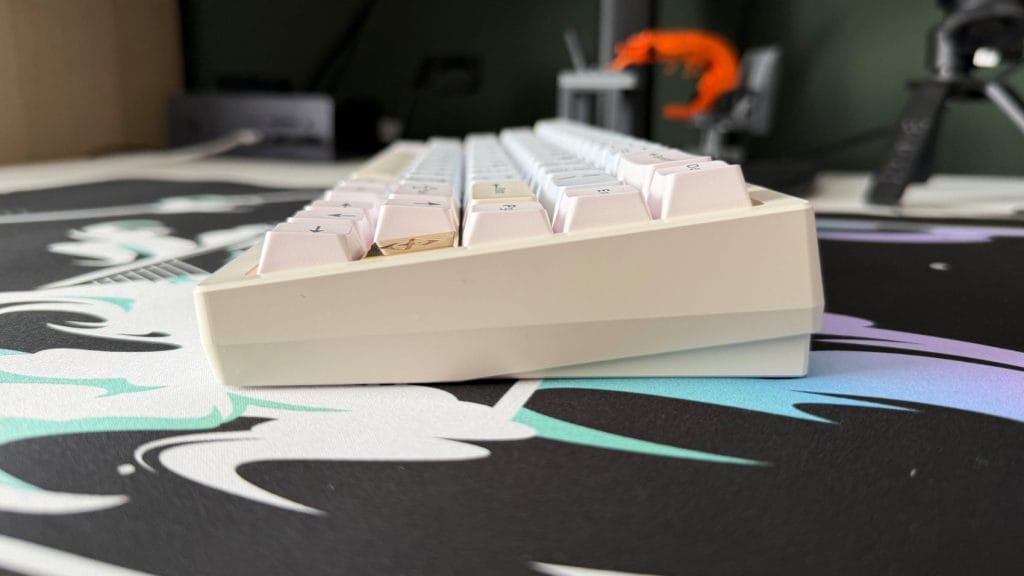
The typing angle is fixed at seven degrees with no adjustable feet. The front edge isn’t overly high so I didn’t particularly struggle with it like I have on others, but I’ll always campaign for some level of angle adjustment on any board, and at this price point it’s a shame not to have it.
performance
The Kailh Luna switches in the Ultra are linear, factory-lubed, and smooth out of the box with no scratchiness to speak of, and the stabilisers across the spacebar, backspace, and shift keys are rock solid with zero rattle. It all contributes to a sound profile that leans deep and understated, a smooth, satisfying thock that’s a pleasure to listen to. It’s not the quietest of boards but each clack is rounded off in a way that means it blends into the hum of an office rather than jumping out and grabbing attention.
The Luna switches actuate at 1.8mm with just 45g of force, which is on the shorter end for these kinds of switches. Combined with the light spring weight, the Wobkey Zen 65 can feel a bit twitchy for typing. I had a noticeable number of accidental key presses during testing, particularly when in full sentence flow like when typing this review. It’s not a major problem, there’s just not much margin for error if you clip a nearby key on your way to the one you wanted. If you’re coming from a board with standard 2.0mm actuation, expect an adjustment period.
The FR4 plate in the Ultra also contributes to a noticeably firm bottom-out compared to boards running polycarbonate plates, like the Lite variant or the Keychron V1 Ultra 8K I reviewed recently. Total switch travel is on the short side too at 3.5mm rather than the more typical 4.0mm, so there’s less cushion before hitting the floor. Combined with the brass weight and foam dampening layers, the result is a controlled, defined keystroke rather than a plush one. It’s a deliberate tuning choice on Wobkey’s part that favours clean acoustics over softness, and I’d say it’s paid off because for gaming, those characteristics actually flip in the Zen65’s favour. The shorter actuation and light spring weight translate to faster inputs with less finger fatigue, the firm bottom-out provides a clear feedback point that’s easier to build muscle memory around, and there’s a toggleable N-key rollover mode that ensures every simultaneous keypress registers cleanly during complex combos.
Where the Wobkey Zen65 really earns its stripes is when it comes to customisation. The ball-catch quick release pops the top case off in seconds with no tools, and the magnetic pogo pin PCB connector means there are no fragile JST cables to worry about when you do. Wobkey includes parts to switch between four mounting configurations, plate gasket with sleeves (the softest, default option), plate gasket with dumbbell gaskets (firmer), PCB mount with dumbbell gaskets (most flexible), and top mount using the included screws and washers (the most rigid). Each one subtly changes the feel and sound of the board, and the toolless case design means experimenting between them takes seconds rather than requiring a full teardown. If you’re new to taking apart your keyboard and dialling things in, this is about as approachable as it gets.

Software customisation is handled through the third-party VIA web app. It’s the same slightly clunky setup you’ll find on other boards taking this approach, requiring a JSON configuration file upload to unlock the full feature set. Once you’re past that initial hurdle, the feature set is rich with plenty of options to play with, but it lags behind competitors with their own dedicated apps.
Tri-mode connectivity covers wired USB-C, 2.4GHz wireless, and Bluetooth 5.0, with support for up to three paired Bluetooth devices across both Windows and macOS, though annoyingly there are no Mac-specific alternate keycaps in the box despite the Zen65 having a dedicated Mac mode. Switching between modes is handled through keyboard shortcuts, as are a number of other admin functions, and Wobkey deserves credit for including a quick reference card in the box that clearly explains what does what. My favourite touch is checking the battery, where pressing the right key combination lights up the number row to show remaining charge. Neat.
One firmware oddity I encountered however is the Caps Lock indicator LED, which illuminates the left half of the key in white but doesn’t turn off promptly when Caps Lock is disengaged. On multiple occasions during testing, the light remained on for anywhere up to 10 seconds after the function had already been disabled. I’m not going to lose sleep over it, but it’s a quirk I’d like to see corrected with a firmware update.
summed up
The Wobkey Zen65 Ultra is an excellent keyboard out of the box and a fantastic entry point into the world of keyboard customisation. The build quality at this price point is hard to argue with, the sound profile is deep and satisfying without any real effort, and the ball-catch quick release with four mounting configurations gives you a playground for tinkering that most pre-built boards simply don’t offer.
It’s not perfect, the hidden power switch is a baffling design choice, the fixed typing angle is a missed opportunity, and the slightly short actuation on the Kailh Luna switches will catch some typists out during the adjustment period. But these are relatively minor frustrations against what is otherwise a seriously impressive package for the money. If you’ve been looking for an excuse to start messing around with your keyboard’s internals, the Wobkey Zen65 makes a strong case for being the place to start.