Philips 34B2U3600CH Curved WQHD Business Monitor
design
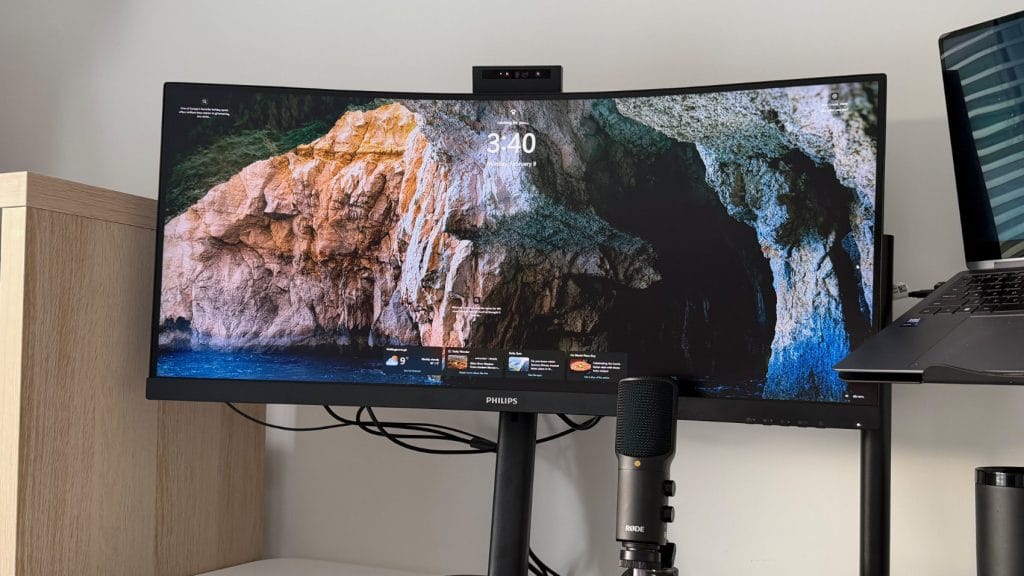
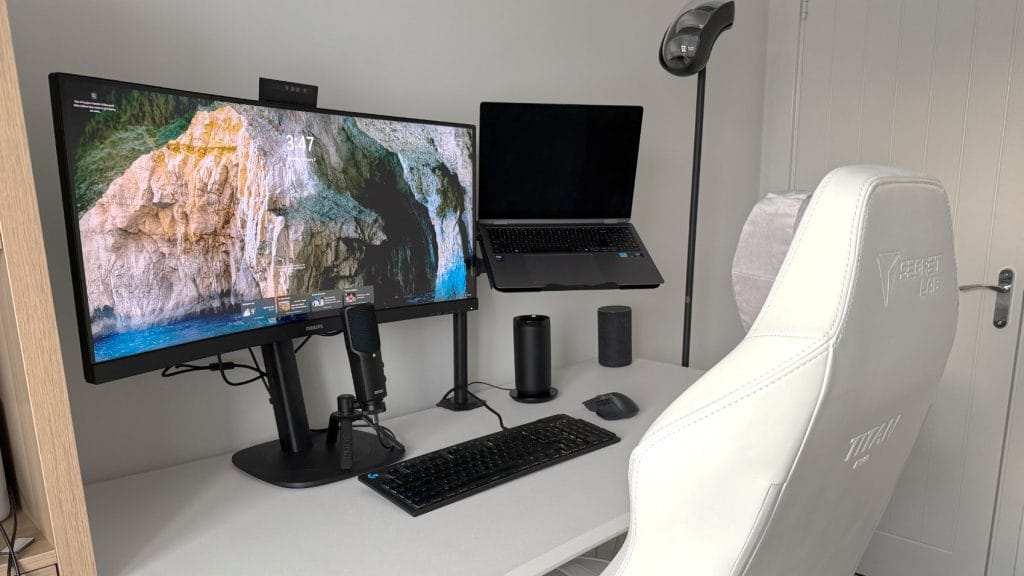
Perhaps unsurprisingly for a 34” ultrawide, but the Philips 34B2U3600CH is a serious piece of office gear. At just over 80cm wide and weighing more than 10kg with the stand attached, it takes a bit of wrangling to get it out of the box, set up, and onto your desk. There’s VESA mounting points on the back, but I had to stick with the stand as my cheap Amazon monitor arm wasn’t up to supporting the heft. If you’re looking to mount the 34B2U3600CH then make sure you don’t scrimp on a gas arm, or even better, opt for a fixed arm.
I don’t mind the 34B2U3600CH’s stand though, it’s nicely designed and more than up to the job. The base itself is large and needs plenty of worktop space, but the top of the base itself is flat so it’s still usable real estate. The column tilts backwards and extends just outside the footprint of the base, and offers a generous 180mm of height adjustment, 180° swivel, and a -5° to +30° tilt range. It’s sturdy too, holding position without any wobble or bounce during normal use.
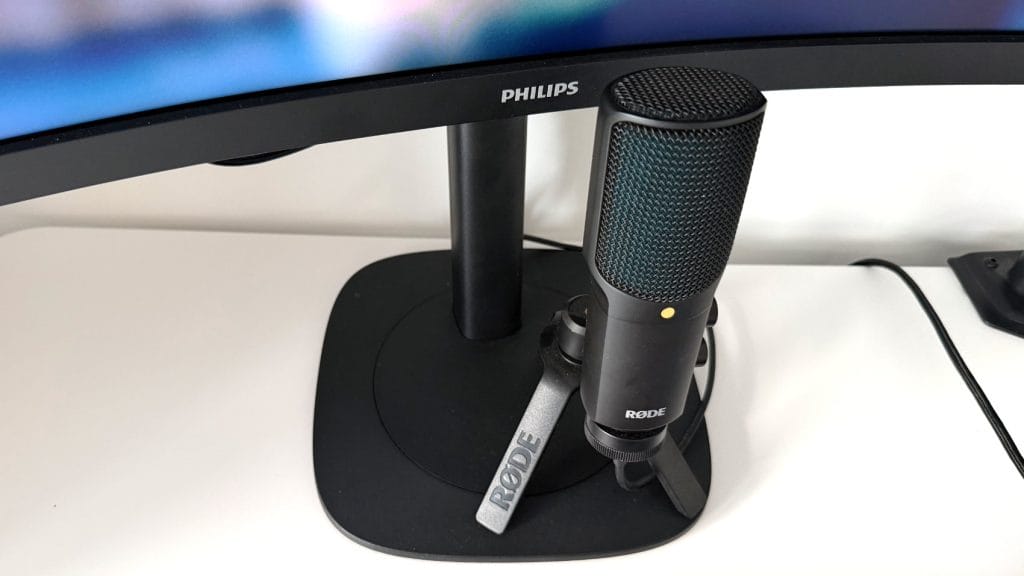
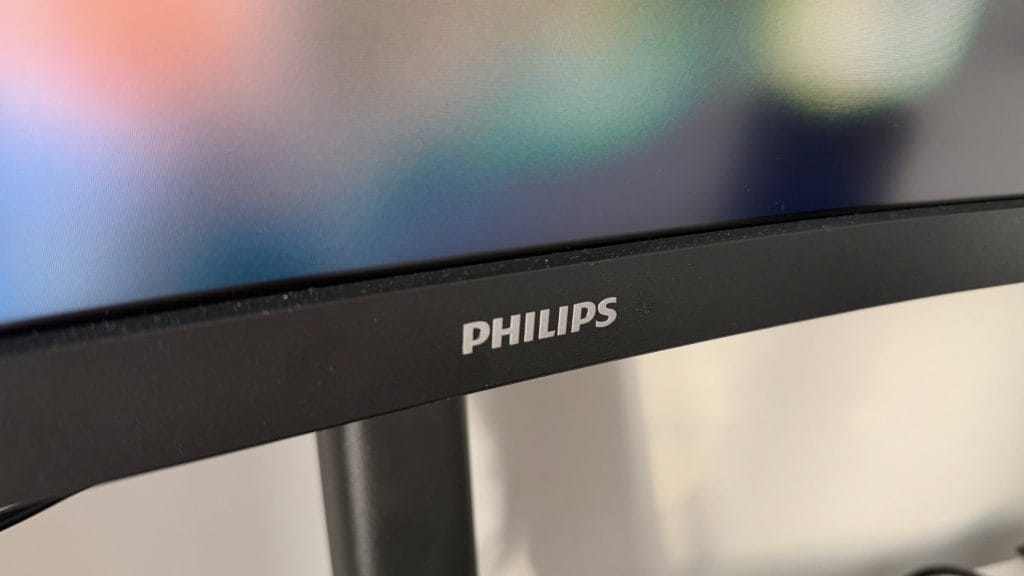
Build quality across both the stand and the monitor itself feels appropriately solid for a business-focused monitor. The textured black plastic won’t win any design awards and there’s no real styling to speak of, but it’s professional and inoffensive. The bezels tell a familiar story for modern monitors: thin and almost non-existent. But only on the top and sides, the bottom edge is a chunky chin that sits proud of the screen itself with a 4-5mm ledge. It looks fine, but it’s a total dust magnet and I often found myself needing to give it a little wipe off, keep a microfibre cloth handy.
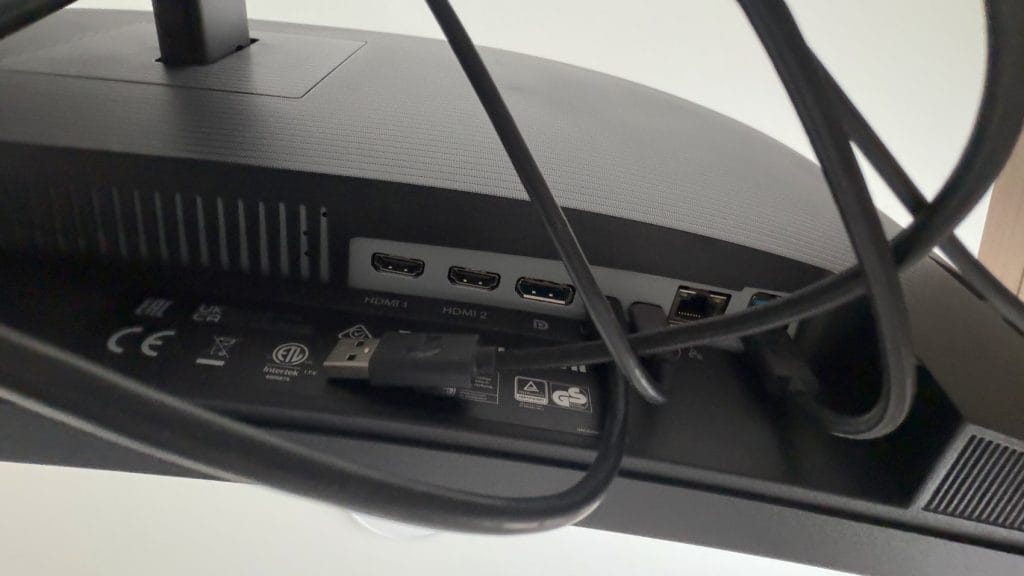
The port selection is clearly an area Philips focused some effort on the 34B2U3600CH and while it’s largely done well, it’s not quite perfect for me. Around the back you’ll find two HDMI 2.0 ports, a DisplayPort 1.4, USB-C with DisplayPort Alt Mode and 90W Power Delivery, there’s a second USB-C upstream for the SmartKVM functionality, four USB-A 3.2 Gen1 ports (one with fast charging), RJ45 gigabit ethernet, and a 3.5mm audio output. If that felt like a long list, it’s because it is, it’s comprehensive stuff.
My little gripes? Firstly, every port lives on the left or rear left side of the monitor. On a 34-inch ultrawide there’s a surprising amount of distance from one edge to the other so sending one or two of those ports to the right side would have been a welcome addition to accommodate setups neatly. Secondly, just a single usable USB-C port on the monitor is pushing it for modern devices. There’s plenty of USB-A options, but once more USB-C would have been a nice add given one of the two is lost to actually connecting to your laptop.
performance
We’ll start with the panel first. The Philips 34B2U3600CH uses a VA panel running at 3440×1440 resolution, that’s a standard QHD 1440p resolution but with the extra space on either side. Size wise it’s a similar height to a 27-inch monitor but stretched 33% wider. At 110 PPI, text is crisp without requiring scaling adjustments for most users, and the extra width meant I could comfortably have two and sometimes even three windows side by side.
You’re looking at a 3,500:1 static contrast ratio which means blacks are impressively deep for a non-OLED monitor. Colour reproduction is strong too, with Philips claiming 120% sRGB coverage and 10-bit colour depth (1.07 billion colours). Out of the box, the 34B2U3600CH looked excellent and I didn’t feel the need to immediately reach for the OSD settings, which is always a good sign. There are a handful of built-in colour presets and it’s worth flicking through them to find what works for you. The 1500R curvature is subtle enough that it doesn’t feel gimmicky, but pronounced enough to bring those ultrawide edges closer to your peripheral vision. Truth be told, I find I stop noticing the curve after I’ve used a monitor for a few hours, which is probably a good thing. I did find text tended to soften off and wash out ever so slightly towards the real extreme edges, but not enough to be a problem.
This isn’t a gaming monitor, but the 120Hz maximum refresh rate makes a tangible difference to everyday use. Scrolling through documents, moving windows around, even just watching the cursor glide across the screen feels noticeably smoother than a standard 60Hz panel. It’s worth noting that 120Hz is only available via DisplayPort and USB-C, you’ll be limited to 100Hz via HDMI, though that’s still going to feel pretty smooth compared to older business monitors.
Likely of most interest to users is the onboard connectivity hub on the Philips 34B2U3600CH. Connect a laptop via the included USB-C cable and you get video output, up to 90W of power delivery (which is enough to charge most work laptops at full speed), access to all those USB-A ports, and even wired ethernet passthrough. It’s got the potential to be a proper docking station replacement, if you can handle just 1 USB-C port. I loaded up as many ports as I could and was happy with how things performed, I didn’t notice any latency or reliability issues and even while charging my phone and my laptop, nothing complained of being underpowered.
SmartKVM is Philips’ implementation of keyboard-video-mouse switching between two connected sources and I imagine it’ll either be a feature people use constantly or not at all. Rather than physical buttons, you triple-tap the Ctrl key to swap between inputs, meaning you could have both a personal and work laptop connected at once and jump between the two. It works on both Windows and macOS, and once you’ve set it up, switching between machines becomes pretty seamless. There’s MultiView functionality too (Picture-in-Picture and Picture-by-Picture modes) which adds further flexibility if you need to monitor two sources simultaneously.
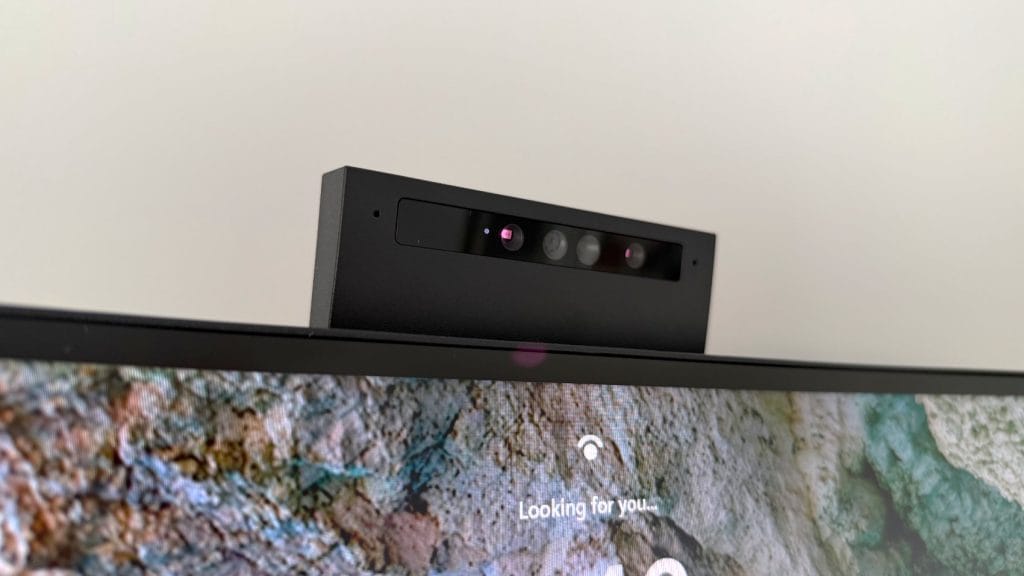
Now for the bit that puts the H in 34B2U3600CH, the pop-up webcam. It’s a 5-megapixel unit with an integrated microphone image quality is… fine. It’ll absolutely do for team meetings and video calls, but if you’re constantly on camera presenting or speaking with external clients you’re trying to impress, you might want to look at a dedicated option. Windows Hello is a great addition though, it means facial recognition login on supported devices and I found it worked reliably and quickly too. The pop-up mechanism is neat from a privacy perspective, and the ±30° tilt adjustment helps frame your shot properly.
The onboard sound exactly as you’d expect from built-in monitor speakers. Much like the camera quality they’re entirely fine for the odd task but there’s a vacant, hollow quality to the audio that’s acceptable for calls and system notifications but probably not much more. When I wanted to watch a YouTube video or listen to music, I found myself switching back to my laptop’s internal speakers. Personally I’d consider them a backup option rather than your primary audio solution, and don’t forget there’s a 3.5mm auxiliary jack on the side too if you want to use headphones or plug in to an external speaker.
summed up
At somewhere around £350 the Philips 34B2U3600CH is a pretty interesting proposition as an all-in-one work companion. It’s a good chunk cheaper than premium business ultrawides from other brands, yet it offers a feature set that punches well above its price point. USB-C docking with 90W power delivery, built-in KVM, gigabit ethernet passthrough, a functional webcam with Windows Hello – these are all great productivity enhancements that stack nicely on top of a panel that’s up to the task too. It delivers excellent contrast, accurate colours out of the box, and a 120Hz refresh rate that makes daily use noticeably smoother.
Sure, you might sacrifice a little viewing angle performance and things can soften off towards the edges, but in a typical office or home office environment, these compromises are entirely reasonable and not overly noticeable. There are a couple of other minor niggles like the port arrangement and that electric buzz through the speakers, but set against everything this monitor does well if you’re looking to consolidate your desk setup, replace a dual-monitor arrangement, or simply want an ultrawide that genuinely functions as a laptop docking station, the 34B2U3600CH makes a compelling case.