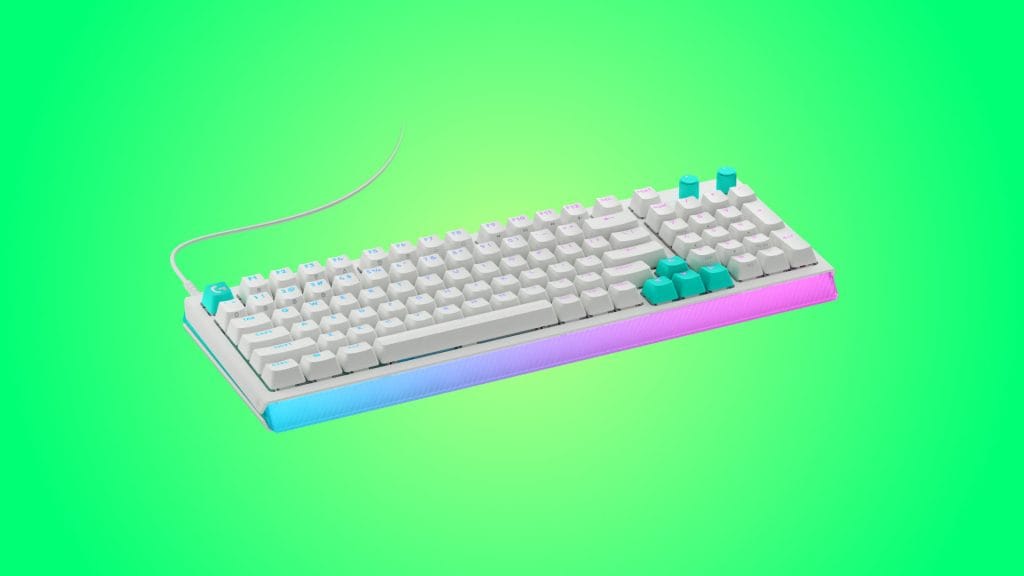
Logitech G512 X 98 TMR Analog / Mechanical Gaming Keyboard
design
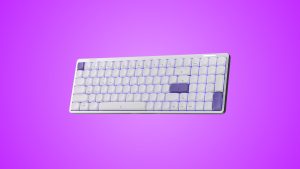
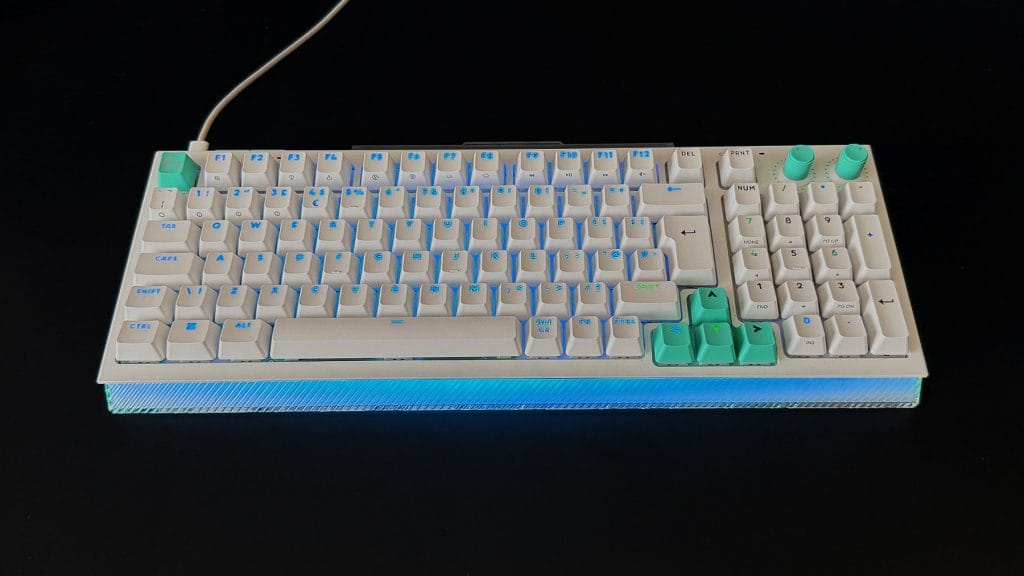
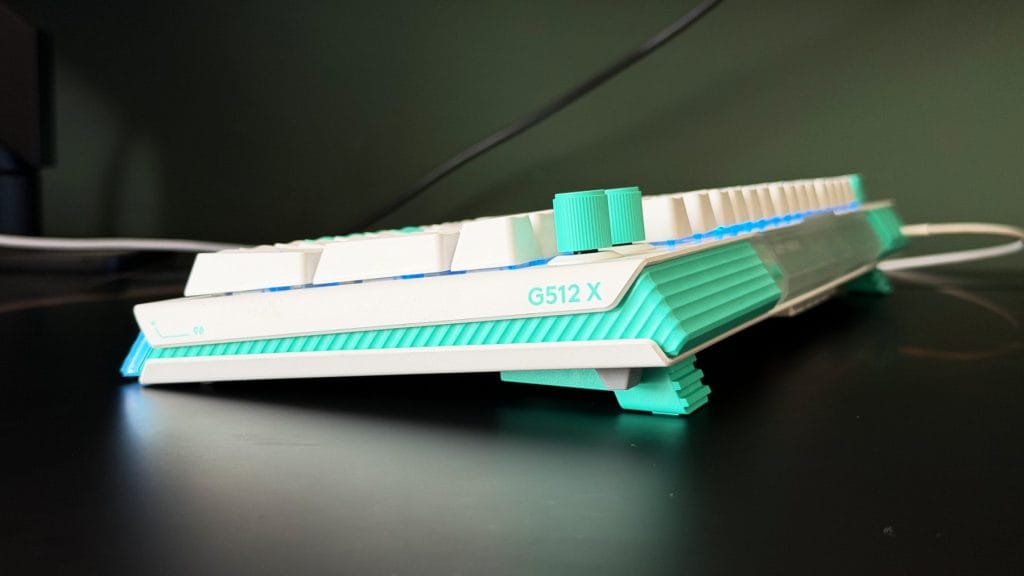
I’ve been testing the white and mint version of the Logitech G512 X 98, and it’s a nice-looking board though I can see it dividing some opinion. There’s a retro aesthetic to it, but more Saved by the Bell 90s vibes than old school cool 80s business. The arrow keys and Esc key are mint out of the box but Logi included white variants too to give you the option to dial back the personality a touch. Even still, it’s an eye-catching design with pronounced angles, textures, and pops of colour across quite a hefty slab.
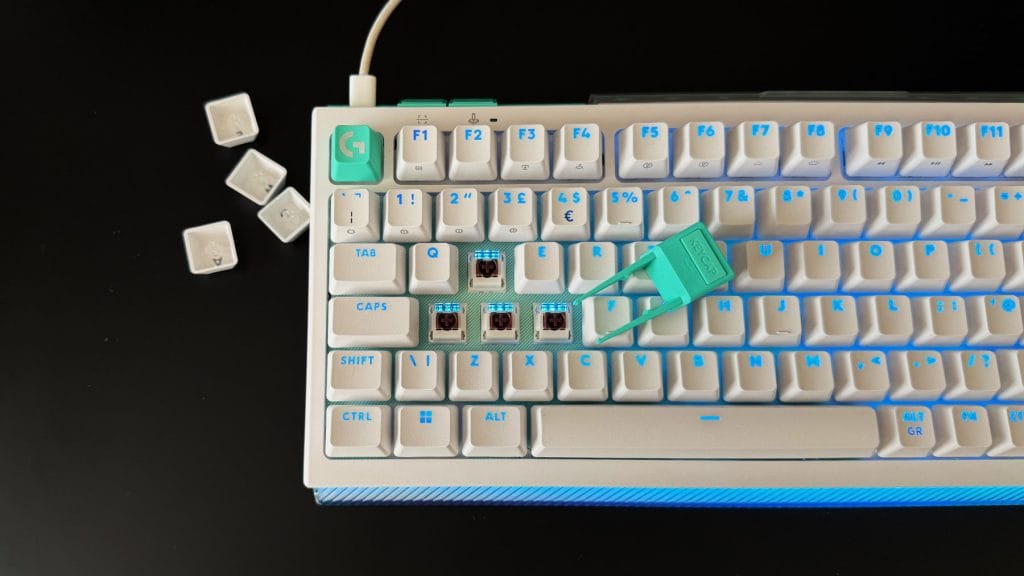
The keycaps are double-shot PBT with shine-through legends, and the surface texture is more pronounced than most boards I’ve tested. The surface is noticeably rough, almost with a paper-like feel which will come down to personal preference. The legends are bold but with a slight inconsistency in the stroke weight of some of the shine-through characters, giving certain letters an oddly warped look up close. You know how AI-generated text sometimes just has an uncanny vibe to it? It’s almost like that.
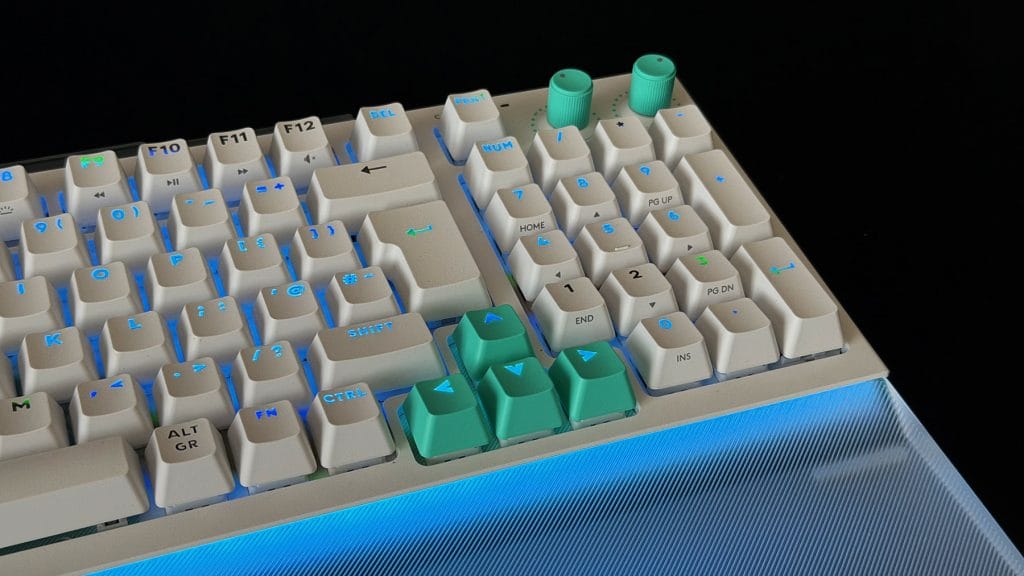
Where the G512 X 98 loses me a little is the chassis itself. It’s plastic, and while that’s not a problem in itself and true of plenty of keyboards at this price, this one feels hollow in a way that a lot of others don’t. There’s flex if you pick it up, though it sits planted enough once it’s on the desk. My problem isn’t so much the material choice, it’s more that it simply doesn’t feel like it’s backing up a £199.99 price tag. I’ve used boards more than half the price which deliver a rock-solid metal construction and the experience is always far better for it.
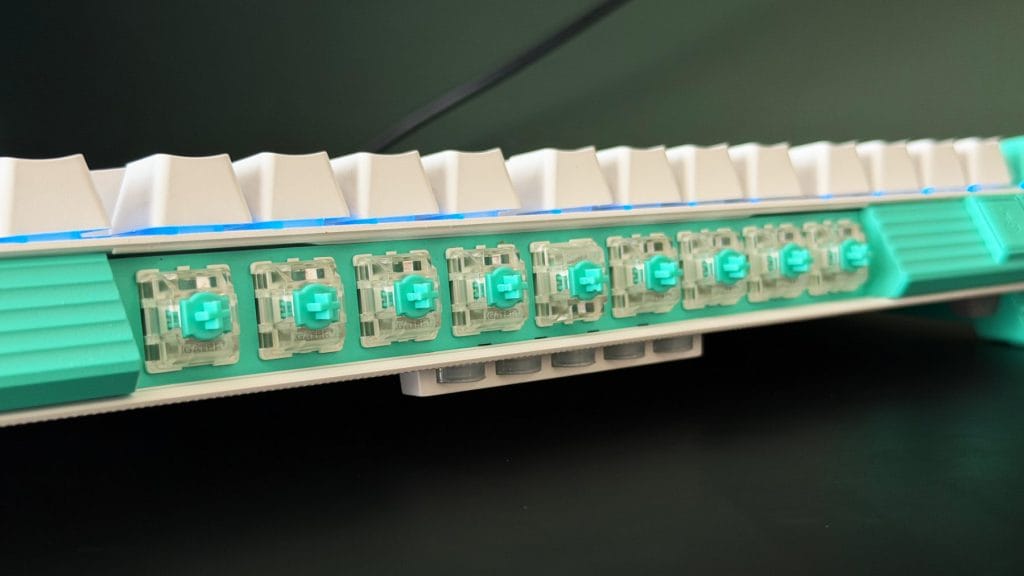
Something I’ve never seen on a board before, however, is the integrated storage. It’s nifty but also the source of my biggest confusion. Nine Gateron analogue switches are neatly tucked into a covered storage bay on the top edge, ready to be subbed in at a moment’s notice. But is nine enough? Is anyone choosing to upgrade just nine of their keys? And then why nine? How did Logitech settle on that number apart from measuring the available space and dividing it by the width of a switch? I don’t get it, but I also kind of like it. The five SAPP rings are even more confusing. Rather than a bay with a hinged lid, these sit in an open slot on the underside with no cover. They’re the smallest, most easily lost parts of the whole package and the least protected. Go figure. Underneath, the feet double as the switch and key pullers, which is another smart, self-contained touch in theory. Though it does mean you’ve nowhere obvious to put them when you’re not using them for either of their duties.
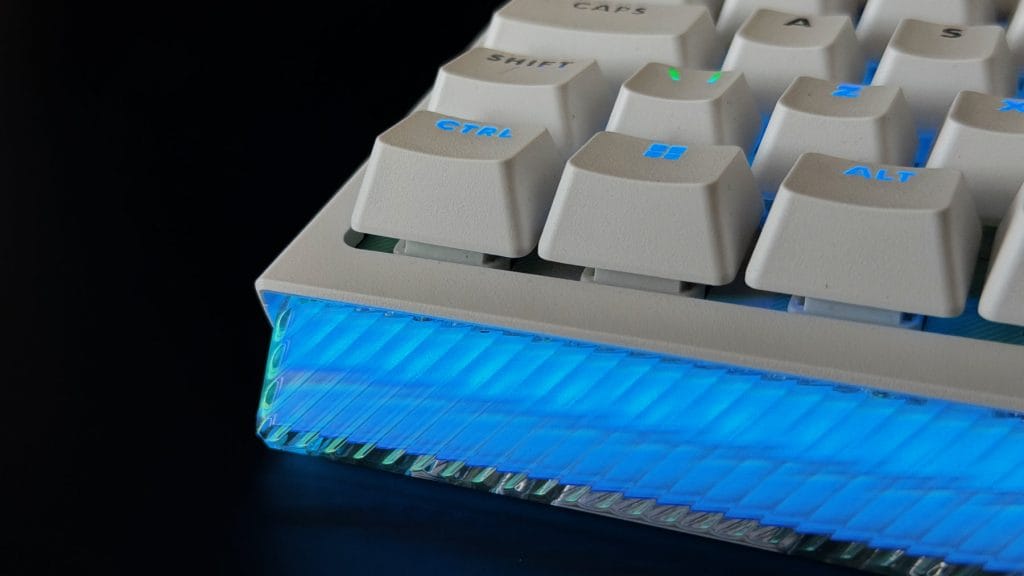
Moving from the back to the front edge, I’ve also been testing the matching G512 X Palm Rest 98, sold separately for £39.99. Fit against the keyboard is snug rather than seamless, the little overhang lip I expected to lock the rest in place doesn’t quite grip as tightly as I’d like, though the transition from board to rest is smooth once it’s in position. It does a genuinely good job of catching and amplifying the lightbar’s RGB, which is arguably its main attraction, and given how steep the front edge of the G512 X 98 is, you’ll want some kind of palm rest for comfort regardless. If you’re going to buy one, this is the sensible choice, though at nearly £40 it’s a lot to ask for on top of an already premium keyboard.
performance
The Logitech G512 X’s main idea is Dual Swap: 39 of the keyboard’s switch beds can take either a standard mechanical switch or one of Logitech’s Gateron TMR analogue switches. They’re hot swappable with those bundled pullers, but again you only get nine analogue switches in the box, so enough for WASD, spacebar, and four more keys of your choosing. You could, of course, buy some more switches separately but even then you couldn’t fill the whole board. Logitech has said the decision comes down to keeping the 98 key model under the £200 mark, and a board with TMR sensors under all 98 keys would likely have pushed the price up considerably. That’s a fair enough trade-off in principle, but in practice it leaves the hybrid concept feeling only partially realised, like Logitech built the framework for something bigger and then stopped short of following through.
The swap process itself is straightforward once you’re doing it, though I don’t think the bundled pullers are as easy to use as the thinner wire style pullers I’ve come across elsewhere. They’re smaller and fiddlier, feeling as though there’s a limited contact point to find that actually brings the switch with it rather than leaving you grasping at air. Once switches are in, the TMR side supports actuation from 0.1mm to 4.0mm along with Rapid Trigger and SOCD, and it all works as advertised. Whether it’s transformative day to day depends on how much time you’re willing to put into tuning it. My guess is most people will set an actuation point they’re happy with and leave it there rather than tweaking constantly.
The little rubber SAPP rings and their accompanying Multipoint Action, which let you assign two different inputs to a single key depending on how far you press it, didn’t land for me. I didn’t find the added resistance did a convincing job of marking a second actuation point, and I can’t say I found the feature especially useful in practice either. Instead it just made the key travel feel short and stunted. Mixing switch types on the same board throws up some inconsistency, too. My review unit has a distractingly loud rattle in the spacebar, and there’s a faint scratchiness to the mechanical switches that’s more noticeable when typing than when gaming. It’s not enough to get in the way while playing, but I wouldn’t want to use this board for a long writing session.
As you’d expect for any Logitech G peripheral, G Hub handles all the configuration. If you’re already using it for other Logitech G gear there’s nothing new to learn here, everything you’d expect like actuation curves, SOCD, macros, and RGB is present and works as it should. The lighting is remarkably bright and saturated, helped no end by that full front edge that lights up even without the accompanying wrist rest. There’s plenty of wash around the keys and onto the desk, and the shine-through legends on each keycap do a nice job with plenty of colour.
It’s also worth flagging two omissions for anyone outside the Windows gaming bubble. There’s no dedicated Mac mode and no relabelled keycaps either. Connected to my MacBook Air it did work as expected, though you’ll lose some functionality and the keyboard shortcuts don’t map over well. Connectivity is wired only too, no Bluetooth and no 2.4GHz receiver, which feels like a stingy omission on a nearly £200 keyboard that’s already asking you to pay extra just for a wrist rest. Admittedly neither omission ruins the experience, but they do reinforce that this is a keyboard built with a very specific kind of user in mind, and it’s not particularly interested in accommodating anyone outside that lane.
summed up
The Logitech G512 X 98 is a clever idea and a decent keyboard overall, but I’m not sure it quite delivers on its own ambition. The Dual Swap concept is a point of difference, and the RGB and matching illuminating palm rest look great together, but the chassis doesn’t feel like it justifies the price, and the analogue side of the hybrid promise is limited to a fraction of the keyboard out of the box.
If the swap functionality specifically is what’s drawn you in, there’s enough here to make it worthwhile. If you’re chasing outright value or a more premium feel for similar money, keyboards I’ve tested before, like the Epomaker HE108 or Keychron V1 Ultra 8K, are easier to recommend without the same compromises.