
G305 X SUPERLIGHT LIGHTSPEED Wireless Gaming Mouse
design
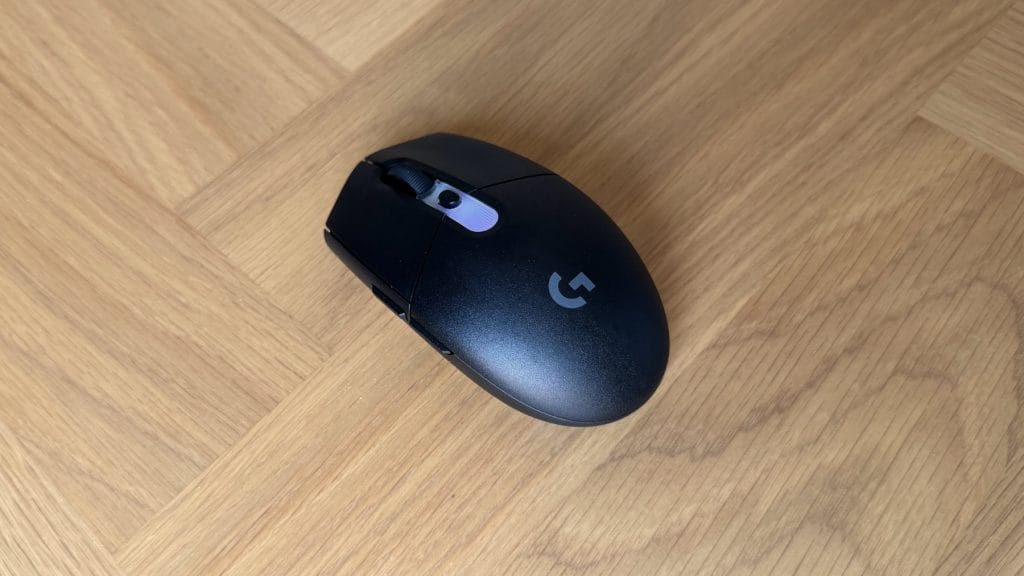
As you’d expect, Logitech hasn’t strayed far from the formula that got the G305 this far. It’s still very much the classic egg-shaped shell, symmetrical enough to pick up with either hand, though the two side buttons live exclusively on the left and there’s no alternate option for southpaws. This new version measures up almost identically to the old one, and it’s available in black or white, with nothing else to differentiate the two beyond a small RGB strip tucked behind the scroll wheel that’s built to sync with the rest of the G3 Series and Logitech’s wider range through G Hub.
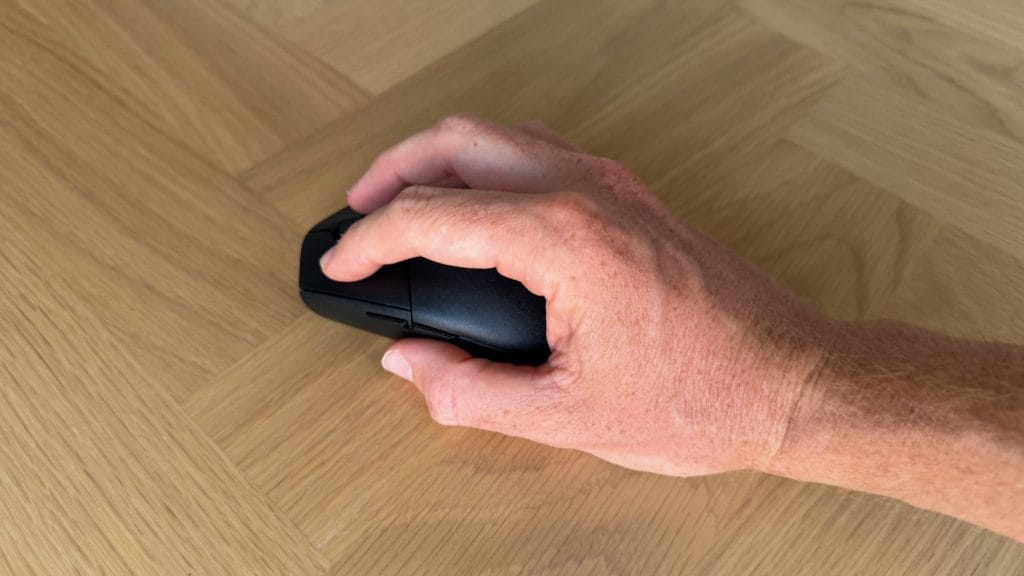
I’m usually a palm grip kind of guy, though that won’t fly here with the G305 X’s compact form factor. Instead I had to resort to my gamer mode style of a relaxed claw grip, though it wasn’t quite as seamless a switch as I’ve seen on other smaller mice. Coming from a daily rotation of the MX Master 4 and the G502 X, both considerably larger mice, the G305 X Superlight felt small in my hand from the first pick up. Some of that is just adjustment, but this felt like a larger jump down than I’d noticed with other small options like the Keychron G3. It’s actually a very similar size to the Keychron, so I can only put this down to minor sculpting differences and a less pronounced rear hump.
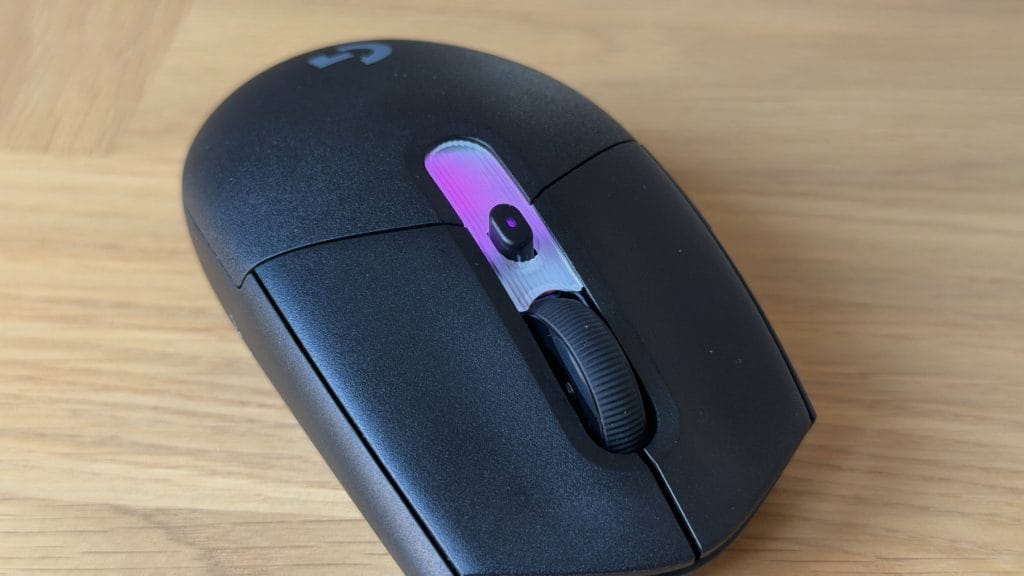
Build quality holds up well for the money. There’s no creak or flex across the shell even under some needless forced pressure in the name of testing, and Logitech has managed this without resorting to honeycombing, which for me is always welcome. There’s a small button on top for switching between DPI settings on the flight, and I appreciated the way this interacted with the RGB to quickly reflect the state of things.
The RGB strip itself is far from effective and you get the sense it’s present because there’s an expectation that it should be, rather than because it adds anything. It’s fully masked by your hand in use, so you’ll never actually see it while playing, and I’d have had no complaints if Logitech had left it off the mouse entirely.
performance
It’s more of the same at a physical level, but it’s sensor performance where the G305 X Superlight starts to prove its upgrade. The Hero 44K tracked cleanly across every solid surface I threw at it, with no jitter and no odd dropouts. It even managed to handle tracking clearly across the translucent and busy G512 X palm rest, not that I’d recommend this as a great surface for gaming on, mind you. It’s worth flagging that glass surfaces aren’t supported, so if you’re rocking a glass desktop or pad, you’ll need to find an alternative.
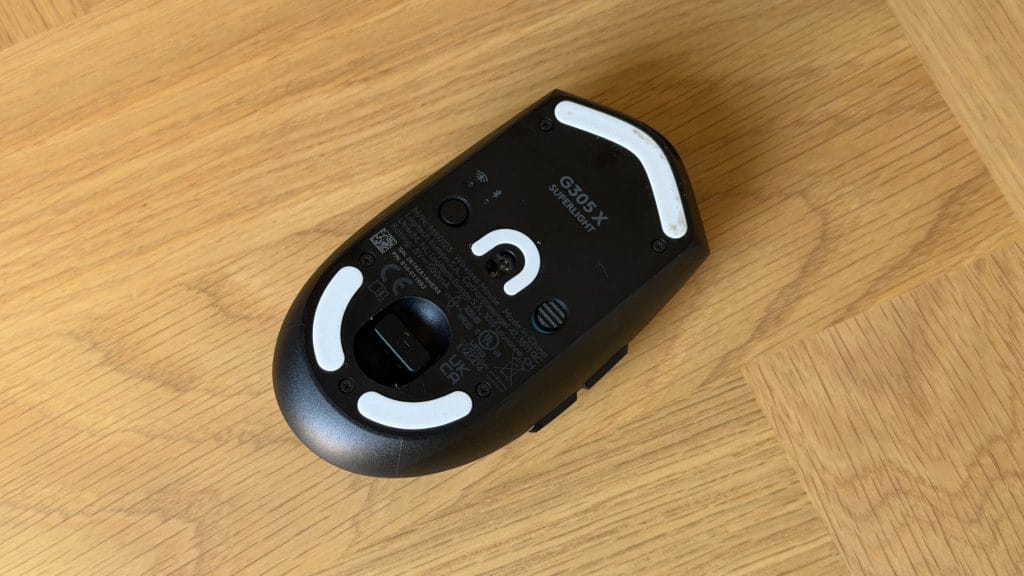
I tested both the Lightspeed wireless connection and Bluetooth, and both performed reliably, though Bluetooth throttles the polling rate considerably, something G Hub flags the moment you pair it. That’s true of pretty much every wireless mouse on the market rather than a Logitech specific quirk, but it’s worth knowing going in if you don’t have a USB port to spare. The tiny Logitech receiver lives in a designated cubby on the bottom of the mouse, which is a clean solution for making sure that dongle doesn’t go missing.
I’m no high-class gamer and spend more of my time meticulously placing rocks and bushes in city builders than I do quick-flicking to wins in FPS games. With that in mind the G305 X Superlight is slightly wasted on me at its maximum potential. I didn’t mind my time with it though, all things considered, and it kept up with me across a range of titles in testing. Where it does fall down a little given the genre it operates in, is skate performance. For this kind of mouse I’d be expecting an almost friction-defying smoothness and I was left a little wanting. On a fabric mousepad I didn’t notice any real issue, though I certainly wasn’t struggling to contain the speed. Move it onto the matte surface of my Secretlab Magnus Evo desk, however, and it gets noticeably draggy with an unpleasant scraping noise not unlike fine grit sandpaper.
Battery life is always a tricky thing to fully validate but I’d say it matched Logitech’s claims across my testing, and the quick charge feature is an excellent add. Two minutes of charging delivers more than three hours of play so you won’t be stuck with a cable for any longer than necessary. A little top-up while waiting in lobbies or for a quick trip to the bathroom is all you need, very impressive.
G Hub’s software side is familiar and a strength that flows between devices. Beyond the usual DPI and button remapping, I tested the BHOP mode, which worked well, and there’s an impressively wide range of sensitivity presets to dig through if you want to fine tune things beyond the defaults. It’s a shame, then, that a couple of small omissions let the side down. The back buttons don’t register at all in Safari and I couldn’t find a way to map them in G Hub, which is disappointing given Logitech has solved this exact problem on the MX Master. And there’s no way to reverse the scroll wheel direction anywhere in the software, which feels like an odd gap on a mouse this configurable otherwise.
summed up
The Logitech G305 X Superlight does what it needed to do on paper. It’s lighter, faster and more versatile than the mouse it replaces, and the battery life and quick charging are both mighty impressive. Where it comes up short is in the little details, each minor on its own but for some players they’ll be enough to add up to something more meaningfully annoying, particularly those skates if you’re used to a snappy superlight.
At £69.99, it’s a reasonably fair price for what’s on offer but it’s perhaps not the storming value it has been before or against modern rivals. The original G305 was £20 cheaper at launch and eight years on and in the wider market the price still feels comparable, if not sneaking up a little. This is a nice refresh of a genre staple, if you enjoyed the original and it’s due a replacement, this will deliver what you need with a few modern upgrades.