amaran Wireless Dynamic Desktop Mic
design
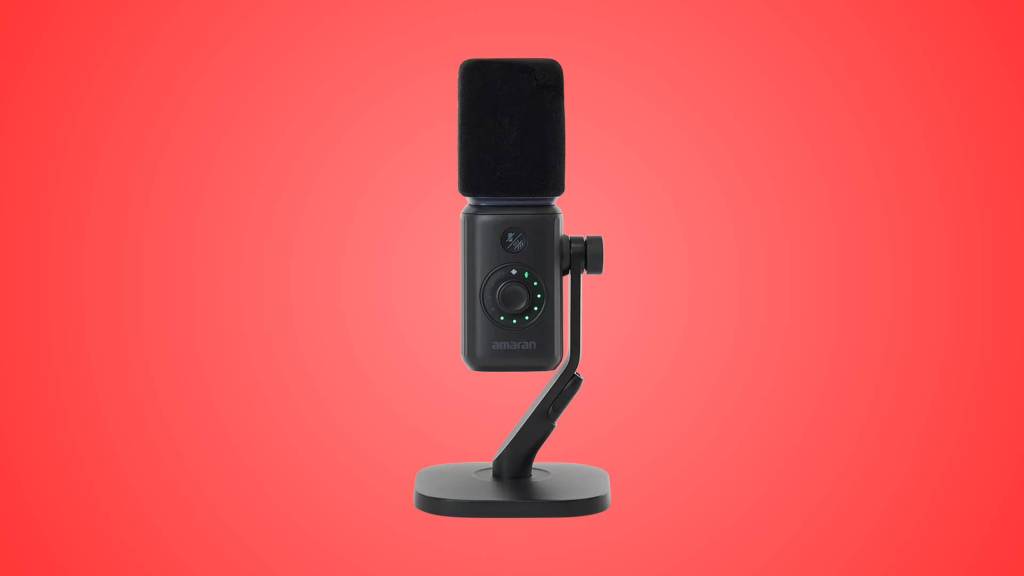
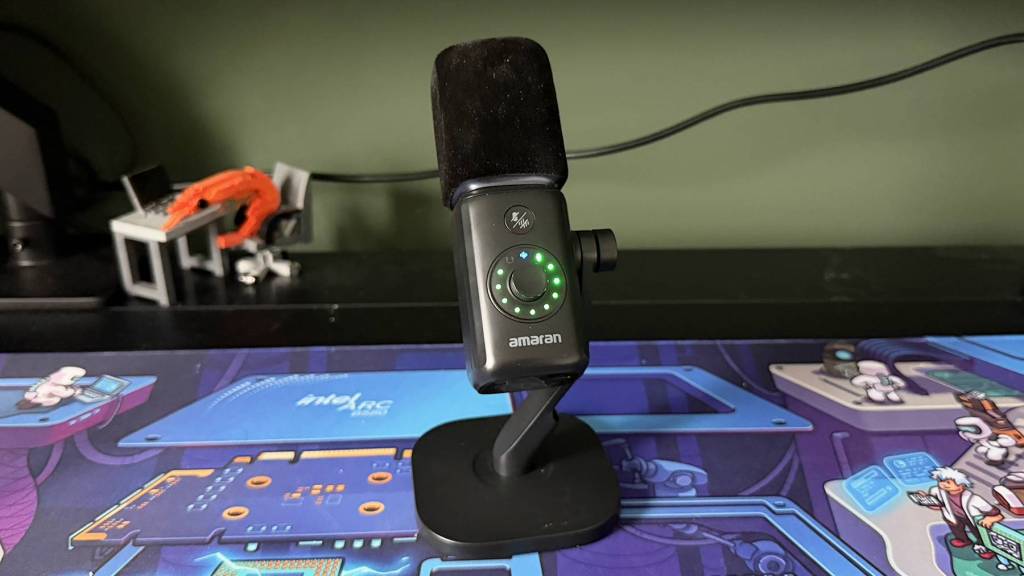
Pull the amaran Mic out of the box and it looks every bit the modern streaming mic. It’s a compact, square-yet-cylindrical rod sitting in a weighted stand, with a single dial on the front ringed by LEDs, a 3.5mm headphone jack for monitoring and a USB-C port for charging and wired use. The USB-C wireless receiver tucks into a slot in the stand when it’s not plugged in, which is a nicely considered touch that borrows the storage cubby idea from keyboards and mice.
My unit is the black, or Charcoal as amaran calls it, and the finish and build quality are perfectly fine without being anything remarkable. Nothing creaks or rattles, the body has a reassuring weight to it at 338g, and nothing about it feels cheap. Equally, nothing about it made me stop and admire it either. It’s a well put together mic but also one I feel like I’ve seen umpteen times before.
What you don’t see quite as often, however, is an included stand. Not only is it there, it’s actually pretty good. It’s stable, and yet despite a compact footprint, it keeps the mic where you put it both in terms of tilt and staying planted on the desk. I didn’t arm mount it during testing, but you can if you want to. The capsule sits behind an integrated foam windscreen, which does a decent job of taking the edge off the harsher plosives and works neatly into the design. There’s no shock mount in the box, but for a mic in this bracket I wouldn’t expect one.
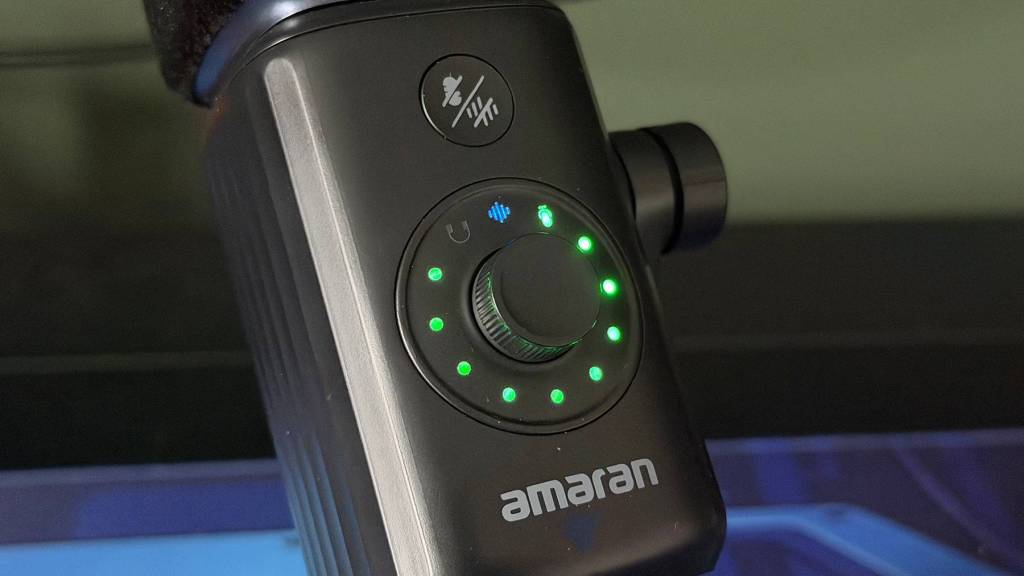
Onboard controls are kept to a minimum with a single dial handling both mic gain and headphone volume, switching between the two with a press and indicated by a green or blue ring. An accompanying button handles mute, with an LED ring cycling through different colours to reflect what’s going on. It’s all legible enough, but with the mic pointed correctly at your mouth, the ring faces back towards your monitor and is largely obscured by the body of the mic itself, which rather undermines its usefulness mid-call. In practice it actually matters less than you’d think because once I’d set things up, I barely touched the onboard controls again, and I suspect most people will find the same.
performance
I ran the amaran Mic primarily on my Windows laptop, mostly for calls and some dedicated testing. That isn’t to say this mic wouldn’t work as a creator option for streaming on Twitch and the like, it just seemed a little more productivity focused to me. I primarily settled on a wired connection for my setup, though I couldn’t hear any obvious difference in sound quality between wired and wireless.
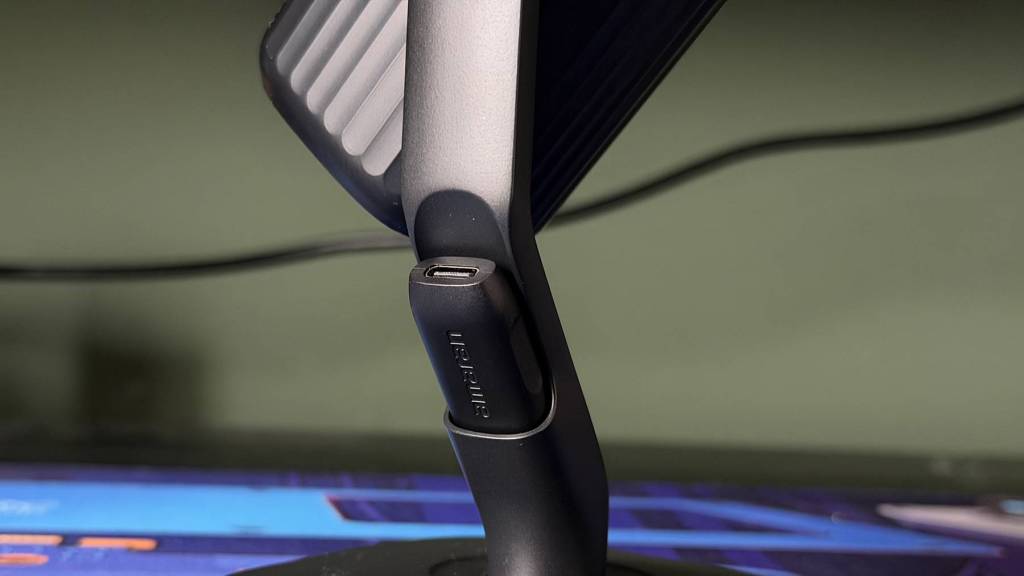
The wireless side of things is certainly convenient. The receiver is pre-paired out of the box, so there’s no fiddling to get connected, and on a busy desk crowded with other wireless gear I didn’t notice any interference. I didn’t fancy taking it on a walk around the house to test amaran’s claimed 50m range, but for a mic that lives on a desk, that figure is somewhat academic anyway.
One feature that didn’t work for me was pass-through charging. The receiver carries a second USB-C port that’s meant to let you charge a connected device while recording, but in my testing it simply didn’t deliver power. More frustrating was a recurring fault where my voice would suddenly turn robotic and distorted. It happened multiple times across testing, in both wired and wireless modes, and the only fix each time was restarting the mic. A firmware update arrived during my testing, taking around five minutes to install without any drama, but it wasn’t a cure.
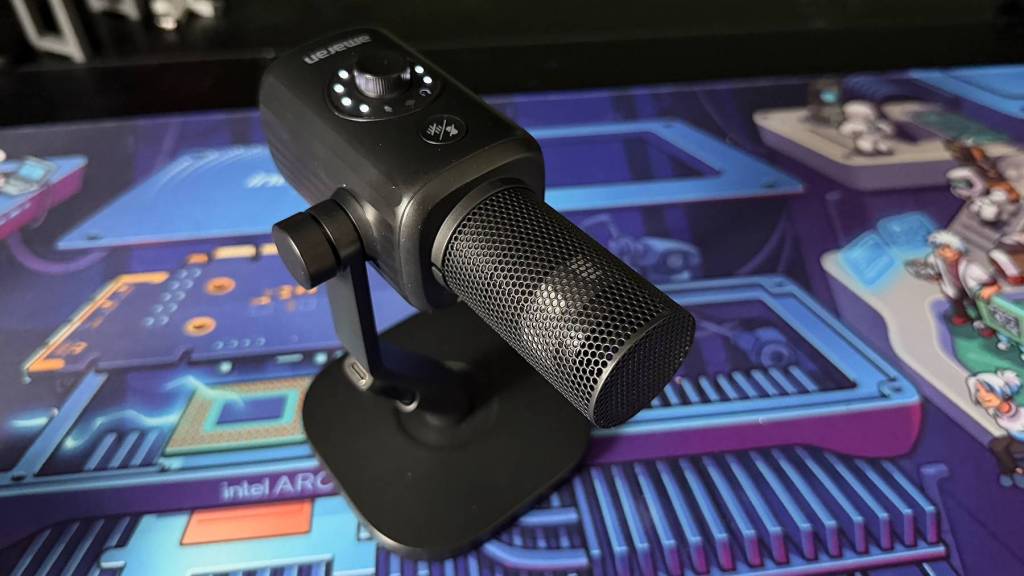
When everything is behaving, the raw sound quality is pretty good. The amaran Mic has a fairly neutral tone, nothing especially rich or characterful, but nothing problematic either. It runs noticeably quiet, though, and I had to push the Windows input volume all the way to 100 to get a healthy level. That’s not entirely unusual for a dynamic capsule, but it does leave you without much headroom to play with.
It also limits where you can put it. Dynamic mics always reward proximity, and the amaran Mic is no exception, but as soon as I moved it around 30cm away from my mouth, it started picking up an airy roominess that made my voice sound distant and thin. For a desk setup I’d much rather tuck a mic under my monitor than have it sat in front of my keyboard, and that just isn’t a realistic option here. I didn’t pick up any noticeable self-noise, even with the gain cranked, and plosives aren’t awful, but the overall quality isn’t refined enough for either to really be a deciding factor.
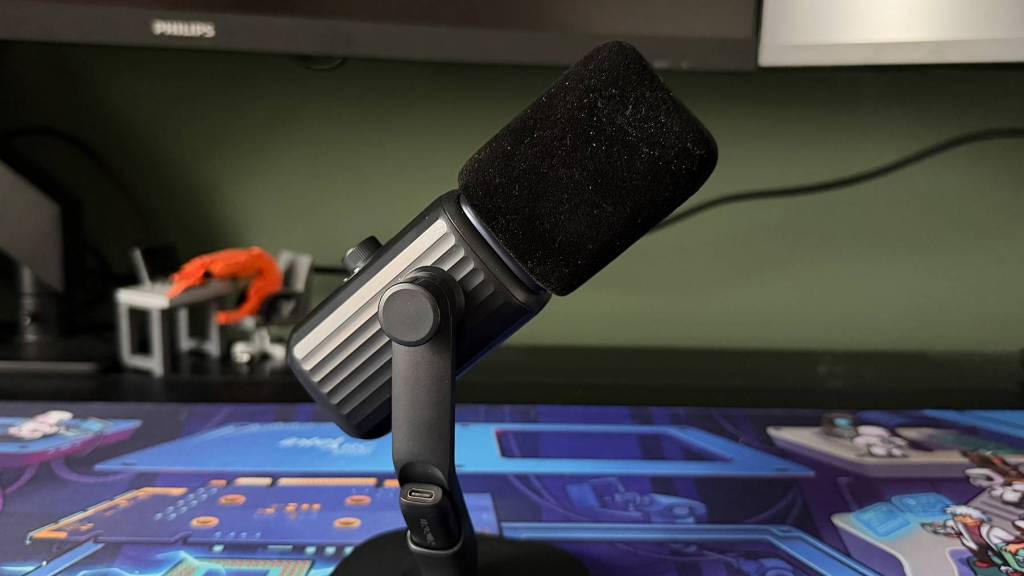
Onboard noise reduction is the feature amaran leans on most, with Original Sound, Standard and AI modes all a button press away. Both the Standard and AI modes did a decent enough job in taking the edge off and should be able to handle gentle day to day distractions without too much bother. I didn’t notice a huge difference to my voice between the three modes either, AI noise cancellation is clearly improving from the earlier variants that stripped quality out of what it kept in. I left it on AI mode for most of my testing, though admittedly my office is a fairly forgiving space.
Then there’s the amaran Desktop App. It’s a surprisingly heavy download and install of >500mb, and it irked me that I was forced to register an account before I could use it at all. Once signed up and in, it isn’t particularly feature rich, and I’d struggle to justify installing it for most users. The EQ presets do produce varied results, some much better than others, so it’s worth a little experimentation. The Vocal Enhancement mode, however, is awful. It made my voice too hot, peaky and rough, and my advice is to never touch it.
summed up
The amaran Mic gets the basics right. It’s well built, it works wired or wirelessly with no setup hassle, the stand is practical for jumping in and out of calls, and its tone is neutral enough that I still sounded like me with room for a little EQ polishing. The trouble is it doesn’t push beyond that in any meaningful way.
It needs to be close to sound its best and the noise reduction modes it’s sold on don’t make enough difference to be a contender on their own. Add that recurring robotic distortion bug, pass-through charging that simply didn’t work and an app that demands an account for little reward, and the shine wears off quickly.
For £100, the amaran Mic isn’t a terrible first attempt from the brand. But it doesn’t stand out on value, doesn’t stand out on sound quality, and doesn’t stand out on features. Which is a problem. It’s an acceptable sounding mic in a vast sea of acceptable sounding mics, and if you’re after a clear step up in vocal quality, there are better options out there.