Keychron Thunderbolt 5 Dock (14-in-1)
design
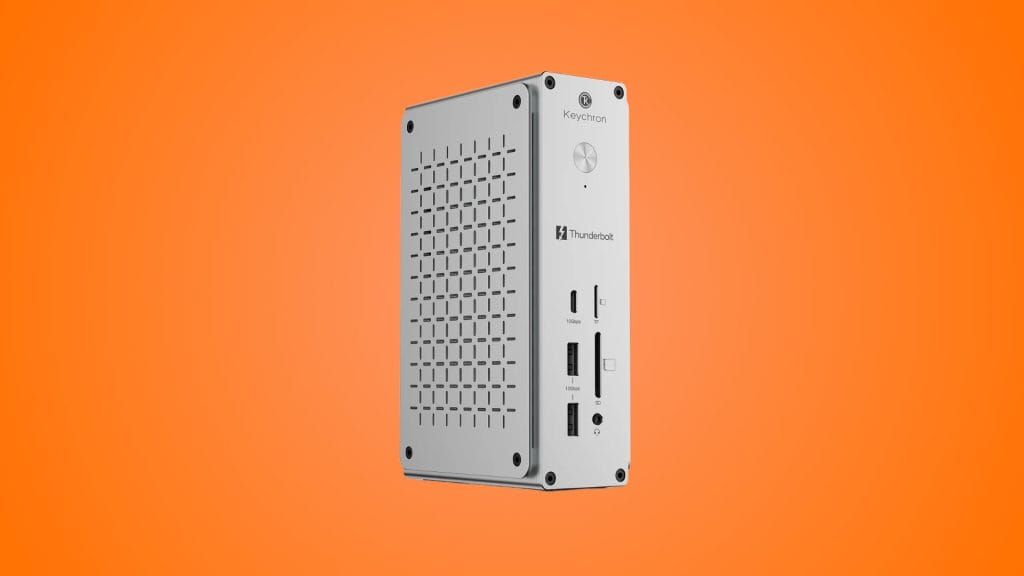
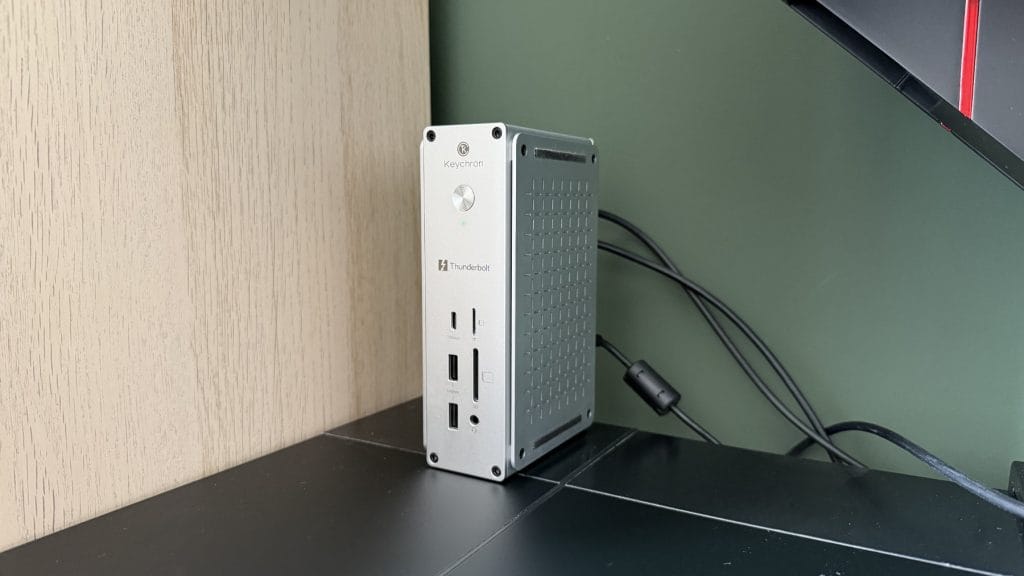
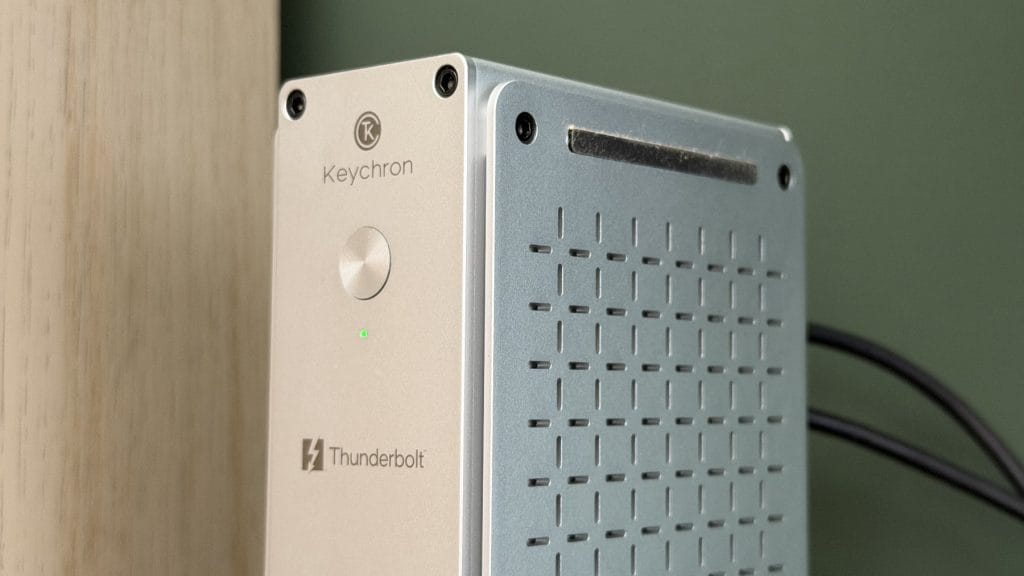
Most docks are built to disappear into your desk, shoved behind a monitor stand or perched somewhere on the underside of a desk and forgotten until something stops working. Keychron has taken a different view. The Keychron Thunderbolt 5 Dock is designed to be seen, standing upright like a tiny silver tower with a funky perforated design that’s not dissimilar to a very expensive cheese grater. It takes up remarkably little desk space for something with fourteen connections and you can lay it flat if you’d rather, but upright is clearly how it’s meant to live.
The whole thing weighs 856g, and in my time with it the dock felt reasonably planted on the desk. Plugging and unplugging cables didn’t send it skating about, though you’ll likely want to keep hold of it with a second hand if you really want it to stay put. The build quality is excellent. The machining and finish are in line with what I’d expect from Keychron at this point, with crisp edges, a clean silver finish and elevated side panels whose cross-hatched grille doubles as the vent for its passive cooling. There’s nothing silly and no RGB anywhere, which feels like the right call for something that feels more business than gaming.
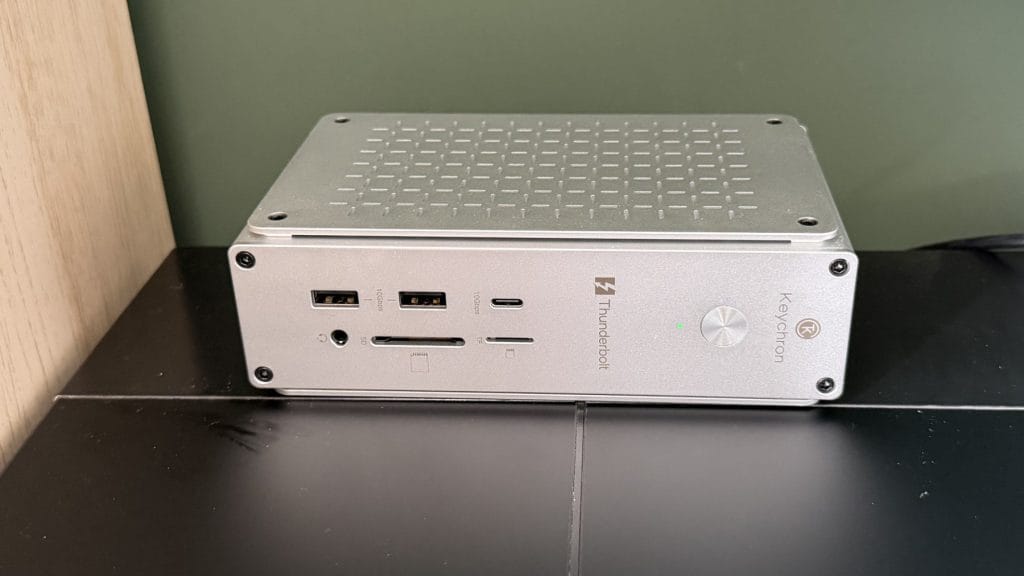
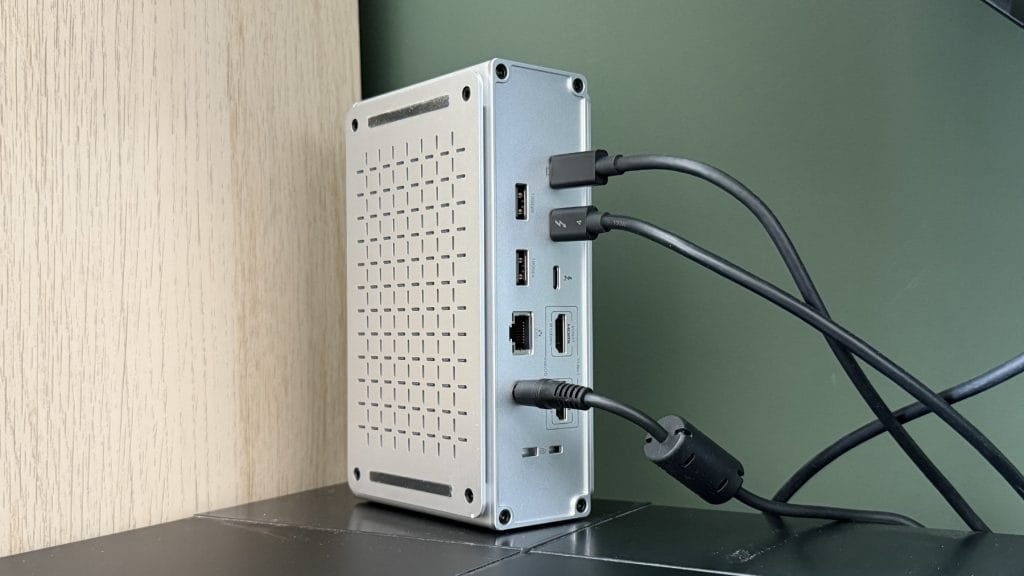
The port layout is split between front and back in a pretty conventional way. Around the back you’ll find the all-important upstream Thunderbolt 5 port to your laptop, two downstream Thunderbolt 5 ports, two 10Gbps USB-A ports, two HDMI 2.1 outputs, 2.5Gb Ethernet, the DC input and a pair of Kensington lock slots. Having the upstream port on the back alongside most of the permanent connections is a sensible choice, since it means the cables you rarely touch can all leave from one side.
The front gets the power button, a status LED, a 10Gbps USB-C port, two more 10Gbps USB-A ports, a 3.5mm audio jack, and UHS-II SD and microSD card readers. This is where I have my one real layout flag. I’d happily swap the microSD slot for a second USB-C port. How often is anyone plugging a microSD card into a desk dock compared with a USB-C cable for a phone, a drive or a pair of earbuds? The full-size SD reader I get, loads of people will be ingesting footage from a camera, but microSD feels like it’s out of place in a spot where a much more useful port could have gone.
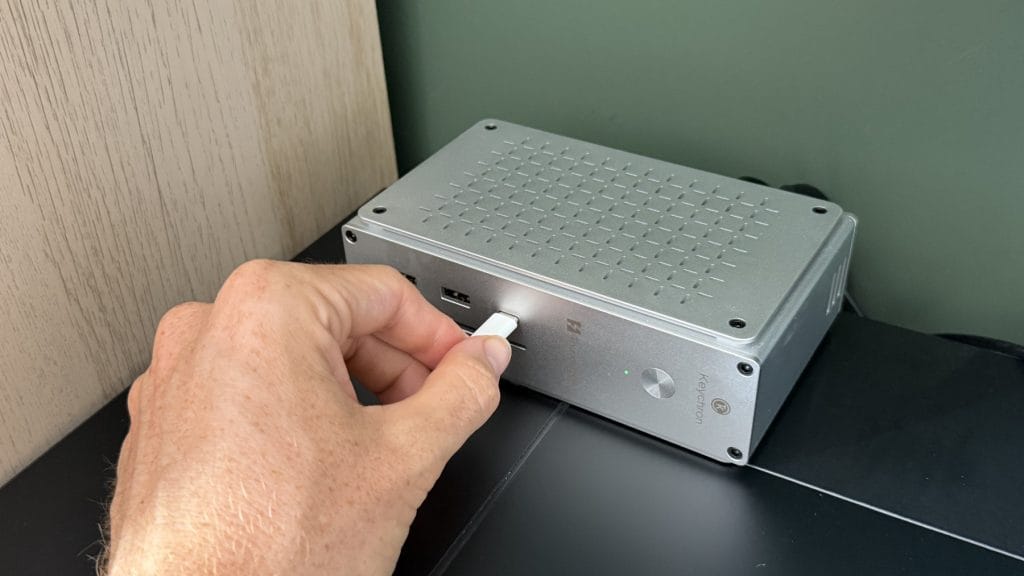
In the box, you get the dock, a 180W power adapter, a mains cord and a certified 1m Thunderbolt 5 cable. The cable inclusion is welcome, not only because proper TB5 cables aren’t cheap, but also because Keychron hasn’t held back with a mean 30cm length. The power brick is reasonably chunky but it’s a necessary inclusion with how much juice this dock needs.
performance
Now, there’s a slight problem we need to clear up before we actually get started with any proper testing. I used the Keychron Thunderbolt 5 Dock with an M4 MacBook Air and a Samsung Galaxy Book5 Pro 360, neither of which has a Thunderbolt 5 port. Both are Thunderbolt 4 machines, which means the 80Gbps bandwidth, 120Gbps Bandwidth Boost and dual 8K display support that make up most of the marketing materials were never actually on the table for me. Sorry.
But, I don’t think that makes my experience an outlier. Thunderbolt 5 is still limited to particularly recent-release, high-end hardware. Apple, for example, has only been offering it on its Pro, Max and Ultra chips from the last couple of generations. Plenty of people considering a dock like this will be future-proofing and plugging it into something very similar to what I used for now.
The good news is that on both laptops, setup was entirely plug and play and smooth throughout.
My setup is a standard workstation rather than anything exotic. The dock ran my Philips 34B2U3600CH ultrawide alongside each laptop’s internal screen, plus the usual array of USB peripherals you’d expect around a keyboard and mouse. What impressed me most was how dull it all was, in the best possible way. Across my testing, the dock performed well and reliably, with no disconnects, no displays dropping out, and no peripherals needing a physical reconnection after the laptop went to sleep. That includes passing through the pop-up webcam built into the Philips, which has been temperamental with other docks I’ve used in the past.
Charging was equally uneventful. The Galaxy Book5 Pro 360 is a fairly power-hungry laptop and is quick to moan as soon as it gets given less than 90W, but it never once quibbled about the power on offer, even when I was charging my phone from the dock at the same time. With 140W available through the upstream port, plus 30W and 15W from the two downstream Thunderbolt 5 ports, there’s plenty of headroom for a laptop and a couple of accessories. That 140W figure is also enough for a 16-inch MacBook Pro, if you’re on the Apple side of things. As for heat, the dock got warm under extended use but never hot. That’s not surprising for a device like this and it’s good to see the aluminium body doing its job as a heatsink with no cooling fan to speak of.
I may not have been stretching the Keychron Thunderbolt 5 Dock but if I was trying to, there are a few limits that will matter to some buyers. The two HDMI ports top out at 4K 60Hz each, so anyone hoping to run high refresh rate monitors will need to use the Thunderbolt 5 ports to send video over USB-C instead. Keychron’s own compatibility guidance also says that Thunderbolt 4 and USB4 hosts are limited to dual or triple 4K 60Hz displays, that the two HDMI ports mirror each other on macOS rather than extending, and that Thunderbolt 3 Windows laptops aren’t supported at all. Base M-series MacBook Airs have their own display limits too, so it’s worth checking what your laptop can drive before you spend this much on a premium dock.
summed up
The Keychron Thunderbolt 5 Dock (14-in-1) is a remarkably confident and competent first dock. It looks and feels like a premium product, it’s completely silent and keeps its cool under pressure, and in my testing it was dependable in a way that docks haven’t always been for me. The small things worked, like my monitor webcam which is prone to dropping out and a power-hungry laptop that stayed charged without complaint. For a device whose entire purpose is to be forgotten about, that’s the highest praise I can give it.
The question is whether you need what you’re paying for. At $349.99, a big chunk of the cost is Thunderbolt 5, and on my two Thunderbolt 4 laptops, that bandwidth went largely unused a lot of the time. If you’re in a similar position, the dock will still serve you well, but you’re paying a premium for headroom you may not touch until your next laptop upgrade and even then, you’ll need to actively push to get there. For the right user, though, this is an easy recommendation. If you’re running an M4 or M5 Pro or Max MacBook Pro, or a Thunderbolt 5 Windows workstation, and want one cable to handle your displays, storage, networking and charging, the Keychron Thunderbolt 5 Dock delivers all of it in a package that looks the part. Yes, I’d still swap that microSD slot for another USB-C port, and I’d like to see other regional versions on offer, but Keychron has clearly thought hard and has got the fundamentals right.