UGREEN MagFlow Pro 3-in-1 Magnetic Wireless Charging Stand (Qi2 25W)
design
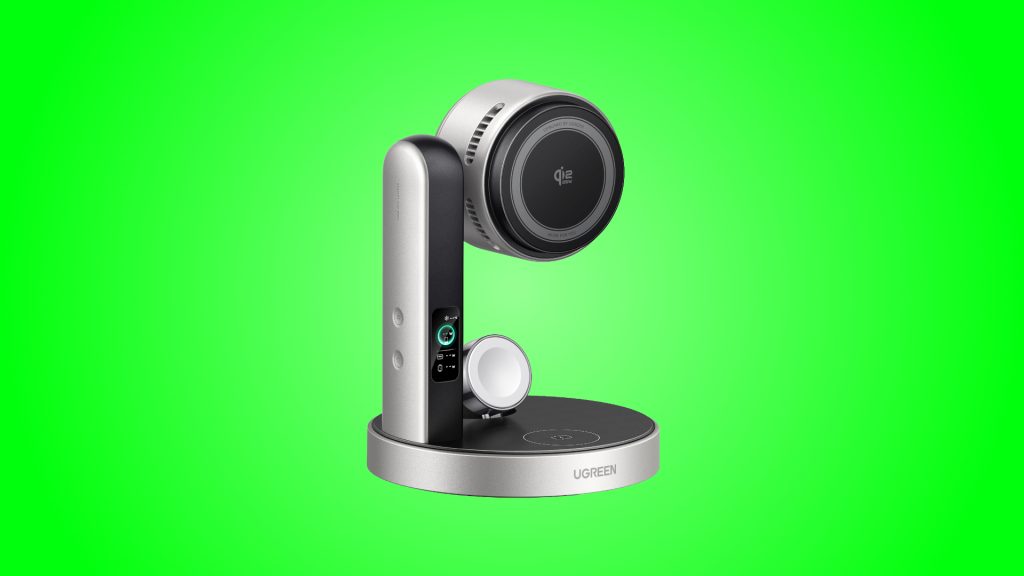
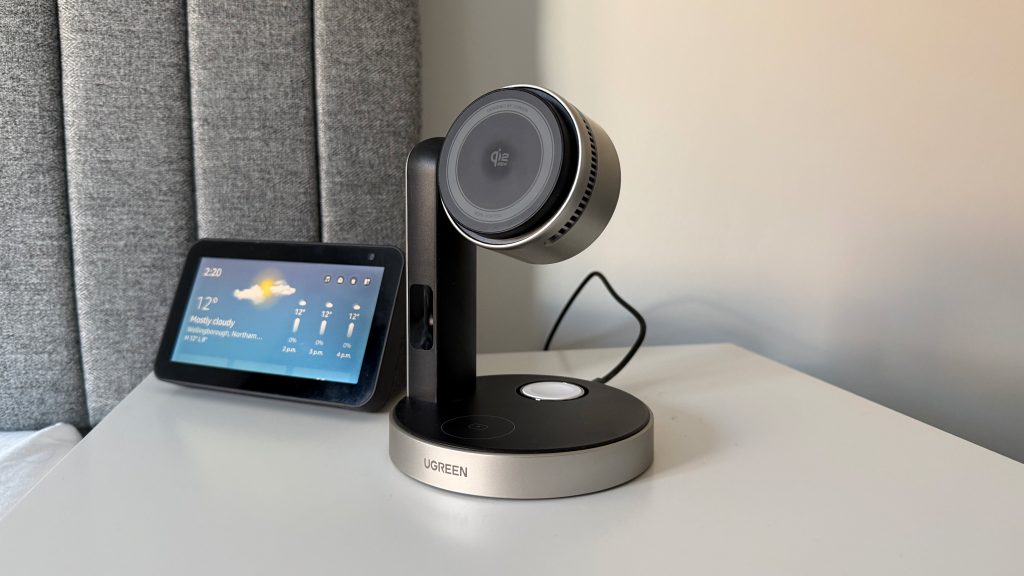
Where last year’s MagFlow 3-in-1 was all about being compact and unobtrusive, the MagFlow Pro 3-in-1 is happy to be noticed. The phone pad is a large silver disc perched on a tall, fixed pillar, ringed with vents and backed by a sizeable fan. The Apple Watch charger and an AirPods pad are tucked around the base, which is around 12cm across. It’s a taller, chunkier thing than most 3-in-1 stands and it does command some attention as a result. I used it mainly on my bedside table and, despite that height, it never looked out of place there.
Build quality is exactly what I’ve come to expect from UGREEN. The MagFlow Pro feels high quality and premium in the hand, with nothing creaky or loose anywhere on the stand. It’s also considerably weightier than its predecessor at around 541g, and that heft pays off. The weighted base stays put when you pull your phone away one-handed, which is a welcome change from the lifting I wrestled with on the MagFlow 2-in-1.
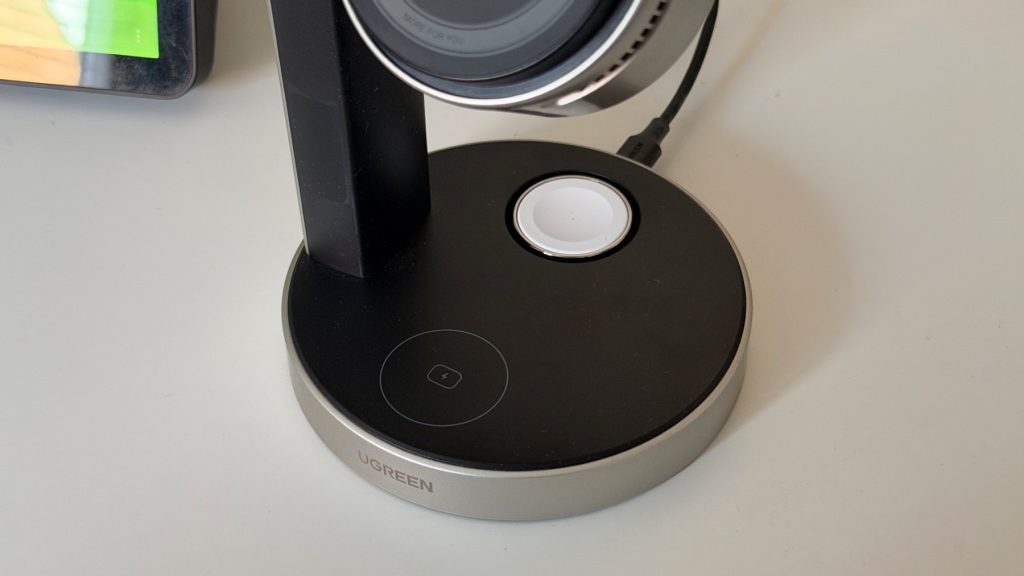
The magnetic hold on the phone pad is good enough for its job. With an aftermarket case fitted my iPhone 17 Pro could be knocked out of place with a particularly clumsy hand, but at no point did it feel like it was at risk of falling off. The head tilts up to 90 degrees and rotates a full 360, so flipping between portrait and landscape is easy, and cases up to 3mm thick are supported.
The Apple Watch charger is a noticeable step up from the pop-out connector on the original MagFlow 3-in-1, which never quite felt as sturdy as the rest of the stand. On the MagFlow Pro 3-in-1 it pivots between lying flat and standing upright for Nightstand Mode. All of my straps are loop-based so I could only ever use it raised, but it handled every strap I tried without fuss and my Watch slipped neatly into place each time. My one gripe is that it sits a little tight to the main pillar, so I found myself knocking into it most times I seated my Watch.
The AirPods pad is less eventful. It works, and you’ll want to wait for the charging chime to make sure things are aligned before walking away, but there’s nothing more to say about it than that. In the box you’ll find a 45W wall adapter and a 1m USB-C cable, so there’s nothing extra to buy before you get going, which is very welcome. Unlike the non-Pro model, though, there’s no spare USB-C port on the back for anything that doesn’t charge wirelessly, which is very much a shame as the owner of a Kindle.
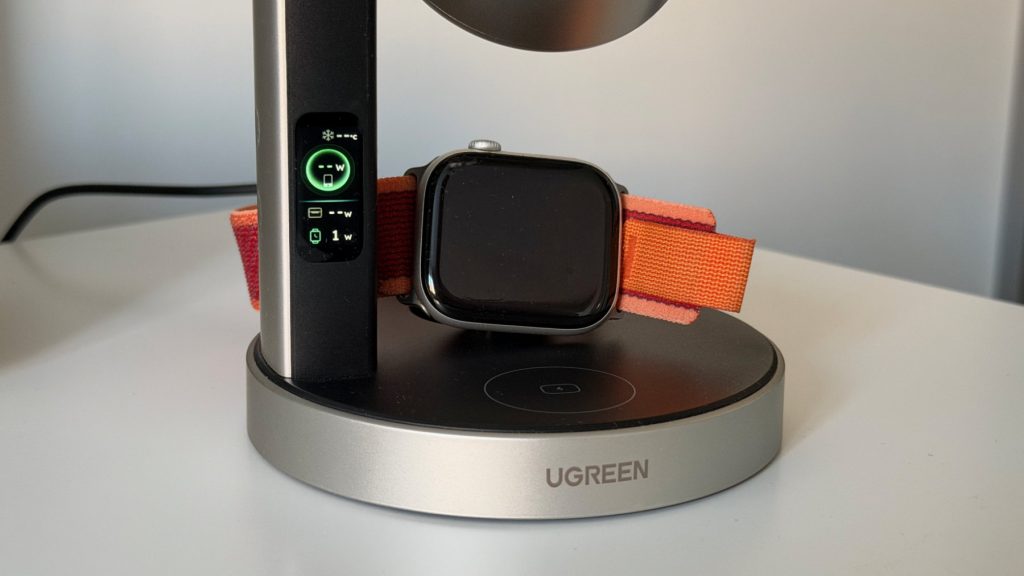
Controls are handled by two touch-sensitive buttons along the side of the arm, used to power the stand on and off, toggle the cooling and cycle the display. They’re sensitive, perhaps a little too much so, and more than once I pressed one by accident while reaching for something else on my bedside table.
performance
UGREEN rates the MagFlow Pro 3-in-1 at 25W for the iPhone 16 and 17 series, with older iPhones topping out at 15W, and claims an iPhone 17 Pro Max can reach 50% in 26 minutes. Apple Watch and AirPods each get the 5W they need to charge effectively. I used the stand predominantly as an overnight charger, so I wasn’t chasing maximum speeds, but charging with my iPhone 17 Pro was consistently reliable whether the phone was naked or wearing one of a couple of third-party cases I tried.
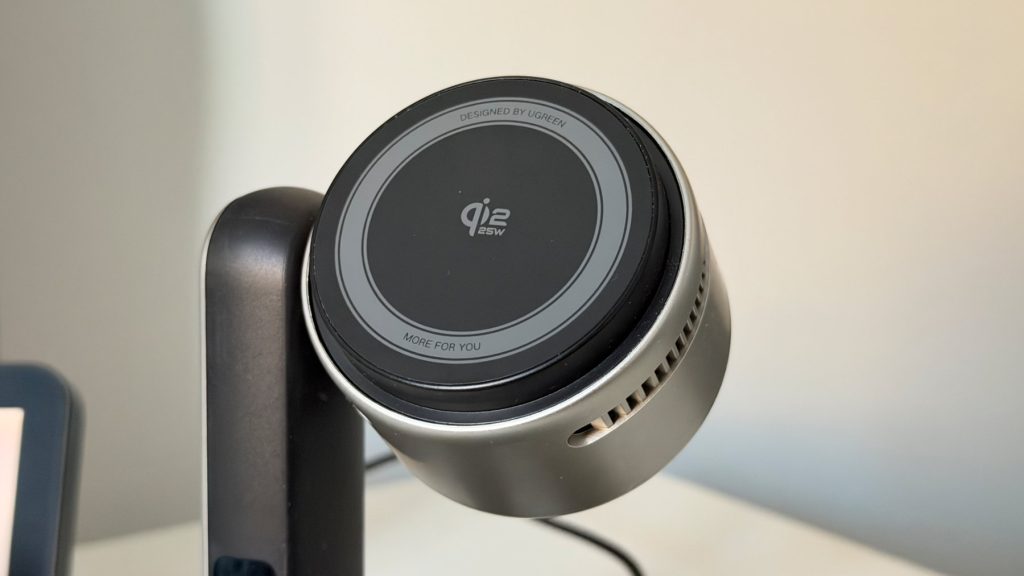
With speed not much of a concern overnight, it was the CryoPulse cooling I was most keen to put to the test, and it does what it says. The face of the charging pad gets remarkably cold, with UGREEN quoting surface temperatures as low as 11°C. That doesn’t mean your phone comes away cold, mind. My 17 Pro still warmed up noticeably while charging, with or without a case, but much less than I’ve seen on wireless chargers without active cooling. For anyone who’s felt their phone get uncomfortably hot sat on a 25W pad, it’s definitely a tangible difference.
UGREEN rates the fan at 15dB or below, but it’s louder in reality than I expected. I usually sleep with a ceiling fan running so a bit of white noise doesn’t bother me, but in an otherwise silent bedroom it’s clearly audible, and light sleepers will likely find it too much. In a working office with any kind of background noise it fades away pretty quickly, so if the MagFlow Pro is destined for a desk this is unlikely to trouble you much.
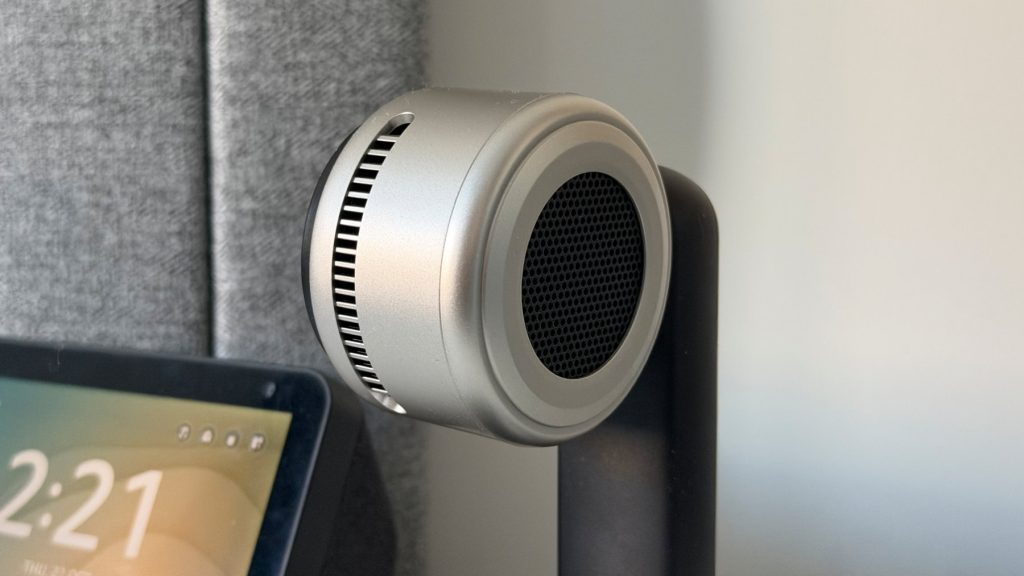
What frustrates me more is how the fan behaves. It runs whenever a phone is attached, even when charging has finished or iOS has paused it to protect the battery, and there’s no ramping up or down depending on how hard the stand is working. It’s simply on or off. For a stand that’s going to spend most of its life holding a fully charged phone overnight, a smarter fan that only spins up when it’s needed would make a big difference to how livable it is by the bed.
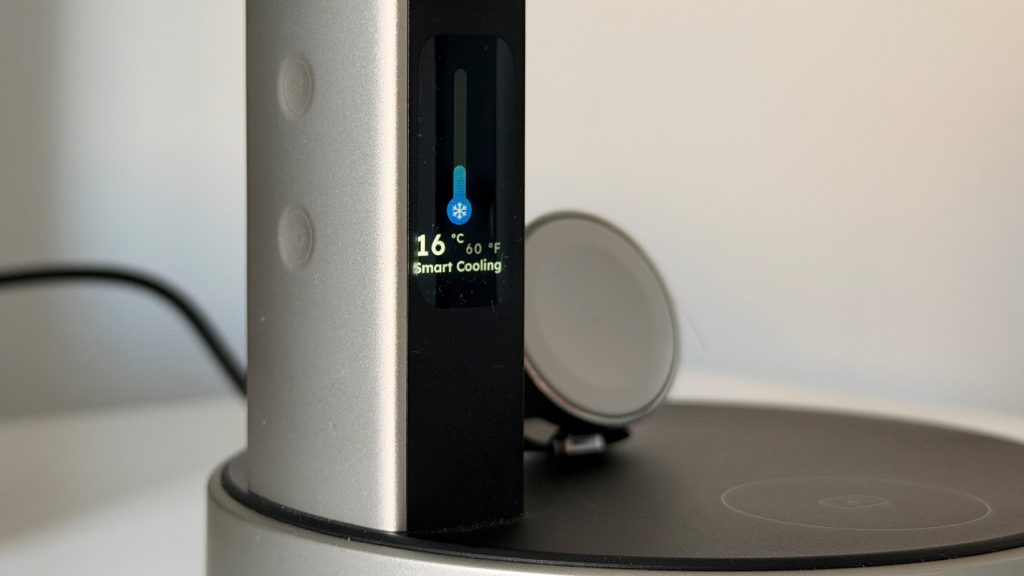
You can turn the cooling off entirely via the buttons on the arm, but that does feel a little self-defeating. The display on the front of the arm shows per-device wattage, pad temperature and the current cooling mode. It’s a nice idea in theory, but in practice I forgot it was even there. Overnight I wasn’t looking at it, and the information it shows isn’t something most people will need to check day to day.
summed up
The UGREEN MagFlow Pro 3-in-1 is a well-made, premium charging stand that delivers on its main promise. The CryoPulse cooling works, the pad gets impressively cold and your iPhone runs cooler than it would on a regular wireless charger. It’s built to a high standard, the weighted base solves the stability issues of UGREEN’s smaller stands and the Watch charger is a clear improvement over last year’s model.
Before buying, though, it’s worth thinking hard about that fan. It’s louder than its rating suggests it may be, it never switches off on its own, and it has no way of easing off once the hard work is done, which makes the MagFlow Pro 3-in-1 an awkward fit for the role a 3-in-1 stand most often plays: sat on a bedside table overnight. Light sleepers will end up turning the cooling off, at which point they’re paying for a feature they aren’t using. On a desk, or for anyone who doesn’t mind a bit of white noise, that concern largely disappears.
At £119.99 the MagFlow Pro 3-in-1 isn’t cheap, though the included 45W adapter softens that a little. If you want the coolest-running iPhone charging you can get and the stand is heading for your desk, it’s an easy recommendation. If it’s going next to your pillow, I’d think carefully about how much a fan bothers you before committing.