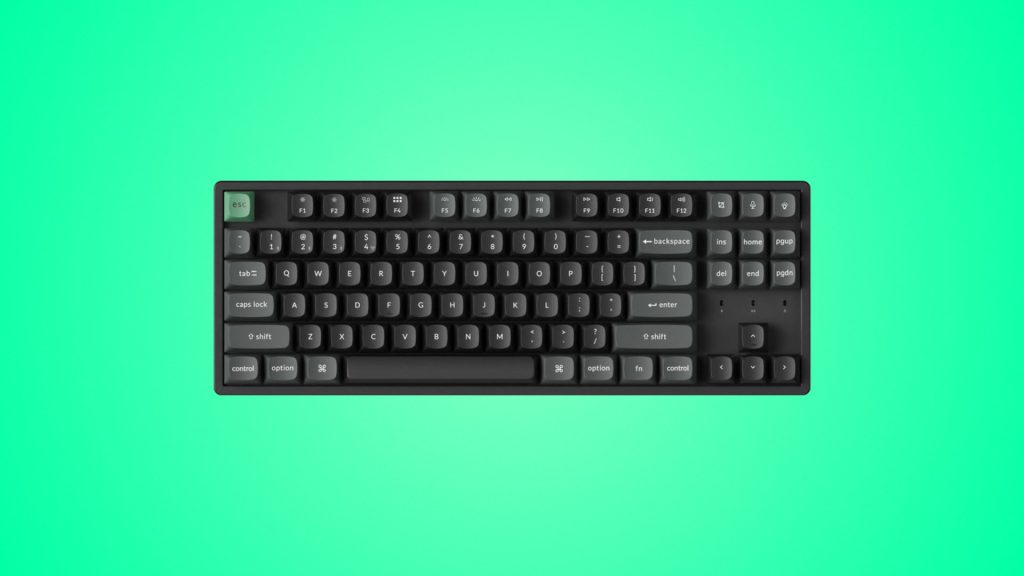
Keychron K8 Ultra 8K Wireless Custom Mechanical Keyboard
design
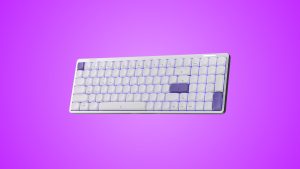
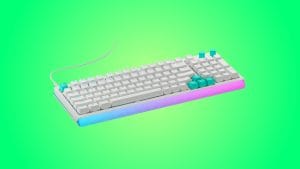
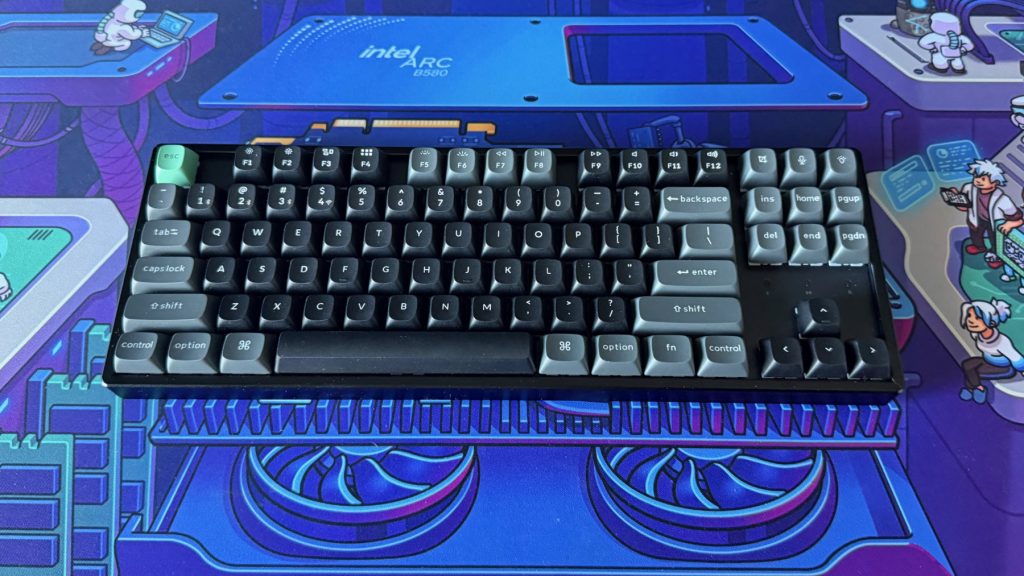
Keychron has leaned on the same flat, chunky slab concept for years now. Ultimately there’s only so much you can do to the overall design of a keyboard. So the first thing that caught my eye on the K8 Ultra 8K was the top plate. Rather than sitting flush, the aluminium is recessed, sinking the switch bed down into the frame with a raised lip of a few millimeters around each edge. It’s an unusual choice, but there’s a charm to it, and it gives the board a slightly industrial look that sets it apart from the rest of the range.
Underneath that aluminium top, the base is ABS plastic rather than metal, which is what separates the K8 Ultra 8K from Keychron’s pricier full-metal boards. I’ll admit I didn’t notice it once during testing, though. The metal top carries the look and feel on its own, and does so well. At over a kilo, the whole thing sits on the desk like a solid, robust slab, with no creak or flex when you pick it up or lean on it.
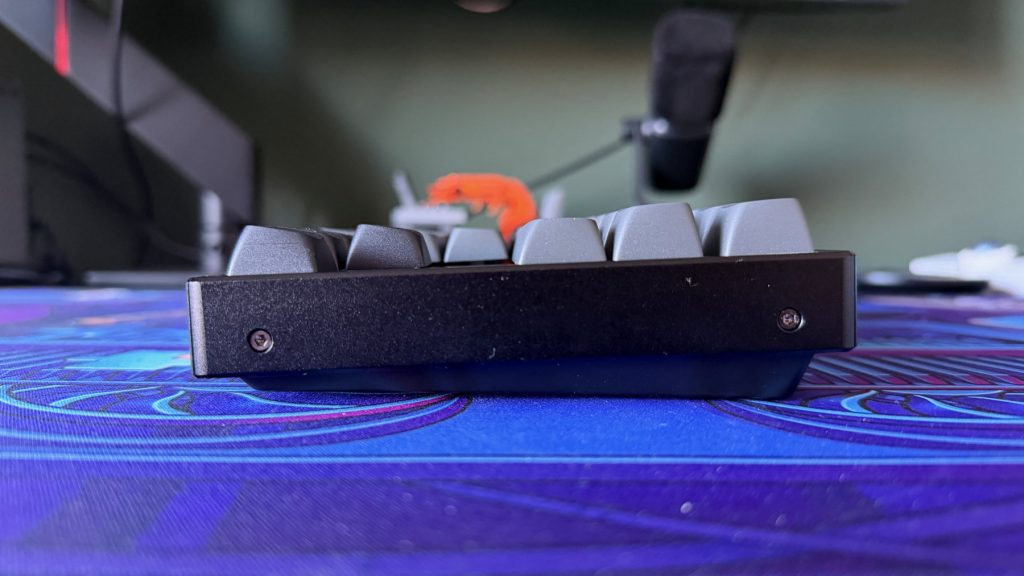
You might expect that recessed plate to lower the keys into the frame and run a little more low profile, but the keycaps actually sit proud of the top edge rather than inside the footprint. The knock-on effect, combined with a front edge that’s taller than most, is a surprisingly chunky board. I didn’t struggle with it in daily use, but anyone sensitive to wrist angle may want to budget for a wrist rest.
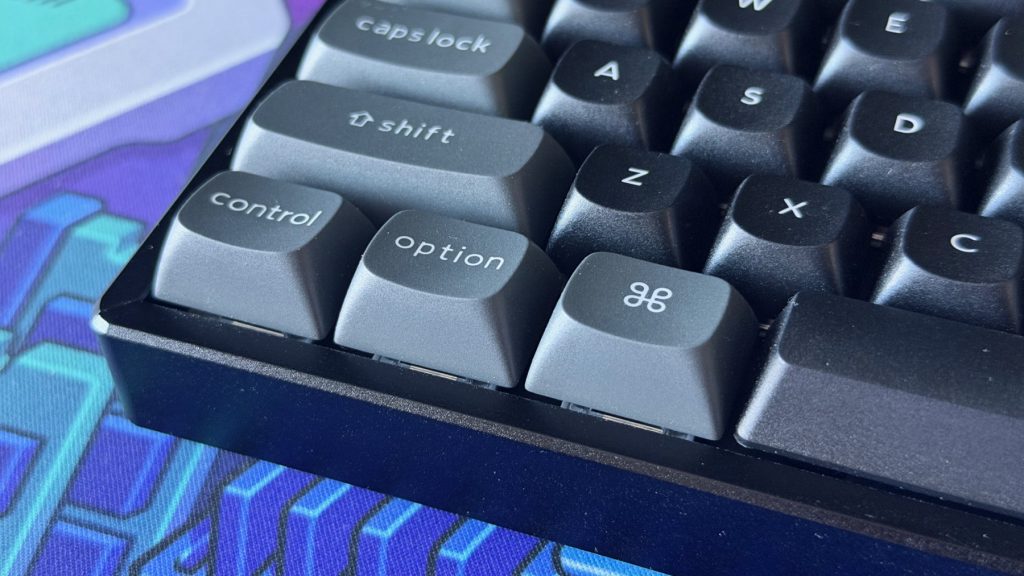
Keychron includes both Mac and Windows keycap sets in the box, both double-shot PBT in an OSA profile. The tops took me a little while to adjust to, but there’s plenty of sculpting to nestle your fingers into once you have. Where they let the board down a little is the legends, which are solid rather than shine-through. The south-facing RGB lights up the gaps between keys well enough, but it can’t illuminate the labels themselves, which takes away much of the point of having it in the first place, in my opinion.
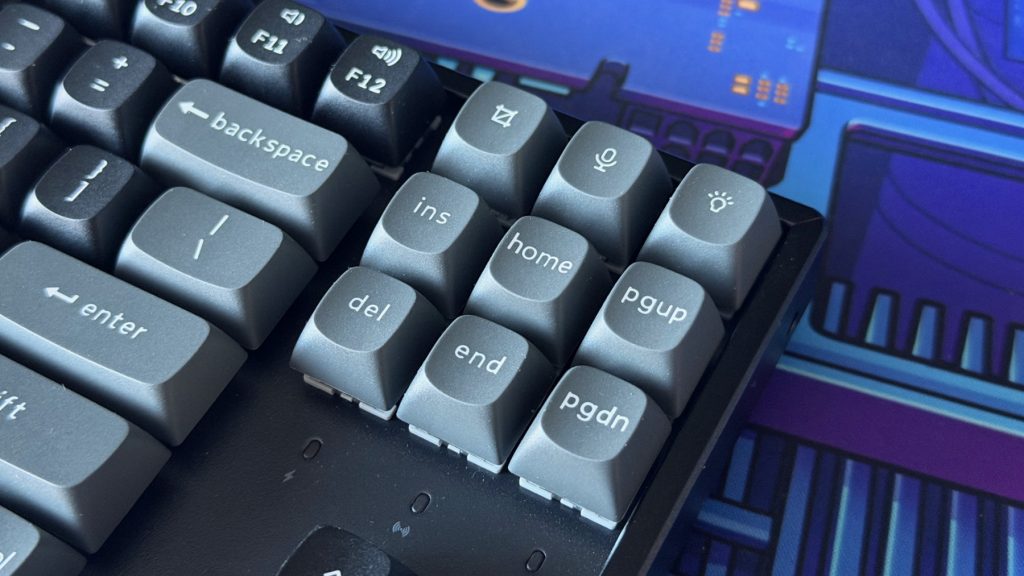
I missed having a volume knob here, it’s something I’ve grown used to on boards from Keychron and its competitors. Instead in its place are three shortcut keys tucked into the top right corner, which admittedly is a neat idea in its own right. I’d love to see Keychron take it a step further and borrow the swappable module from the Epomaker HE75 V2, where the knob pulls out and a pair of keys slots in instead, letting you choose between shortcut keys and a dial depending on how you work.
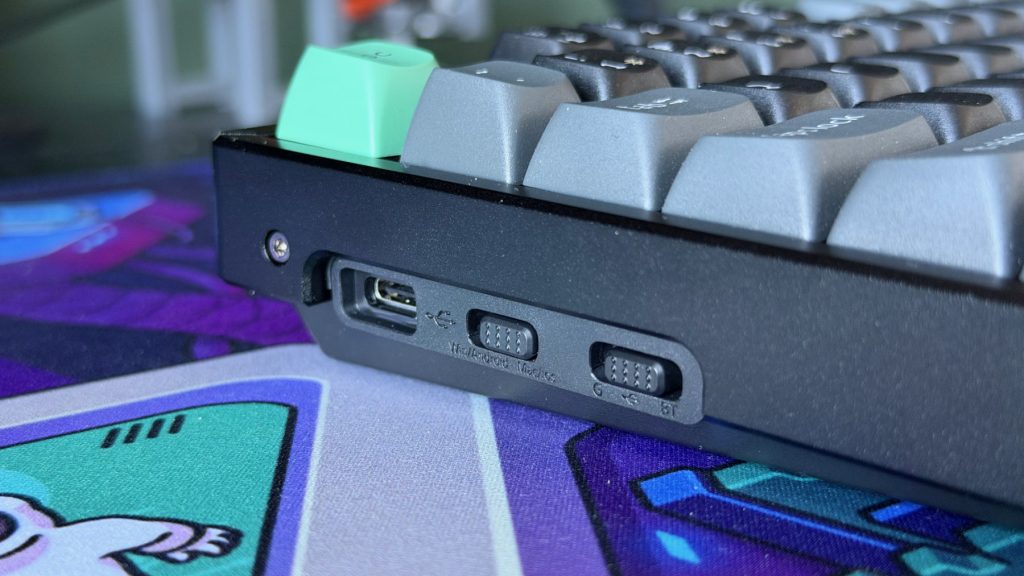
Along the left side you’ll find a pair of toggle switches, one for wired, Bluetooth or 2.4GHz and one for Mac or Windows, and I’ve no complaints about either. Next to them sits the USB-C port, and that’s a stranger choice than putting it at the back. I’m sure Keychron has its reasons, but a cable coming out of the side is more likely to get in the way of a mouse arm or anything else on the desk than one tucked out of sight behind the board.
performance
My K8 Ultra 8K came fitted with Keychron Apex Red switches, a light linear that’s new with this series. The Apex switches arrive pre-lubed and use a box stem with a clear top housing, rather than the MX-style stem Keychron has used on previous models.
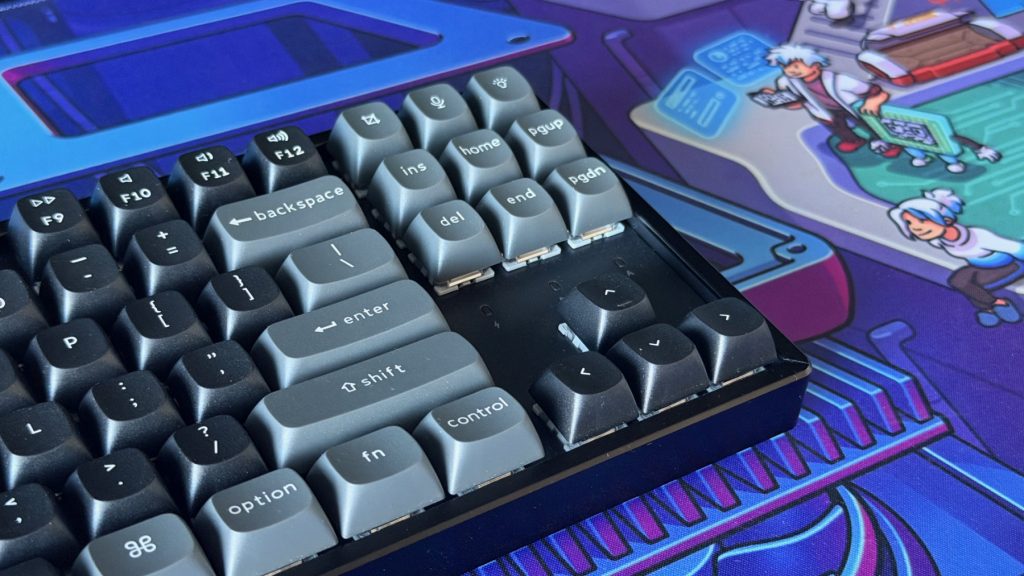
Between the foam stack inside the case and that light spring, the overall typing feel is soft and almost pillowy. The foam cushions each press and takes the sharp edge off bottoming out, while the spring gives the keys an almost shallow feel, even though the Apex Red uses standard full-height travel. There’s so little resistance building up as you press that you’re at the bottom before you’ve really noticed you’re travelling, and that makes it a fast switch, one of the snappier physical feels I’ve had on a mechanical board.
That dampening carries through to the sound, too. Every keystroke is rounded off, and while keyboards don’t often have much in the way of reverb, typing on the Keychron K8 Ultra 8K is almost like using it up against the acoustic foam lining a recording studio. It’s as if the sound is covered off and dissipates, helpful for shared environments though a little lifeless if you’re looking for personality. It was consistent across the board however and didn’t hear any ping or rattle, and the stabilisers felt solid on the larger keys, spacebar included.
I didn’t try any alternative switches, but I always pull and reseat a few to see how the process feels, and the K8 Ultra 8K is as straightforward as you’d hope. It takes both 3-pin and 5-pin switches, and a switch and keycap puller is included in the box.
As for the 8K polling that gives this keyboard its name, I don’t think it’ll ever make a difference for how I use a keyboard, and I’d argue the same is true for the majority of gamers below professional level. What I feel has made far more of a difference is that light switch. Short of a Hall Effect board with a very short actuation distance set, the K8 Ultra 8K is one of the snappier keyboards I’ve used for casual gaming, and that comes from the Apex Red rather than the polling rate.
Across wired, Bluetooth and the 2.4GHz dongle, I didn’t have a single connection issue, and switching between them was quick and painless. Keychron rates battery life at up to 760 hours with the backlight off, a big jump over older models that the brand puts down to the switch to ZMK firmware.
Anyone who’s used a recent Keychron board will recognise the Keychron Launcher, the web app that handles key remapping, macros, lighting and firmware updates without a desktop install. It’s feature-rich and largely a smooth experience with nothing to install in the background.
summed up
After a week as my main board for writing and gaming, I’d call the K8 Ultra 8K perfectly passable as an allrounder. It isn’t the best typing or productivity keyboard I’ve used, but it never got in the way, and the soft feel makes long sessions pleasant enough. The light, fast Apex Red switch is the real reason it feels quick in games, far more than the 8K polling that sits in its name and I’m confident it’ll keep up with even the most intense matches.
There are frustrations along the way, but with a robust build, a recessed design that gives it a little personality, and a sound that’s about as dampened as I’ve heard from a mechanical keyboard, the Keychron K8 Ultra 8K makes for a solid choice. Anyone who mainly types has better options, and competitive gamers may be better served by a Hall Effect board like the Keychron K3 HE.