GravaStar Mercury V75 Pro Hall Effect Gaming Keyboard Review
design
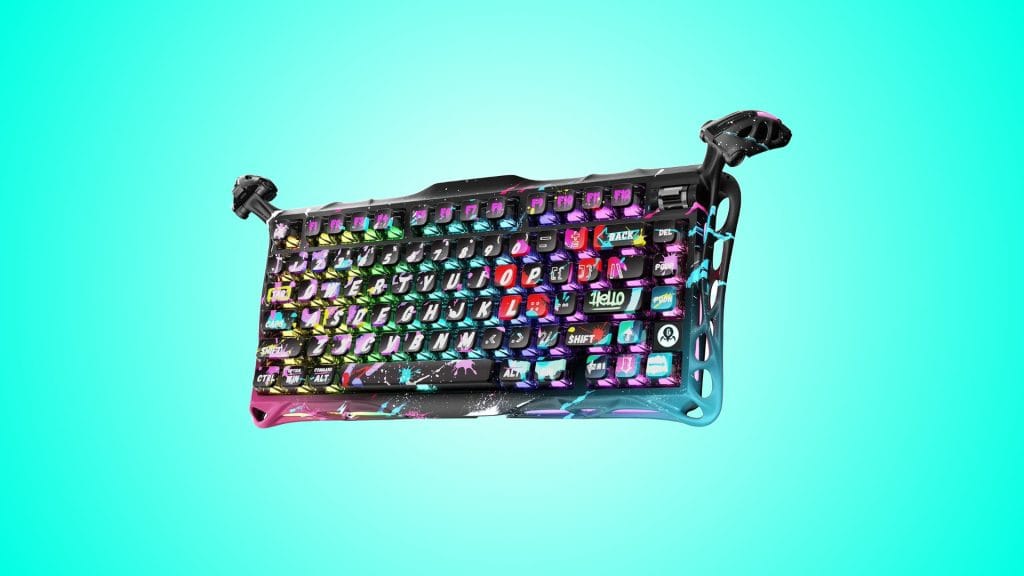
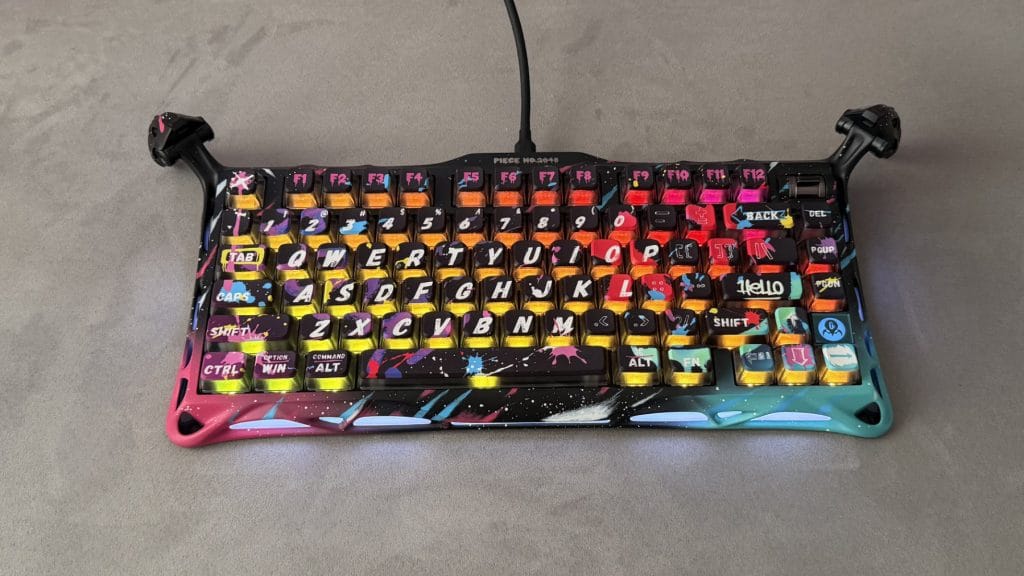
The Mercury V75 Pro comes in three striking designs, I’ve been testing the Neon Graffiti Special Edition and, well, it’s a lot. Fans of GravaStar’s well-established style will feel right at home but for anyone else, this is going to be a polarising design. The fully hand-painted aluminium frame features splashes of colour and graffiti-inspired artwork across every surface, and each unit carries its own serial number. Mine is Piece No. 2048, if you were wondering. The other two colourways, Cyberpunk and Iron Purple, are a little more reserved but only just. This is not a keyboard for the subtle crowd.
Get past the initial shock though and there’s genuine substance underneath. The Mercury V75 Pro HE is built like a tank. An aluminium alloy exoskeleton wraps the frame and the bottom plate gets an upgrade from plastic to metal on this Special Edition. That upgrade, along with the extra paint, means the Neon Graffiti tips the scales at a ridiculous 1.71kg, noticeably heavier than the Cyberpunk and Iron Purple at 1.09kg each. That extra heft does make it a lump to move around, but it also means this thing is not going anywhere on your desk.
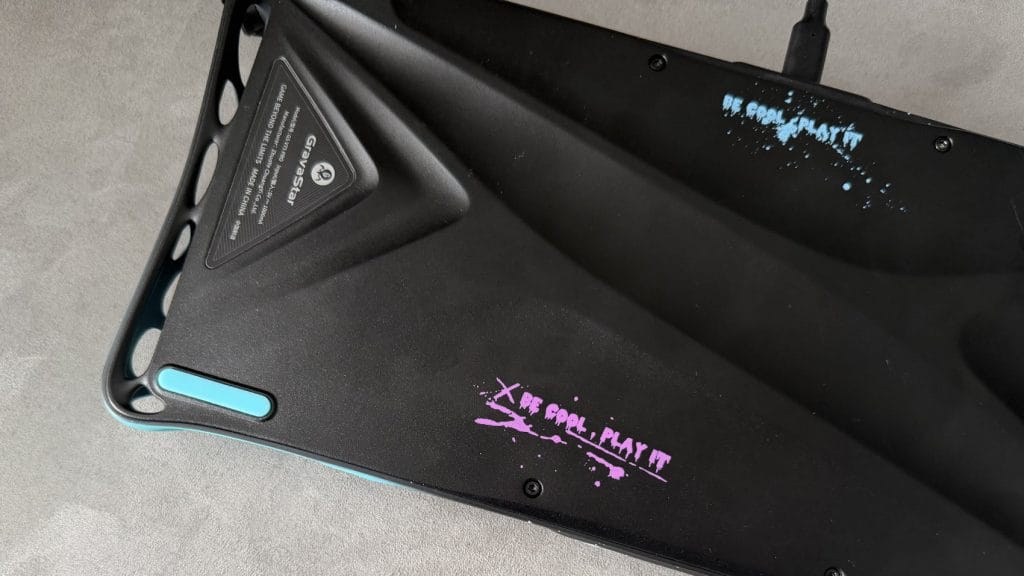
GravaStar’s signature retractable alien legs stick out from the top corners and serve as adjustable feet. They do a solid job keeping the board stable but despite having a large range of movement to go from retracted to extended, they’re actually limited to just two preset positions, one at each end. Given how much travel there is in them and how much impact that has on the typing angle, more granular adjustment would have been welcome and feels like an oversight for such a customisable board.
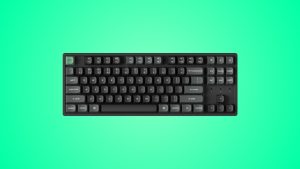
The pudding-style keycaps use a PBT and polycarbonate construction with dye-sublimated designs on top. The primary letters and numbers are large, bold, and clear and I actually quite like them. The secondary function labels are a different story though, getting a little too carried away with creative licence and becoming tricky to read at a glance. Some of them you’d be hard pressed to even recognise at all.
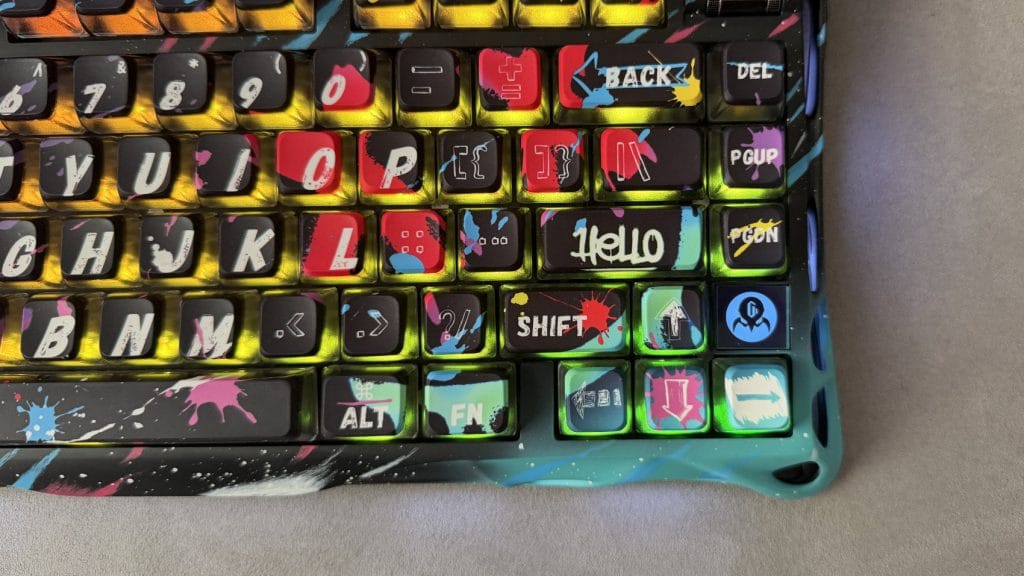
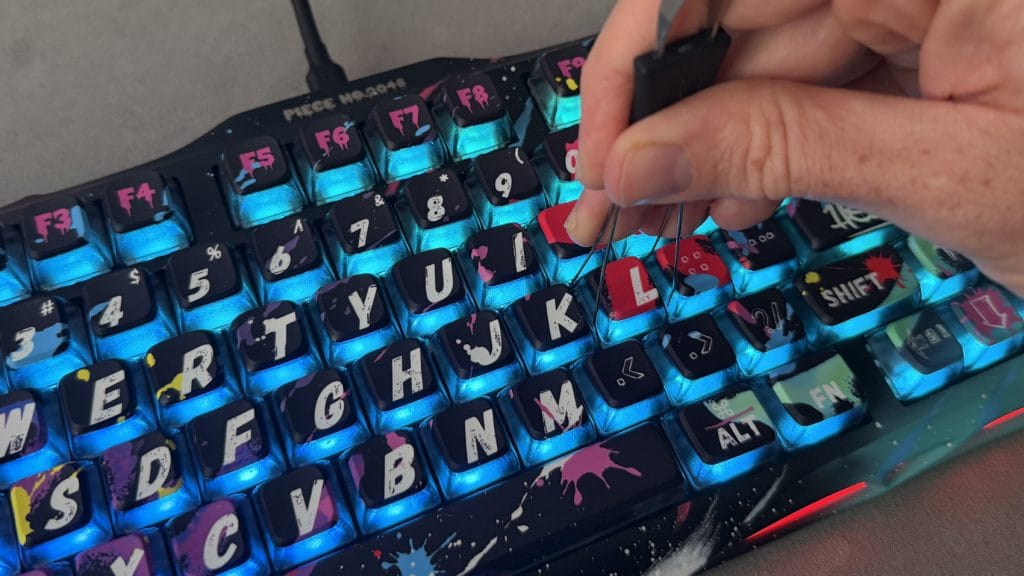
The keycaps have a more pronounced texture on top than most, almost like running your fingers over a sheet of paper rather than the silkier surface I’d expect on a mechanical keyboard. It’s not unpleasant, but it’s noticeably different from the smooth PBT you’ll find elsewhere. There’s no shine-through on the keycaps either, which is a shame given how effective those large characters could have looked illuminated. The translucent keycap bodies do allow plenty of RGB bleed around each key though, and the 270-degree frosted diffuser built into the outer frame makes the dual-zone lighting system rather impressive. Per-key and ambient side lighting run independently and the effect is one of the best implementations of RGB I’ve seen on a keyboard.
You’ll find a clicky volume rocker in the top-right corner which is pleasant to use but annoyingly can’t be rebound to anything else, despite per-key level choice across the rest of the V75 Pro. There’s also a small LCD display above the arrow keys that shows the GravaStar logo and changes colour when CapsLock is active. That’s it. It can’t be reprogrammed, it can’t show system info, you can’t even pick the colours it flicks between. It’s positioned too far from the actual CapsLock key to work as a useful indicator for it either. It’s just a wholly pointless addition with such little functionality and a massively wasted opportunity.
performance
The V75 Pro HE includes GravaStar x Gateron Magnetic Jade Gaming Hall Effect switches which are particularly light at 36g actuation force. They are highly adjustable between 0.1mm and 3.5mm in 0.1mm increments however, so there’s loads of room for personalisation and getting the feel right. You get Dynamic Rapid Trigger, meaning you can fire off another input as soon as a key starts rising without it needing to return to its highest point, and there’s Last Key Prioritisation (Snap Tap) too. Couple those with an 8,000Hz USB polling rate and 256kHz key-position scanning and in practice this keyboard should comfortably outpace most gamers, myself well and truly included. Across everything I threw at it in testing, it never so much as blinked.
I’ll add my usual caveat at this point that I’m not a pro-level gamer and this keyboard is largely wasted on someone like me in a pure gaming context. For those who do play at a serious or competitive level though, there’s nothing missing here. The feature set matches or exceeds anything else at this price and the responsiveness is as sharp as you’d expect from a board with these specs.
General typing is more my realm and while it is decent, this is unmistakably a gamer’s keyboard first and foremost. Out of the box I struggled with extended typing, it was just too sensitive and my accuracy took a real hit. Once I’d essentially told the V75 Pro HE to calm down and set the trigger distance deeper to offset the light switches, things improved and I was actually able to increase my typing speed to 124wpm at 96% accuracy, up from my usual 116wpm or so. Don’t take that as a recommendation for writers though, there are still far better options out there if typing is your primary use.
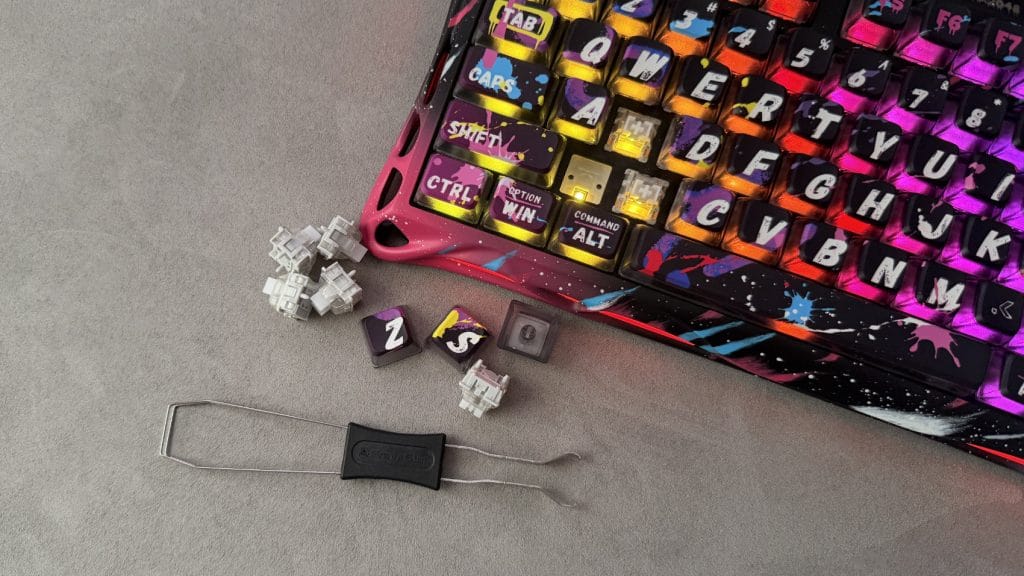
The sound profile is pleasant with a deeper tone thanks to the multi-layer foam dampening, though each of the larger keys has its own distinct voice. The spacebar in particular likes to make itself heard, while backspace and tab each bring a slightly different acoustic character. It’s not going to bother you in a home setup but it’s certainly not the most office-friendly keyboard, in sight or sound.
Configuration runs through GravaStar Hub, a web-based companion app. It’s feature-rich with per-key actuation adjustment, Rapid Trigger and LKP toggles, RGB customisation, remapping, macros, and game-specific presets for CS:GO and Valorant. You can save, import, and export multiple configurations too, which is handy. The catch is that while those profiles are stored on the keyboard itself, switching between them requires opening the web app. There’s no on-board profile switching via a hotkey, which feels a frustrating quality of life gap.
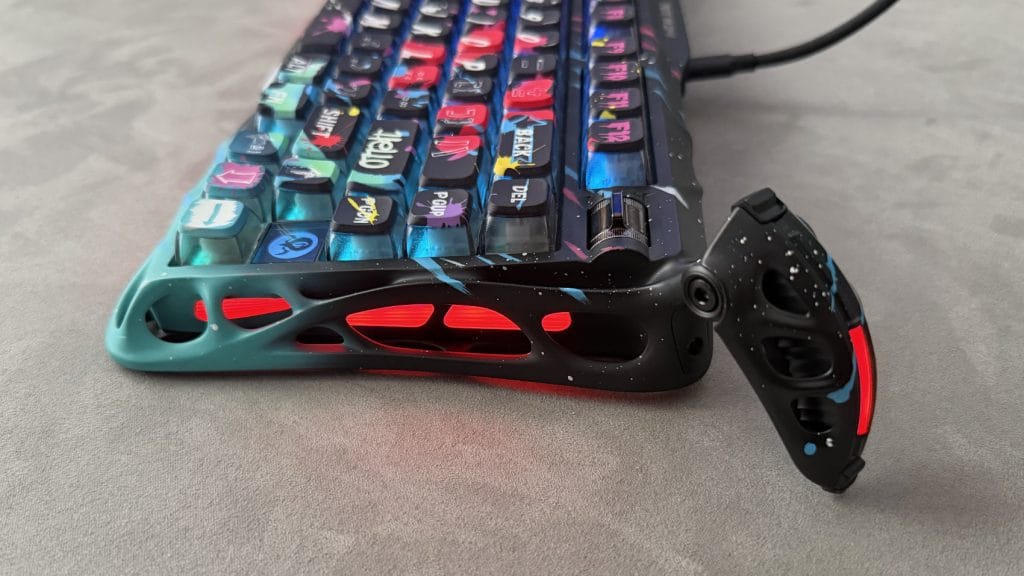
There is an RT/N toggle on the back edge to switch into what GravaStar calls “work” mode, but this only disables Rapid Trigger rather than loading a separate profile with different settings. The software itself is a little rough around the edges. In testing I discovered occasional error messages popping up in Chinese characters and some tooltip text that doesn’t quite land in English. There’s no Safari support either, not uncommon for these kind of web apps, so Mac users will need Chrome or Edge.
summed up
The GravaStar Mercury V75 Pro HE is an unashamedly specialist keyboard. It knows exactly what it is, a gaming-first showpiece with serious competitive performance and build quality that backs up its bold design. The Hall Effect switches, 8K polling, Rapid Trigger, and LKP feature set will satisfy even the most demanding players and the build quality of the Neon Graffiti Special Edition I’ve been using is particularly impressive.
Where it falls short is in the finer details. Software that still needs polish, a wasted LCD display, no on-board profile switching, and alien legs that don’t offer the adjustment range their travel suggests. At £229.95 you’re paying a premium for the GravaStar name and design language as much as the performance, and while that performance largely justifies the investment, there are competitors out there offering similar specs for less without the sci-fi tax.
If you’re a serious gamer who wants your setup to turn heads and you’re happy with a wired connection, the V75 Pro HE delivers. For everyone else, there are likely more versatile and better value options available.